

Last updated: November 13, 2026. Loyalty app prices come from each app’s Shopify App Store listing, checked on November 9, 2026. Disclosure: Webiots builds Shopify apps. No apps in this guide paid to be included.
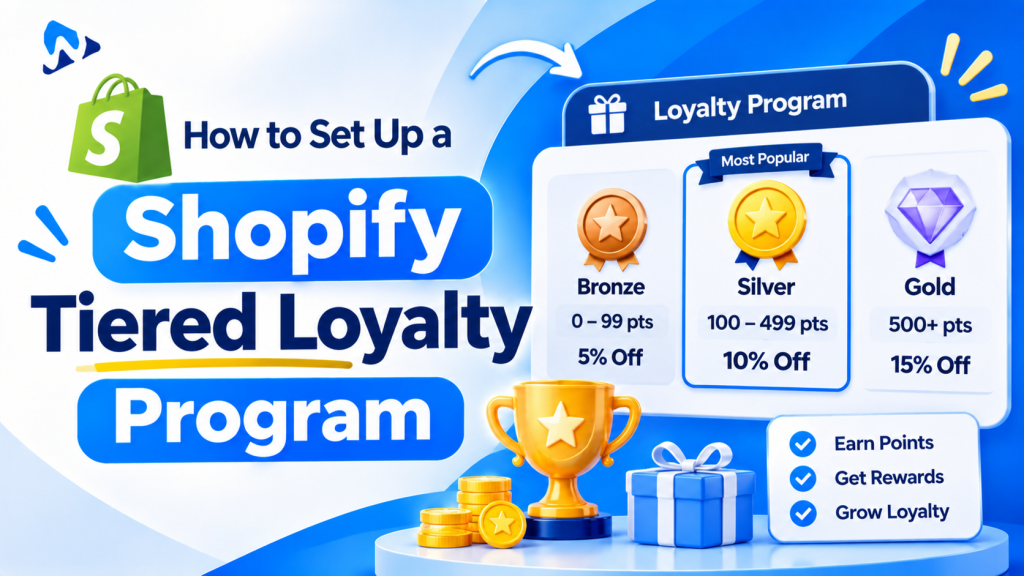
Quick answer: VIP tiers reward your best customers with bigger perks as they spend more, for example Silver, Gold and Platinum. To set them up on Shopify, choose what moves customers up (amount spent is simplest), set 3 tiers based on how much your customers actually spend, and give each tier perks such as early access, free shipping or bonus points. Shopify has no built-in tiers, so you either use customer segments with segment-only discounts, or a loyalty app with VIP tiers, which costs from about $30 a month.
Key takeaways:
- Start with 3 tiers based on amount spent.
- Set thresholds from your own customer data.
- Use perks that cost little but feel exclusive.
- Loyalty apps with VIP tiers start around $30 a month.
In this guide
- What are VIP tiers?
- How customers move between tiers
- How to set tier thresholds
- Which perks to offer
- Example 3-tier program
- Set up tiers without an app
- Set up tiers with a loyalty app
- What VIP tiers cost
- Common mistakes
- FAQ
What Are VIP Tiers in a Shopify Loyalty Program?
VIP tiers are levels in a loyalty program that unlock better rewards as a customer spends more or orders more often. A basic points program treats every customer the same. Tiers give your best customers a reason to stay with you and a goal to reach the next level.
Tiers work best for stores with repeat purchases, such as beauty, coffee, pet supplies, apparel and supplements.
How Do Customers Move Between VIP Tiers?
Customers move up when they reach a set amount spent, number of orders or points earned, usually counted over the last 12 months.
| Tier rule | How it works | Best for |
|---|---|---|
| Amount spent | Reach $300, become Gold | Most stores; easiest to understand |
| Number of orders | Place 5 orders, become Gold | Low-price, frequent purchases like coffee |
| Points earned | Points from orders, reviews and referrals count | Stores that reward reviews and referrals too |
Decide two more rules up front: whether tiers are counted over a rolling 12 months or lifetime, and how long a customer keeps a tier if they stop buying. A 12-month window keeps tiers meaningful without punishing a slow month.
How Do You Set VIP Tier Thresholds?
Base thresholds on what your customers really spend, so the top tier stays exclusive and the first tier feels reachable.
- In Shopify admin, open Customers and sort by amount spent, or export the list.
- Find the spend of a typical repeat customer. Set your first tier just above it.
- Set the middle tier at roughly your top 20% of customers and the top tier at roughly your top 5%. Adjust to your own numbers.
- Check that each tier’s perks still leave a profit at that spend level.
Tip: Round thresholds to easy numbers like $150, $400 and $1,000. Customers remember them, and you can show the gap clearly: You’re $45 away from Gold.
Which VIP Perks Should You Offer?
The best VIP perks feel exclusive but cost you little: early access, free shipping, birthday gifts and bonus points beat bigger discounts.
| Perk | Cost to you | Why it works |
|---|---|---|
| Early access to sales and launches | None | Feels exclusive; great before Black Friday |
| Free shipping | Your shipping cost | Removes the most common checkout objection |
| Bonus points multiplier | Only when redeemed | Rewards repeat orders |
| Birthday gift or credit | Low | Personal and memorable |
| Store credit on reaching a tier | Only when spent | Brings them back to spend it |
| Exclusive products or bundles | Low | Status without discounting |
| Permanent percentage discount | High | Use sparingly, top tier only |
Example: A 3-Tier VIP Program
Illustrative example for a store with a $55 average order. Adjust thresholds to your own customer data.
| Tier | Spend in 12 months | Perks |
|---|---|---|
| Silver | $150 | 1.25x points, birthday gift |
| Gold | $400 | 1.5x points, free shipping, early access to sales |
| Platinum | $1,000 | 2x points, free express shipping, $20 store credit on joining, exclusive products |
How Do You Set Up VIP Tiers on Shopify Without an App?
You can run simple tiers with Shopify customer segments and discounts that only those segments can use. This works for perks like free shipping or early access, but customers can’t see their tier or progress.
- Go to Customers > Segments and create a segment for each tier, filtered by amount spent (for example, amount spent of at least 400).
- Go to Discounts and create a discount for each perk, such as free shipping.
- Under customer eligibility, choose Specific customer segments and pick the tier’s segment.
- Email each segment to tell them about their tier and perks.
- Check the segments monthly, since spend changes over time.
Limits: no points, no tier badges, no progress bar and no automatic tier emails. Segments use lifetime amount spent unless you build a date filter. For a tier program customers can see, use a loyalty app.
How Do You Set Up VIP Tiers With a Loyalty App?
- Choose an app that includes VIP tiers on the plan you can afford (see the cost table below).
- Pick the tier rule: amount spent, orders or points.
- Add your tiers and thresholds, and choose a 12-month or lifetime window.
- Add perks to each tier: points multipliers, free shipping codes, birthday rewards or store credit.
- Turn on the app embed so customers see a rewards panel on your store.
- Show tier progress in customer accounts, so customers see how far they are from the next tier.
- Turn on tier emails for joining, moving up and nearly reaching the next tier.
- Tell existing customers. Import past spend, if your app allows it, so loyal buyers start at the right tier.
What Do VIP Tiers Cost in Shopify Loyalty Apps?
Most loyalty apps keep VIP tiers for paid plans. Starting prices for plans with VIP tiers, checked on November 9, 2026:
| App | VIP tiers from |
|---|---|
| Appstle Loyalty | $30 a month |
| BLOY | $49 a month |
| Flits | $49 a month |
| Smile | $199 a month |
For all 10 apps, prices at your order volume and other features, see our Shopify loyalty apps comparison.
Common VIP Tier Mistakes
- Too many tiers. Three is easy to understand; five feels like homework.
- A top tier nobody can reach. If no one gets there in a year, lower it.
- Discount-only perks. They cut margin on your best customers, who would buy anyway.
- Hiding the program. Show tiers on product pages, in customer accounts and in emails.
- Dropping customers without warning. Email before a tier expires and give them a chance to keep it.
Frequently Asked Questions
Does Shopify have built-in VIP tiers?
No. You can approximate tiers with customer segments and segment-only discounts, but a visible tier program with points and progress needs a loyalty app.
How many VIP tiers should a Shopify store have?
Three is a good start: an easy entry tier, a middle tier for regulars and an exclusive top tier.
Should VIP tiers use amount spent or points?
Amount spent is simplest for customers to understand. Points work better if you also reward reviews, referrals and social follows.
What are good VIP perks besides discounts?
Early access, free shipping, birthday gifts, bonus points, store credit on reaching a tier and exclusive products.
Which Shopify loyalty apps include VIP tiers?
Appstle (from $30 a month), BLOY and Flits (from $49) and Smile (from $199) all include VIP tiers on paid plans, based on November 2026 listings.
Related Reading
- 10 Best Shopify Loyalty Apps (2026): Real Costs Compared
- Shopify Store Credit as Loyalty Rewards
- Smile.io Pricing Explained
- Black Friday Loyalty Ideas for Shopify
- Shopify Legacy vs New Customer Accounts
Update Log
November 13, 2026: First published with tier rules, threshold method, perks, an example program, setup with and without an app, and VIP tier costs.