

Last updated: November 13, 2026. Shopify rules come from Shopify’s developer documentation, checked on November 13, 2026. App prices are as reported in August 2026, so check each listing before you install. Disclosure: Webiots builds Shopify apps. No apps in this guide paid to be included.
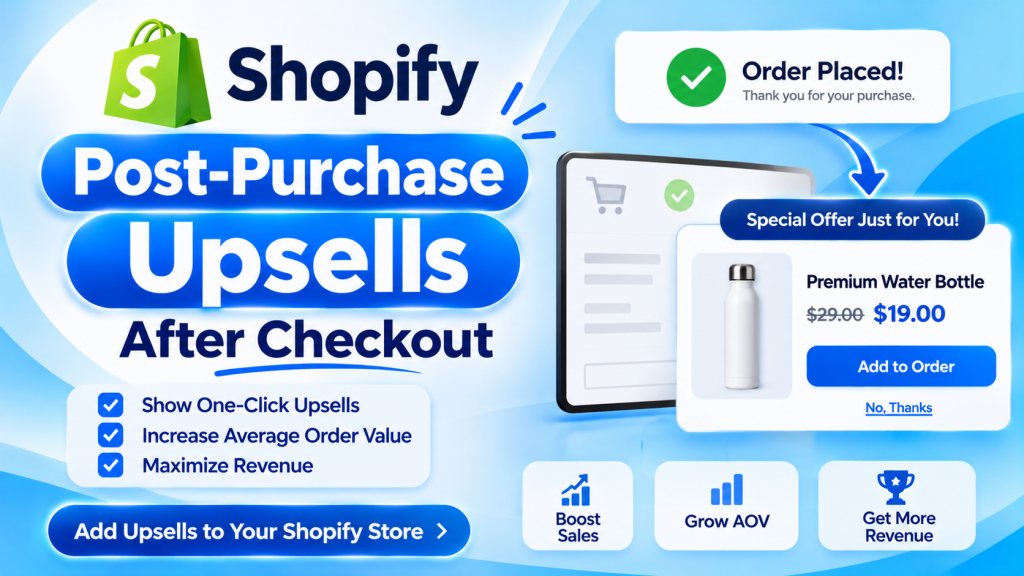
Quick answer: A Shopify post-purchase upsell is an extra offer shown right after a shopper pays, before the thank-you page. The shopper accepts with one click and is charged without re-entering card details. You need an upsell app to add one, and it only shows when the shopper paid by credit card: not with Apple Pay, Google Pay, Klarna, Affirm or gift cards. Offers on the thank-you page work with any payment method and are available on every plan except Shopify Starter. Offer a small, related product that is cheaper than the main item.
Key takeaways:
- One-click offers appear before the thank-you page.
- They only show for credit card payments.
- Thank-you page offers work on all plans except Starter.
- Offer something small that fits what they just bought.
In this guide
- What is a post-purchase upsell?
- Post-purchase page vs thank-you page
- Which payments and plans support it
- How to set one up
- What to offer
- Is it worth it? A worked example
- Post-purchase upsell apps
- Common mistakes
- FAQ
What Is a Post-Purchase Upsell on Shopify?
A post-purchase upsell is an offer a shopper sees after paying, which they can add to their order with one click. Because the order is already placed, the offer can’t scare the shopper away from buying. It only asks for a small, easy yes.
For example, someone buys a coffee grinder for $60. Before the thank-you page, they see: Add a bag of our house blend for $12 (usually $15). One click adds it, and they pay with the card they just used.
Where Do Post-Purchase Offers Appear on Shopify?
There are two places: the post-purchase page between checkout and the thank-you page, and the thank-you or order status page itself.
| Post-purchase page | Thank-you or order status page | |
|---|---|---|
| When it shows | After payment, before the thank-you page | On the thank-you page and the order status page |
| How the shopper pays | One click, charged to the same card | Usually a short second checkout |
| Payment methods | Credit cards only | Any |
| Plans | Through an app with post-purchase access | All plans except Shopify Starter |
| Best for | Highest take rate on simple add-ons | Reaching every buyer, plus reorder and referral offers |
Many stores use both: a one-click offer for card payments, and a thank-you page offer for everyone else.
Which Payment Methods and Plans Support One-Click Upsells?
The one-click post-purchase page only appears when the shopper paid with a credit card that Shopify can charge again. According to Shopify’s developer documentation, it doesn’t appear when the shopper:
- Pays with Apple Pay, Google Pay or another wallet
- Pays with Klarna, Affirm or another installment service
- Uses a gift card or any method other than a credit card
- Pays through a gateway that needs the card security code again, such as Braintree, PayPal Payments Pro, Payflow Pro or Eway
Good to know: Shopify holds fulfillment of these orders until the shopper leaves the offer page or one hour passes, so the upsell item can ship in the same box. Thank-you and order status page offers are available on all plans except Shopify Starter (Shopify).
How Do You Set Up a Post-Purchase Upsell on Shopify?
Install a post-purchase upsell app, create one offer for your best-selling product, then test it with a real card payment.
- Pick your trigger product. Start with a best seller, so the offer reaches the most buyers.
- Choose the offer. A related item that is cheaper than the trigger product, such as a refill, accessory or care kit.
- Set the discount. A small saving makes it feel exclusive. Make sure your margin still works.
- Install a post-purchase upsell app and turn on its app embed or checkout extension in your theme or checkout settings.
- Create the offer in the app: trigger product, offer product, price and a short headline.
- Add a thank-you page offer for shoppers who paid with a wallet or installments.
- Write a clear headline: what it is, the price and that it ships with their order.
- Place a test order with a real card, accept the offer, then refund both orders.
- Check results after two weeks and replace offers almost nobody accepts.
What Should You Offer After Checkout?
The best post-purchase offers complete what the shopper just bought and cost less than it. A shopper who just paid $80 is far more likely to add a $12 extra than a second $80 item.
| Store type | They bought | Offer after checkout |
|---|---|---|
| Coffee | Grinder | A bag of beans at 20% off |
| Skincare | Serum | Travel-size moisturizer |
| Apparel | Jeans | A belt or a second pair of socks |
| Pet | Dog bed | Washable cover |
| Gifts | Any gift | Greeting card or gift box |
| Electronics | Phone case | Screen protector |
Is a Post-Purchase Upsell Worth It? A Worked Example
Illustrative example with assumed numbers, not a real store’s results. A store gets 1,000 orders a month at an average of $60. It offers a $12 add-on that costs $4 to make. Assume 5% of card-paying shoppers accept, and 70% of shoppers pay by card.
- Shoppers who see the offer: 1,000 x 70% = 700
- Shoppers who accept: 700 x 5% = 35
- Extra revenue: 35 x $12 = $420 a month
- Extra profit before app fees: 35 x ($12 – $4) = $280 a month
Compare that profit with the app’s monthly price. Many apps charge more as your order volume grows, so check the price at your own order count.
Which Apps Add Post-Purchase Upsells on Shopify?
Prices below were reported in August 2026 by Fudge. Check each App Store listing for current plans.
| App | Rating (reviews) | Starting price |
|---|---|---|
| ReConvert | 4.8 (2,798) | $4.99 a month |
| AfterSell | 4.8 (900) | $34.99 a month |
| Zipify OCU | 4.5 (502) | From $8 a month |
| Honeycomb | 4.6 (146) | Free plan, then $54.99 |
| ReSell | 4.9 (52) | 5% of upsell revenue, or $14.99 |
| CartHook | 3.9 (78) | Free to 100 orders, plus 1% of upsell revenue |
If you also want bundles, quantity breaks and a cart drawer, an all-in-one upsell app can cost less than several single-purpose apps.
Common Post-Purchase Upsell Mistakes
- Offering something too expensive. Keep it well below what they just paid.
- Offering an unrelated product. It should fit the first purchase.
- Showing several offers in a row. One good offer beats three.
- Forgetting wallet payers. Add a thank-you page offer so Apple Pay and Shop Pay installment buyers see something too.
- Never testing. Place a real order to check the charge and the combined shipment.
Frequently Asked Questions
What is a post-purchase upsell on Shopify?
It’s an offer shown after a shopper pays and before the thank-you page. The shopper can add it to their order with one click, without re-entering payment details.
Do post-purchase upsells need Shopify Plus?
No. One-click post-purchase offers come through apps, and thank-you page offers are available on every plan except Shopify Starter. Plus is only required for checkout extensions on the information and payment steps.
Why isn’t my post-purchase offer showing?
It only shows when the shopper paid by credit card. It doesn’t appear for Apple Pay, Google Pay, Klarna, Affirm, gift cards or gateways that need the security code again.
Does the upsell create a second order?
A one-click post-purchase offer is added to the same order and charged to the same card. Thank-you page offers usually create a short second checkout.
What is a good post-purchase offer?
A small, related product that costs less than the original purchase, such as a refill, accessory or gift box, with a small discount.
Related Reading
- How to Create Product Bundles on Shopify
- Shopify Cart Drawer: Upsells and a Free Shipping Bar
- Shopify Quantity Breaks
- How to Set Up BOGO on Shopify
- 34 Black Friday Promotion Ideas for Shopify
Update Log
November 13, 2026: First published with Shopify’s post-purchase rules, payment limits, setup steps, offer ideas and a worked example.