Published: November 25, 2026. App plans are from the Shopify App Store and each app’s help center, checked November 2026. This is general information, not legal advice.
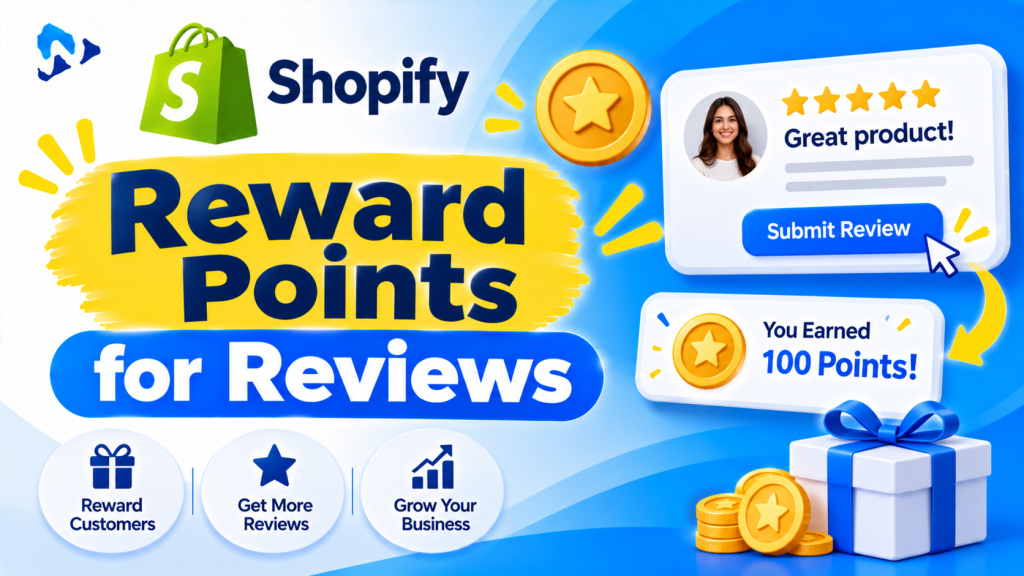
Quick answer: Shopify can’t give points for reviews on its own, so you need a loyalty app connected to a review app, or one app that does both. The most common setup is Judge.me (Awesome plan, $15/month) plus Smile (paid plan from $15/month): connect them, add “Write a Product Review” as a way to earn, and turn on flexible rewards to give more points for photo and video reviews. A good starting structure is 100 points for a text review, 250 for a photo and 400 for a video. Reward every honest review, not just positive ones, and limit rewards to verified buyers.
Key takeaways:
- You need a review app and a loyalty app that talk to each other.
- Give more points for photo and video reviews; they sell more.
- Never make points depend on a good rating. The FTC bans that.
- Limit rewards to verified buyers and one reward per product.
In this guide
Why Reward Reviews With Points?
A small reward reminds customers who liked your product but would never get around to writing a review. Points work better than a one-off coupon because they build a balance, which brings the customer back to spend it.
It also replaces blanket discounts. In a recent r/shopify thread, a supplement store owner moving away from automatic 5% and 10% discounts said tying rewards to reviews gave them social proof and more engaged customers instead of margin loss. And reviews are a common way to earn in big loyalty programs: Shopify points to Princess Polly, which gives points for reviews, and Moon Juice, where reviews can earn up to 15% off. Skincare brand 100% Pure also gives points for writing reviews and engaging on social media.
Loyalty programs pay off. According to data cited by Shopify:
- 72% of customers say loyalty programs encourage them to spend more (Deloitte).
- 83% of brands with a loyalty program report a positive return, earning more than five times what the program costs (Antavo, 2025).
- Customers who redeem loyalty points have a 23% higher average order value than those who don’t (Growave Shopify study).
3 Ways to Give Points for Reviews on Shopify
| Setup | Example | Pros | Cons |
|---|
| Review app + loyalty app | Judge.me + Smile, Judge.me + Flits | Best-in-class apps for each job; keep what you already use | Two bills; both usually need paid plans |
| One vendor, two apps | Yotpo Reviews + Yotpo Loyalty | Separate points for text, photo and video; deep features | Both apps on paid plans gets expensive |
| All-in-one app | Growave, Retenzy | One app, one bill, no integration to manage | Each part may be less advanced than a specialist app |
Step by Step: Points for Reviews With Judge.me and Smile
This is the setup ChatGPT and most guides recommend, because Judge.me (5.0 from 50,000+ reviews) and Smile (4.9 from 4,700+ reviews) are the most-used apps in their categories. You need Judge.me’s
Awesome plan ($15/month) and any
paid Smile plan (Essential is $15/month).
- In Judge.me: go to Settings > Integrations > Smile.io and click Connect.
- Tick Flexible review rewards if you want different points for photo and video reviews.
- In Smile: go to Integrations, click the Judge.me card and click Connect.
- In Smile, go to Program > Points > Add ways to earn, choose Write a Product Review under Smile Apps, enter the points and click Create.
- If you turned on flexible rewards, repeat step 4 for Leave a Photo Review and Leave a Video Review.
- In Judge.me, set Who can receive coupons and Which reviews trigger a discount. These settings also decide who gets points.
- Turn off Show coupon in smart review request emails and add a line about points to your review request email instead.
Good to know: each product reviewed earns points once, even from the same order. Editing a review or adding a photo later doesn’t earn more. Imported reviews don’t earn points, and the reviewer’s email must match a Smile member, or no points are added. With flexible rewards on, Judge.me waits up to 5 minutes before sending a review without a video, so a video that’s still uploading still counts.
Step by Step: Yotpo Reviews and Yotpo Loyalty
- In Yotpo Loyalty, set up redemption rewards, for example 500 points = $5 off, 1,000 points = $10 off.
- Go to Earning Points > Leave a Review and set a base reward, such as 100 points.
- Add bonus points for photos (for example +150) and videos (for example +300).
- Set limits, such as a maximum of 5 rewarded reviews per customer or one every 30 days, and choose verified buyers only.
Yotpo awards the points when the review is published, and Shopify creates a unique discount code when the customer redeems.
How Many Points Should You Give for a Review?
Give more for the reviews that help you sell. Photo and video reviews show the product in real life, so they’re worth more to you than a one-line text review.
| Action | Starting points | Value at 100 points = $1 |
|---|
| Text review | 100 | $1.00 |
| Photo review | 250 | $2.50 |
| Video review | 400 | $4.00 |
| For comparison: purchase | 5 points per $1 spent | 5% back |
These values follow Yotpo’s example (100 base, +150 photo, +300 video) with redemption at 500 points = $5. Adjust them to your margins: a text review should be worth a little less than a typical purchase reward, and a video review should feel worth the effort.
Go beyond reviews: some apps also reward answering product Q&A and uploading product photos, which add useful content to product pages.
What Does a Rewarded Review Cost You?
Less than it looks. Points only cost you money when they’re redeemed, and they’re redeemed on a new order. At 100 points = $1:
- A text review costs at most $1, a photo review $2.50 and a video review $4, and only if the customer buys again.
- Set a minimum redemption (such as 500 points), so a single text review never reaches a reward by itself. The customer has to come back.
- Add the app costs: Judge.me Awesome plus Smile Essential is about $30/month.
Compare that with a 10% discount on every order, which costs you on every sale whether or not you get a review.
Shopify Apps That Reward Reviews With Points
| App(s) | Rating | Points by review type | Plan needed |
|---|
| Judge.me + Smile | 5.0 (50,741) / 4.9 (4,704) | Yes, with flexible review rewards | Judge.me Awesome ($15) + paid Smile (from $15) |
| Yotpo Reviews + Yotpo Loyalty | Check listings | Yes, base points plus photo and video bonuses | Paid plans on both apps |
| Judge.me + Flits | Check listings | Product Review earning rule with point and time limits | Flits Growth or Established plan |
| Growave | 4.8 (1,288) | Reviews and loyalty in one app; merchants report base points plus photo and video bonuses | Free plan; paid from $15/month. Check which plan includes review rewards |
| Retenzy | 4.9 (45) | Points for product reviews, Q&A answers and product image uploads; brandable reward widget, automatic “you earned points” emails and rewards revenue reports | Free to install |
Smile also connects with Loox, and other loyalty apps such as Joy, BON and LoyaltyLion connect with popular review apps. Before you buy, check that the pair you want supports a review earning rule, and whether it can tell text, photo and video reviews apart. For more options, see our guides to the
best Shopify loyalty apps and
best Shopify product review apps.
Rules to Stop Abuse
- Verified buyers only. Yotpo calls this the most important setting.
- One reward per product. Judge.me and Smile already do this; edits don’t earn twice.
- Caps. For example, 5 rewarded reviews per customer, or one per 30 days. Flits lets you set point and time limits.
- Award on publish. Give points after the review passes moderation, so spam earns nothing.
- Minimum length for text reviews, if your app supports it, so “Good” doesn’t earn points.
- A minimum redemption, so points only turn into a discount on a real future order.
Is It Legal to Give Points for Reviews?
Yes, in the US, if you do it the right way. The FTC’s 2024 rule on consumer reviews bans incentives that are conditioned, directly or by implication, on a positive review or a particular sentiment. It doesn’t ban incentives for honest reviews.
- Reward every honest review, including 1- and 2-star reviews. Never say “get points for a 5-star review”.
- Publish negative reviews too. Hiding them while rewarding positive ones is what gets stores in trouble.
- Disclose the reward. The FTC’s Endorsement Guides call a points program a material connection, so say in your review request and review widget that reviewers earn points.
- Penalties can reach $51,744 per violation, so get this right before you launch.
Check the rules in your other markets too, and check marketplace and Google review policies if you syndicate reviews.
- Mention it in the review request email: “Earn 100 points for a review, 400 for a video.”
- Add it to the order confirmation and shipping emails.
- Show “Ways to earn” on your rewards page and loyalty widget.
- Add a line under the review widget on product pages.
- Show customers their points balance in their account page, so they see what they’re close to.
- Send an automatic email when points are credited, with the new balance and a link to redeem.
- Time the review request for when the product has arrived and been used, often 7 to 14 days after delivery.
Points vs a One-Time Coupon for Reviews
| Points | One-time coupon |
|---|
| Setup | Needs a loyalty program | Review app alone, about 10 minutes |
| More for photo and video | Yes | Usually not |
| Brings customers back | Yes, they build a balance | Once |
| Best for | Stores with repeat buyers | New stores, one-time purchases |
Common Mistakes
- Only rewarding 4- and 5-star reviews.
- Not telling customers about the points, so nobody knows to review.
- Same points for a one-word review and a video.
- No verified-buyer rule, so anyone can farm points.
- Points worth so little nobody bothers, or so much they eat your margin.
- Leaving Judge.me coupons on when Smile is connected, which confuses customers.
The Bottom Line
To reward reviews with points on Shopify, connect a review app to a loyalty app, such as Judge.me and Smile, or use Yotpo or an all-in-one app. Give more points for photo and video reviews, reward every honest review regardless of rating, limit rewards to verified buyers, and tell customers about it in every post-purchase email.
Frequently Asked Questions
Can Shopify give points for reviews without an app?
No. Shopify has no built-in loyalty points, so you need a loyalty app connected to a review app, or one app that does both.
How do I give more points for photo and video reviews?
In Judge.me, turn on Flexible review rewards in the Smile integration, then add separate earning rules in Smile. In Yotpo Loyalty, add photo and video bonuses to the Leave a Review rule.
Do I need paid plans?
Usually. Judge.me needs the Awesome plan and Smile a paid plan for their integration. Yotpo needs paid plans on both apps.
How many points should I give for a review?
A common start is 100 for text, 250 for a photo and 400 for a video, with 100 points worth $1.
Can I give points only for 5-star reviews?
No. In the US, the FTC bans incentives conditioned on a positive review. Reward every honest review.
Do customers get points when they edit a review?
With Judge.me and Smile, no. Each product review earns points once.
When are the points added?
With Judge.me and Smile, when the review qualifies under your reward settings. Yotpo awards points when the review is published.
Should I disclose that reviewers get points?
Yes. Say it in the review request and near your reviews. It builds trust and follows FTC guidance.
Related Reading
Update Log
November 25, 2026: First published. App plans and integration steps checked against the sources below. Later the same day, added loyalty program statistics, the 100% Pure example and Retenzy’s review reward features.
Sources