Last verified: October 2026. BFCM 2026 dates are fixed. Statistics come from Shopify’s and Adobe’s published 2025 results, linked in the Sources section. Shopify features and app plans change often, so check them in your admin before you launch.
Quick answer: BFCM (Black Friday Cyber Monday) 2026 runs from Friday, November 27 to Monday, November 30, 2026. To prepare a Shopify store, set goals and a margin floor in October, choose one clear offer, forecast inventory, and build your landing pages and campaigns by November 10. Test discounts, mobile pages and checkout by November 18, open VIP early access the week of Thanksgiving, then monitor live and follow up with new customers in December. Shopify merchants sold a record $14.6 billion over BFCM 2025, so demand is there. Preparation decides how much of it you keep.
Key takeaways:
- Treat BFCM as a season, not a weekend. Shoppers start earlier and buy well into December.
- Pick offers that raise order value (bundles, tiers, free-shipping thresholds) before deeper discounts.
- Mobile is now the majority of holiday online sales, so test every page and checkout on a phone.
- Finish theme and app changes by mid-November and test the full journey before launch.
- BFCM’s real payoff is the customers you keep, so plan your December follow-up before Black Friday.
In this guide
- What is BFCM?
- BFCM 2026 dates and key holiday dates
- BFCM 2025 results and 2026 trends
- When to start preparing: BFCM 2026 timeline
- How to prepare your store: the 25-step checklist
- Best BFCM offers: 15 promotion ideas
- BFCM testing matrix
- BFCM strategy by store type
- BFCM metrics to track
- Shopify BFCM SEO checklist
- BFCM tips for Indian Shopify stores
- Common BFCM mistakes to avoid
- What to do after BFCM
- Printable quick checklist
- Free BFCM planning spreadsheet
- Final verdict
- FAQ
What Is BFCM?
BFCM stands for Black Friday Cyber Monday, the four-day shopping weekend from the Friday after US Thanksgiving through the following Monday. It is the biggest sales event of the year for most online stores, including Shopify merchants worldwide.
Black Friday started as an in-store shopping day, and Cyber Monday was created for online deals. Today both happen mostly online, and many brands run one continuous “Cyber Week” or a month-long holiday sale that starts in early November.
When Is BFCM 2026? Key Dates for Shopify Stores
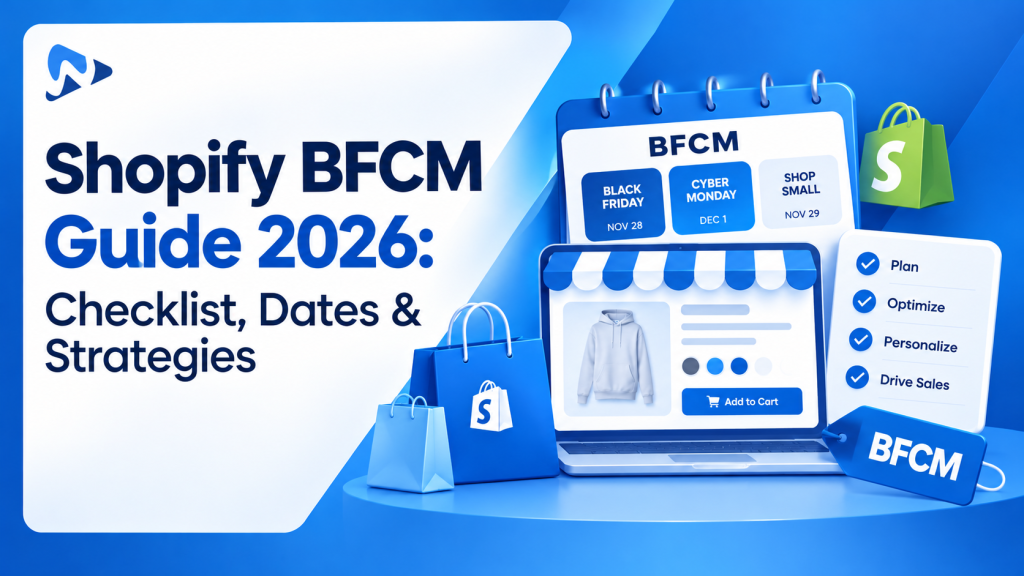
Black Friday 2026 is Friday, November 27, and Cyber Monday 2026 is Monday, November 30. Plan around these dates too:
| Date (2026) | Event | Why it matters |
|---|---|---|
| Sun, Nov 8 | Diwali | A major sales peak in India, just before BFCM. |
| Wed, Nov 11 | Singles’ Day | A big sales day in Asia and a good early-access test for global stores. |
| Thu, Nov 26 | US Thanksgiving | Many brands start their sale online; mobile shopping is especially high. |
| Fri, Nov 27 | Black Friday | The main launch day for most BFCM offers. |
| Sat, Nov 28 | Small Business Saturday | A strong angle for independent brands to promote “shop small”. |
| Mon, Nov 30 | Cyber Monday | Traditionally the biggest online spending day of the season. |
| Tue, Dec 1 | Giving Tuesday | A good moment for charity tie-ins or giving-back campaigns. |
| Mon, Dec 14 | Green Monday | A second-wave sale for shoppers who missed BFCM. |
| Sat, Dec 19 | Super Saturday | The last Saturday before Christmas; push gift cards and fast shipping. |
| Sat, Dec 26 | Boxing Day | A major sales day in the UK, Canada and Australia. |
BFCM 2025 Results: What They Mean for 2026
BFCM keeps growing. According to Shopify’s BFCM 2025 report, merchants made a record $14.6 billion over the BFCM weekend, up 27% from 2024. In the US, Adobe recorded $44.2 billion in online spending across Cyber Week.
| BFCM 2025 metric | Result | Source |
|---|---|---|
| Shopify merchant sales, BFCM weekend | $14.6 billion (up 27%) | Shopify |
| Shoppers buying from Shopify brands | 81+ million | Shopify |
| Merchants with their best sales day ever | 94,900+ | Shopify |
| Average cart price on Shopify | $114.70 | Shopify |
| US online spend, Black Friday | $11.8 billion (up 9.1%) | Adobe |
| US online spend, Cyber Monday | $14.25 billion (up 7.1%) | Adobe |
| Mobile share of Cyber Monday sales (US) | 57.5% | Adobe |
| Buy now, pay later on Cyber Monday (US) | $1.03 billion | Adobe |
| AI-driven traffic to US retail sites, Nov 1 to Dec 1 | Up 760% year over year | Adobe |
Five BFCM trends to plan for in 2026
- A longer season. Adobe reported $257.8 billion in US online holiday spending from November 1 to December 31, 2025. Black Friday is the peak, not the whole event.
- Mobile first. Over half of 2025 holiday online spending happened on phones. Your mobile product page and checkout are your main storefront.
- AI shopping assistants. Shoppers increasingly ask ChatGPT, Perplexity and Google’s AI features what to buy. Clear product titles, descriptions, prices and policies help those tools understand and recommend your products.
- Flexible payments. Buy now, pay later passed $1 billion on Cyber Monday alone in the US, mostly on mobile.
- Value over deep discounts. Bundles, gifts with purchase and tiered offers let you stand out without racing competitors to the lowest price.
When Should You Start Preparing for BFCM 2026?
Start planning in September or October, finish building by November 10, and finish testing by November 18. That leaves the week of Thanksgiving for teasers and VIP early access, so nothing new goes live untested on Black Friday. If you are reading this in October, you are on time. Work through these phases in order.
| Phase | Dates (2026) | Key actions |
|---|---|---|
| Plan | Sep to Oct 31 | Review last year’s results. Set revenue, AOV and margin goals. Pick hero products and your main offer. Forecast inventory and reorder. |
| Build | Nov 1 to 10 | Create discounts, bundles and gifts. Build landing pages and sale collections. Write emails, SMS and ads. Start growing your subscriber list. |
| Test | Nov 11 to 18 | Test every offer, discount combination and checkout on mobile and desktop. Check speed, tracking and pixels. Freeze theme and app changes. |
| Warm up | Nov 19 to 26 | Send teasers and gift guides. Open VIP early access. Confirm shipping cutoffs and support coverage. |
| Live | Nov 27 to 30 | Monitor sales, conversion, stock and support. Adjust ad budgets. Fix issues fast. |
| Retain | Dec 1 onward | Ship on time, welcome new customers, ask for reviews, run holiday and Green Monday campaigns, and record what worked. |
How to Prepare Your Shopify Store for BFCM 2026: 25-Step Checklist
To prepare a Shopify store for BFCM, set goals and a margin floor, choose one clear offer, stock up, build your landing pages and campaigns, then test every discount, page and checkout on mobile before launch. The 25 steps below are grouped into six parts: strategy, offers, store experience, marketing, operations and BFCM weekend itself.
Part 1: Strategy and Goals
1. Review Last Year’s BFCM Performance
Your own data is your best guide. In Shopify Analytics, compare last year’s BFCM period with a normal week and note:
- Revenue, orders, conversion rate and average order value (AOV)
- Best-selling products and collections, and which sold out too early
- Which offers, emails, ads and channels drove the most sales
- New versus returning customers, and how many BFCM buyers came back later
- Where shoppers dropped off: product page, cart or checkout
New store with no history? Use your last 90 days as a baseline and plan conservatively.
2. Set Goals, a Budget and a Margin Floor
Decide what BFCM should achieve before you choose a discount. Set targets for revenue, AOV, conversion rate, new customers and profit. Then set a margin floor: the lowest margin you will accept on any order after discounts, shipping, fees and ad costs.
Pro tip: Model your goal from its parts. Revenue = traffic × conversion rate × AOV. If you cannot realistically double traffic, plan to raise AOV or conversion instead.
3. Choose Hero Products and Forecast Inventory
Pick a small set of hero products to feature in ads, emails and landing pages. Then forecast demand by SKU:
- Start from last year’s BFCM sales and recent sales speed
- Add stock for products in bundles, gifts and paid campaigns
- Confirm supplier lead times and your last safe reorder date
- Set low-stock alerts so you can pause promotions before items sell out
Where in Shopify: Products > Inventory to review stock by variant; Analytics > Reports for last year’s sales by product.
Done when: every hero product and bundle item has enough stock for your forecast, and you know your last safe reorder date.
Part 2: Offers and Discounts
4. Pick One Clear Main Offer
One offer that shoppers understand in two seconds beats five competing deals. Choose based on your goal:
| Your goal | Offer that fits |
|---|---|
| Raise order value | Bundles, tiered discounts (“spend $100, save $20”), free shipping above a threshold |
| Move more units | BOGO, volume discounts, multi-buy pricing |
| Protect margin | Gift with purchase, free upgrade, free add-on |
| Get new customers | First-order offer, sitewide percentage off on entry products |
| Reward loyal buyers | VIP early access, bonus loyalty points, exclusive bundles |
Worked Example: Sitewide Discount vs Bundle vs Add-On
A deep sitewide discount can halve your profit per order, while a bundle or a paid add-on can keep or raise it. Here is the math for one product, so you can repeat it with your own numbers.
Illustrative example, not a real store’s results. Assumptions: a product sells for $50 and costs $20 to make or buy. Payment fees, picking and packing add about $5 per order. Shipping is left out to keep the math simple. A gift-wrap add-on sells for $6 and costs $1.50.
| Offer | Shopper pays | Your costs | Profit per order | Orders needed for $1,000 profit |
|---|---|---|---|---|
| No discount (baseline) | $50.00 | $25.00 | $25.00 | 40 |
| 25% off sitewide | $37.50 | $25.00 | $12.50 | 80 |
| 2-item bundle at 15% off | $85.00 | $45.00 | $40.00 | 25 |
| 10% off + paid gift wrap | $51.00 | $26.50 | $24.50 | 41 |
The 25% discount looks generous, but you need twice as many orders just to earn the same profit. The bundle earns more per order because one set of order fees covers two items. The add-on lets you advertise a discount while profit stays close to full price. Before you pick an offer, run your best seller through this table.
Know which profit you are measuring. Revenue is what shoppers pay. Gross profit subtracts product cost. Contribution profit (used above) also subtracts per-order fees and fulfillment. Campaign profit then subtracts ad spend, shipping subsidies and returns, and it is the number that tells you whether BFCM was worth it. The free planning spreadsheet includes this calculator so you can use your own numbers.
5. Set Up Discounts in Shopify and Plan Combinations
Create your BFCM discounts in Shopify admin under Discounts well before launch. Decide early:
- Automatic or code? Automatic discounts remove friction. Codes work well for VIP lists, email and influencer tracking.
- Which discounts combine? Shopify lets you control whether product, order and shipping discounts can stack. Set this on purpose so shoppers can’t stack more than you planned.
- Start and end times, including your time zone, so the sale goes live and ends exactly when you announce.
- Exclusions, such as gift cards or already-reduced items.
Where in Shopify: Discounts > Create discount. Each discount has its own combination settings, so check them one by one.
Done when: each discount has the right products, dates, time zone and combination settings, and passes the testing matrix below.
6. Raise AOV With Bundles, Upsells and Add-Ons
BFCM shoppers are already in buying mode, so a relevant extra is an easy yes. Try:
- Bundles of complementary products at a small saving
- Volume tiers, such as 10% off 2 items and 20% off 3
- Paid add-ons on the product page, such as gift wrapping, engraving, a gift note, an extended warranty or a premium upgrade
- Post-purchase upsells on the thank-you page
Shopify products are limited to 3 options each, according to the Shopify Help Center, so paid add-ons usually need an app. Ultimate Product Options lets you add unlimited options and priced add-ons, with the price updating live as shoppers choose.
Example: Turning One Product Page Into a Bigger Order
Adding three or four relevant, paid extras to a best seller’s page can raise average order value without changing its price. Illustrative example with assumed take rates, not measured results. Take a $60 leather wallet and add these options with a product options app:
| Add-on on the product page | Price | Assumed share of buyers who add it | Added to average order |
|---|---|---|---|
| Monogram (text field, shown only when “Add monogram” is ticked) | +$8 | 30% | $2.40 |
| Gift box (checkbox) | +$5 | 25% | $1.25 |
| Matching keychain (image swatch) | +$12 | 10% | $1.20 |
| Free gift note (text field) | Free | Not counted | $0 |
Under these assumptions, the average order for this product rises from $60.00 to $64.85, about 8% more, with no discount at all. Three details make it work:
- Conditional logic keeps the page short: the monogram text box only appears once a shopper ticks it.
- Live pricing shows the new total as each option is chosen, so the cart never surprises anyone.
- A free option (the gift note) makes the section feel helpful rather than salesy.
Track your real take rates during BFCM and drop any add-on almost nobody chooses.
Set up paid add-ons for BFCM
Offer engraving, gift wrap, personalization and premium upgrades as priced options on any product, with swatches, file uploads, conditional logic and live pricing. Free plan available.
7. Use Free Shipping Thresholds and Gifts With Purchase
According to Baymard Institute, about 70% of online carts are abandoned, and the top reason (40% of shoppers) is extra costs such as shipping, taxes and fees. A free shipping threshold set slightly above your current AOV removes that friction and nudges bigger orders. A free gift above a spend level adds value without cutting your prices. Make sure gift items have enough stock for the whole sale.
Where in Shopify: Settings > Shipping and delivery to add a free shipping rate with a minimum order price; Discounts for a free-shipping or gift offer.
Done when: a test cart just below the threshold pays shipping and a cart just above it ships free.
Part 3: Store and Shopping Experience
8. Update Your Homepage and Build a BFCM Landing Page
- Put your offer and end date in the announcement bar and homepage hero
- Create a dedicated BFCM landing page or sale collection for ads and email traffic
- Add gift guides by recipient and price (“Gifts under $50”)
- Show offer terms clearly: minimum spend, exclusions and end date
- Only use countdown timers tied to a real deadline
9. Optimize Product Pages
- Show the deal near the price and Add to Cart button
- Use clear photos, short descriptions, size guides and reviews
- Show delivery estimates and the return policy on the page
- Use real low-stock messages only when stock is actually low
10. Test Mobile Experience and Site Speed
Adobe found that 57.5% of US Cyber Monday 2025 online sales happened on smartphones. Before BFCM:
- Run your key pages through Google PageSpeed Insights
- Compress large images and videos
- Check that pop-ups don’t cover products or buttons on small screens
- Make menus, filters, search and buttons easy to tap
11. Audit Your Apps and Freeze Changes
Remove apps you no longer use, since each one can add scripts to your store. Install and test any new BFCM app in early November, not BFCM week. Then save a theme backup and stop making theme or app changes around November 18.
Where in Shopify: Online Store > Themes, then the theme’s menu > Duplicate for a backup; Settings > Apps and sales channels to review installed apps.
Done when: unused apps are removed, a dated theme backup exists, and the team agrees no changes go live after November 18.
12. Test Checkout and Payment Methods
- Place full test orders on mobile and desktop, with and without discounts
- Confirm the checkout total matches the price shown on the product page
- Turn on accelerated checkouts such as Shop Pay, and consider buy now, pay later options
- Show shipping costs early so they don’t surprise shoppers at the last step
- Check order confirmation emails and their links
- Review your fraud settings and decide how you will handle high-risk orders
Where in Shopify: Settings > Checkout for checkout options; Settings > Payments for payment methods and, where available, test mode.
Done when: you have completed a test order on mobile and desktop and the totals match the product page.
Fix the most common reasons shoppers leave at checkout, based on Baymard Institute’s research:
| Why shoppers abandon (Baymard) | Share | Fix before BFCM |
|---|---|---|
| Extra costs too high | 40% | Show shipping early; add a free shipping threshold |
| Delivery too slow | 20% | Show delivery estimates; offer an express option |
| Didn’t trust the site with card details | 19% | Show reviews, secure payment badges and clear policies |
| Had to create an account | 18% | Allow guest checkout |
| Checkout too long or complicated | 17% | Turn on accelerated checkouts like Shop Pay |
| Website errors or crashes | 17% | Test checkout end to end; freeze changes |
13. Make Your Store Easy for AI Shopping Assistants to Read
Adobe reported that AI-driven traffic to US retail sites grew 760% year over year during the 2025 season. To help AI tools describe and recommend your products accurately:
- Write specific product titles (brand, product type, key attribute)
- Keep prices, variants and stock status accurate
- Add clear shipping, returns and FAQ pages in plain language
- Use structured product data (most Shopify themes include it; check yours)
Part 4: Marketing and Promotion
14. Grow Your Email and SMS List Before BFCM
The shoppers you can message directly are your cheapest BFCM sales. From October, use a pop-up or “get early access” landing page to collect sign-ups. Promise something real, such as early access or a bonus gift.
15. Plan Your Email and SMS Calendar
- Early November: teaser and early-access sign-up
- Week before: gift guides and sneak peeks
- Nov 24 to 26: VIP early access
- Nov 27: Black Friday launch
- Nov 28 to 29: best sellers, Small Business Saturday, reminders
- Nov 30: Cyber Monday offer
- Dec 1: last chance or extended sale
Segment where it helps: VIPs, past buyers, new subscribers and recent browsers don’t need the same message.
16. Prepare Paid Ads and Retargeting
Ad costs usually rise during BFCM, so build warm audiences early. Run awareness and list-building campaigns in October and early November, then focus BFCM budget on retargeting site visitors, cart abandoners and past customers. Prepare several creative versions so you can replace tired ads quickly.
17. Plan Social Media and Creator Content
Schedule posts for each phase, prepare short videos showing your best offers, and brief creators with dates, approved claims, discount codes and tracking links. Make sure every ad and post links to a page with the same offer and price.
18. Offer VIP Early Access
Give loyal customers and subscribers access a day or two before the public sale. It rewards them, spreads out your traffic, and gives you early data to fix problems before Black Friday.
19. Set Up Abandoned Cart Recovery
Turn on abandoned checkout emails (Shopify has them built in) and add SMS if you use it. During BFCM, remind shoppers that the offer ends soon, link them straight back to their cart, and avoid offering a bigger discount than your main deal.
Where in Shopify: Marketing > Automations for the abandoned checkout flow.
Done when: a test abandoned checkout sends the email, and its link brings you back to the same cart.
Part 5: Operations and Support
20. Set and Publish Holiday Shipping Cutoffs
Check your carriers’ holiday deadlines, add your processing time and a buffer, then publish clear “order by” dates for each shipping method. Show them on product pages, in the cart, in emails and on your FAQ page.
Where in Shopify: Settings > Shipping and delivery for rates and delivery estimates; your theme editor or announcement bar for the “order by” dates.
Done when: every shipping method has a published cutoff date that includes processing time and a buffer.
21. Prepare Fulfillment and Packaging
Stock up on boxes, mailers, labels and inserts. Confirm staffing or your 3PL’s capacity for peak volume, and plan how you will handle a spike of orders on the busiest days.
22. Prepare Customer Support
- Write saved replies for discounts, shipping times, returns and order changes
- Make order tracking easy to find without contacting support
- Brief your team on every offer, exclusion and deadline
- Plan coverage for peak hours and an escalation path for urgent issues
23. Check Analytics and Tracking
Confirm Shopify Analytics, Google Analytics, and your ad pixels are recording purchases correctly. Add UTM tags to every email, SMS and ad link so you can see what drove sales.
Where in Shopify: Analytics > Reports and Live View; Settings > Customer events for pixels.
Done when: a test purchase shows up in Shopify, your analytics tool and each ad platform with the right campaign source.
24. Write a Contingency Plan
Decide in advance what your team does if a discount fails, an app breaks, a payment method goes down, a hero product sells out or a carrier is delayed. Keep a theme backup, a list of critical apps with support contacts, and pre-written messages for customers.
Part 6: During BFCM Weekend
25. Monitor Live and Adjust Fast
- Check sales, conversion rate, AOV and top products several times a day
- Watch stock levels and pause promotions on items running low
- Move ad budget to the campaigns and products that are converting
- Watch support tickets for repeated problems, such as a broken discount
- Keep shipping deadlines and stock messages up to date
What Are the Best BFCM Offers for Shopify Stores? 15 Ideas
The best BFCM offer is the one that fits your goal and your margin. Bundles, tiered discounts and free shipping thresholds raise order value; gifts with purchase protect margin; VIP early access rewards loyal buyers. Sitewide discounts reach the most shoppers but cost the most profit, as the worked example above shows.
| Promotion | Best for | Watch out for |
|---|---|---|
| Sitewide percentage off | Simple message, broad reach | Lowest margin; hard to stand out |
| Tiered spend-and-save | Raising AOV | Set tiers just above your current AOV |
| Product bundles | AOV and moving slower stock | Bundle items that make sense together |
| BOGO | Consumables and repeat items | Stock of the free item |
| Volume discounts | Multi-unit purchases | Margin on the top tier |
| Gift with purchase | Protecting margin | Gift stock and perceived value |
| Free shipping threshold | Reducing cart abandonment | Shipping cost on heavy items |
| Free paid add-on (gift wrap, engraving) | Gifting stores | Extra fulfillment time |
| VIP early access | Loyalty and spreading traffic | Keep the offer the same or better than public |
| Daily or hourly deals | Repeat visits during the weekend | More planning and testing |
| Spin-to-win or mystery discount | Email sign-ups and engagement | Can feel gimmicky; cap the prizes |
| Mystery box | Clearing mixed inventory | Clear value promise |
| Gift card bonus (“buy $100, get $20”) | January repeat purchases | Redemption window rules |
| Charity tie-in | Giving Tuesday and brand values | Be specific about the donation |
| Extended Cyber Week sale | Catching late shoppers | Reduces urgency if overused |
Shopify BFCM Testing Matrix: What to Test Before Launch
Before BFCM, test every discount, add-on, shipping rule and checkout path the way a shopper would, on both a phone and a desktop. Use test mode in Settings > Payments if your payment provider supports it, or place a small real order and refund it. Run the matrix once by November 18 and again after any change.
| Test | How to test | Expected result |
|---|---|---|
| Automatic discount | Add an eligible product, then an ineligible one | Discount shows on eligible items only, in cart and checkout |
| Discount code | Enter the code at checkout; then try an expired or misspelled code | Valid code applies once; invalid code shows a clear message |
| Discount combinations | Apply your automatic discount plus a code plus free shipping | Only the combinations you allowed stack; nothing else does |
| Product and variant selection | Pick each size, color or option on your hero products | Correct price, image and stock status for every variant |
| Add-ons and their prices | Add each paid option (gift wrap, engraving, upgrade) and remove it again | Price updates on the page, carries into cart and checkout, and appears on the order |
| Cart quantities and totals | Change quantities, remove items, re-add a bundle | Totals, tier discounts and bundle pricing recalculate correctly |
| Shipping and free-shipping threshold | Build carts just below and just above the threshold, and test a few destinations | Shipping charged below, free above; rates match your settings |
| Mobile product page and cart | Shop on an actual phone, not just a resized browser | Pop-ups don’t block buttons; options and Add to Cart are easy to tap |
| Checkout and payment | Complete an order with each payment method you offer | Payment succeeds; confirmation page and email show the correct total |
| Tracking and attribution | Click a UTM-tagged email or ad link, then buy | Order appears in Shopify Analytics and your ad platforms with the right source |
Discount stacking depends on how each discount is set up, so don’t assume two offers will or won’t combine: test it. Log each result in the “Test result” column of the planning spreadsheet below.
BFCM Strategy by Shopify Store Type
Match your BFCM offer to how your customers buy. Stores with repeat or multi-unit purchases do well with volume and BOGO offers, gifting categories with gift sets and add-ons, and high-ticket stores with free shipping and accessory upsells rather than deep discounts.
| Store type | Best BFCM approach |
|---|---|
| Fashion and apparel | Outfit bundles, tiered discounts, free exchanges; push size guides to cut returns |
| Beauty and skincare | Gift sets, gifts with purchase, subscribe-and-save for repeat orders |
| Electronics and accessories | Hero-product deals plus add-on accessories and extended warranties |
| Home and furniture | Free shipping thresholds, room bundles, early shipping cutoffs for large items |
| Personalized and custom products | Free personalization, paid add-ons, early production cutoffs (see our custom product BFCM checklist) |
| Food and consumables | Multi-buy pricing, BOGO, gift boxes, subscription offers |
| Small or new stores | One simple offer, VIP list building, Small Business Saturday messaging |
Which BFCM Metrics Should You Track?
Track revenue, conversion rate, average order value and margin after discounts every few hours during BFCM. Conversion rate is your early warning: a sudden drop usually means a broken offer, page or checkout. Margin after discounts tells you whether record revenue is actually profitable.
| Metric | Why it matters |
|---|---|
| Revenue and orders | Shows whether you are on track for your goal |
| Conversion rate | A sudden drop often means a broken offer, page or checkout |
| Average order value (AOV) | Shows whether bundles, tiers and add-ons are working |
| Gross margin after discounts | Keeps record revenue from hiding losses |
| Cart and checkout abandonment | Points to friction worth fixing during the sale |
| Return on ad spend (ROAS) | Tells you where to move ad budget |
| New versus returning customers | Sizes your December retention opportunity |
| Stock levels of hero products | Lets you pause ads before items sell out |
Shopify BFCM SEO Checklist
Give your sale one permanent URL, publish it in October, and reuse it every year. Google needs time to find and rank a page, so a Black Friday page created on November 26 rarely shows up in search. A page that has existed for years has history and links working for it.
- Publish a permanent URL for your sale, such as /pages/black-friday, and reuse it every year so it builds authority
- Put the page live in October with a teaser and sign-up form so Google can index it before BFCM
- Use the year and offer in the page title and meta description (“Black Friday 2026 Sale: Up to 30% Off”)
- Link to the sale page from your homepage, menu and best-selling product pages
- Keep product titles, descriptions and alt text clear and specific
- After BFCM, keep the URL live and update it for your holiday sale instead of deleting it
BFCM Tips for Indian Shopify Stores
Black Friday is growing in India, but it comes right after the Diwali peak (Diwali falls on November 8, 2026). If you sell in India:
- Plan Diwali and BFCM as two separate campaigns with different offers
- Offer UPI and popular wallets, and decide your cash-on-delivery rules for sale orders
- Confirm courier capacity and delivery times after the Diwali rush
- Show prices inclusive of GST so the checkout total isn’t a surprise
- Selling abroad too? Remember US, UK and Australian shoppers follow the BFCM dates above
7 Common BFCM Mistakes to Avoid
Most BFCM problems come from starting late, discounting without a margin floor, and changing the store during BFCM week. All three are avoidable with the timeline above.
- Starting in November. Inventory, list growth and ad audiences need weeks.
- Discounting without a margin floor. Record revenue can still lose money.
- Running too many offers. Confused shoppers don’t buy.
- Changing the theme or apps in BFCM week. Untested changes break checkouts.
- Testing only on desktop. Most holiday shoppers buy on their phones.
- Fake urgency. Countdown timers that reset damage trust.
- Forgetting December. New BFCM customers need a reason to come back.
What Should You Do After BFCM 2026?
After BFCM, measure results against your goals, then focus on keeping the customers you just won. Welcome first-time buyers, ask for reviews once orders arrive, and run December campaigns around Green Monday and your last shipping dates.
- Measure results against your goals: revenue, AOV, margin, conversion and new customers.
- Welcome new customers with a post-purchase series that isn’t just another discount.
- Ask for reviews once orders arrive.
- Run holiday campaigns for Green Monday, Super Saturday and last shipping dates, then push gift cards.
- Handle returns quickly and note which products came back most.
- Write down what worked so BFCM 2027 starts from evidence.
Shopify BFCM 2026 Quick Checklist
By October 31
- ☐ Reviewed last year’s BFCM data
- ☐ Set revenue, AOV and margin-floor goals
- ☐ Chose hero products and the main offer
- ☐ Reordered inventory and packaging
By November 10
- ☐ Discounts, bundles and add-ons created
- ☐ Landing page, sale collection and gift guide live (hidden)
- ☐ Emails, SMS, ads and social posts ready
By November 18
- ☐ Offers and discount combinations tested
- ☐ Mobile pages and checkout tested with real orders
- ☐ Tracking, pixels and UTMs checked
- ☐ Theme backup saved; changes frozen
By November 26
- ☐ Shipping cutoffs published
- ☐ Support replies and coverage ready
- ☐ VIP early access sent
November 27 to 30
- ☐ Sales, stock, ads and support monitored daily
Free Download: Shopify BFCM 2026 Planning Spreadsheet
Download a ready-to-use spreadsheet with 46 BFCM tasks from this guide, each with a suggested deadline, owner, priority, status and test-result column. It also includes the offer profit calculator from the worked example, so you can compare a sitewide discount, a bundle and a paid add-on with your own numbers.
Works in Excel and Google Sheets. No sign-up needed.
Final Verdict
BFCM 2026 will reward Shopify stores that prepare early, keep their offer simple and protect their margin. Demand is not the problem: Shopify merchants sold $14.6 billion over BFCM 2025. The difference between a great BFCM and a stressful one is almost always preparation.
If you only have time for five things, do these: set a margin floor, pick one clear offer that raises order value, test your mobile product pages and checkout with real orders, publish your shipping cutoffs, and plan how you will bring December’s new customers back. The rest of this checklist makes BFCM smoother, but those five protect both your revenue and your profit.
Get your product options ready for BFCM 2026
42+ option types, paid add-ons, conditional logic and live preview for Shopify. Free plan available.
Frequently Asked Questions
What does BFCM stand for?
BFCM stands for Black Friday Cyber Monday, the shopping weekend that runs from the Friday after US Thanksgiving through the following Monday.
When is Black Friday and Cyber Monday 2026?
Black Friday is Friday, November 27, 2026, and Cyber Monday is Monday, November 30, 2026. Thanksgiving is Thursday, November 26.
When should I start preparing my Shopify store for BFCM?
Start planning in September or October. Aim to have offers, pages and campaigns built by November 10 and fully tested by November 18.
How do I prepare my Shopify store for Black Friday?
Review last year’s data, set goals and a margin floor, choose one main offer, forecast inventory, build landing pages and campaigns, test discounts and checkout on mobile, publish shipping cutoffs, prepare support, and monitor sales during the weekend.
How do I create a Black Friday sale on Shopify?
Create the sale in your Shopify admin under Discounts. Choose an automatic discount or a code, set the eligible products, any minimum spend, combination settings, and start and end times in your store’s time zone. Then add a sale collection or landing page, update your announcement bar, and test it before launch.
How do I test Shopify discounts before Black Friday?
Place test orders that cover each discount, code and combination on both mobile and desktop. Check that eligible items get the discount, ineligible items don’t, invalid codes show a clear message, and the checkout total matches the product page. Use test mode in Settings > Payments if your provider supports it, or place a small order and refund it.
What are the best BFCM offers for Shopify stores?
It depends on your goal. Bundles, tiered discounts and free shipping thresholds raise order value. Gifts with purchase protect margin. VIP early access rewards loyal customers. Sitewide discounts reach the most people but cost the most margin.
How can I increase average order value without a bigger discount?
Offer bundles, volume tiers, a free shipping threshold just above your current average order, and paid add-ons such as gift wrap, engraving or premium upgrades on product pages. Each gives shoppers a reason to spend more without cutting your base price.
How do I measure BFCM profitability?
Measure profit, not revenue. Subtract product costs, discounts, payment fees, fulfillment, shipping subsidies, returns and ad spend from BFCM revenue, then compare the result with your margin floor. Also track how many BFCM customers buy again in the next 90 days.
How much did Shopify merchants sell during BFCM 2025?
Shopify merchants made a record $14.6 billion in sales over BFCM 2025, up 27% from 2024, with more than 81 million shoppers buying from Shopify brands.
What should I check if my Shopify store gets a traffic spike?
Check conversion rate, checkout completion and page speed first. Shopify runs the hosting and processed $5.1 million in sales per minute at the BFCM 2025 peak, so slowdowns usually come from a store’s own theme, heavy images or apps. Pause heavy pop-ups or widgets, and confirm discounts and payments still work.
Is BFCM relevant for Shopify stores in India?
Yes, especially for stores selling abroad or to online-first shoppers. Plan it separately from Diwali (November 8, 2026), offer UPI and decide your cash-on-delivery rules.
What should I do after BFCM ends?
Analyze results, welcome and retain new customers, ask for reviews, process returns, and run December campaigns around Green Monday and your last shipping dates.
Related Reading
- Shopify BFCM Checklist 2026 for Custom and Personalized Product Stores
- Best Shopify Product Options Apps (2026): 10 Compared
- The Add-On Revenue Engine: Boosting AOV with Checkbox & Swatch Surcharges
- Automated gift services and greeting cards for Q4 AOV
Update Log
October 2026: First published with BFCM 2026 dates, Shopify and Adobe 2025 results, a 25-step checklist, promotion ideas and a printable checklist. Added a worked profit example, a product-page add-on example, Shopify admin locations for key steps, a testing matrix, a downloadable planning spreadsheet and direct answers for each main section.