In made-to-order and personalized e-commerce, the hardest operational hurdle isn’t generating the sale—it’s fulfilling the order accurately at scale.
When a customer personalizes an engraved watch, selects precision-cut acrylic, or configures a customized team jersey on Shopify, that data travels through a complex fulfillment pipeline:
- It is captured on the Shopify storefront as line-item properties.
- It is synced via webhook or API into an order routing hub (e.g., ShipStation, Katana Cloud Manufacturing, NetSuite, Cin7, or a custom third-party logistics [3PL] warehouse management system [WMS]).
- It must be translated into picking slips, CNC toolpaths, laser engraving queues, or packaging stations without manual re-keying.
On stores using basic or unconfigured product option apps, this hand-off creates an operational nightmare:
- Receipt Clutter: Cryptic technical tags, internal tooling codes, and unformatted system values clutter the buyer’s order confirmation emails and packing slips, leading to confused customer support inquiries (“What does
_routing_bin_4mean on my invoice?”). - Downstream API Ingestion Failures: Unstructured option text strings fail to map into ERP line-item fields, forcing fulfillment teams to manually read order notes and transcribe custom specs into production software by hand.
- Costly Production Scrap: A single misread line item—confusing millimeters with inches or grabbing the wrong blank base SKU—ruins raw materials and delays batch production.
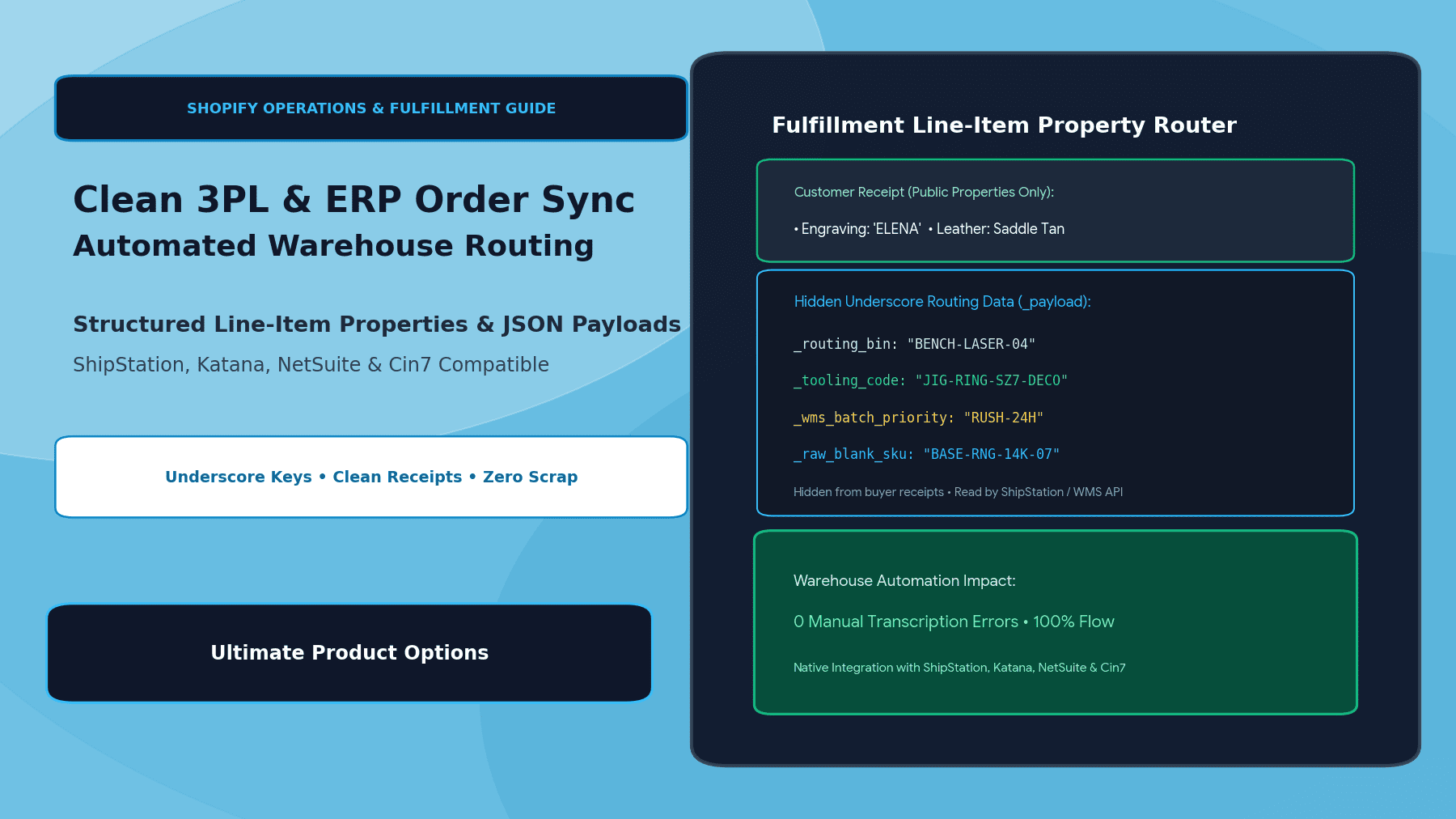
The engineering solution is structured line-item property architecture paired with underscore prefixing. By utilizing the native Shopify convention where properties prefixed with an underscore (_) are hidden from public customer receipts while remaining fully accessible to backend APIs and WMS connectors, merchants achieve clean customer presentation and automated warehouse routing using Ultimate Product Options.
The Underscore Convention: Public Customer View vs. Private ERP Payload
Shopify has a built-in, documented convention for order line-item properties:
- Standard Properties (e.g.,
Engraving Text: Elena): Rendered publicly on customer-facing order confirmation screens, email receipts, and default customer account portals. - Underscore-Prefixed Properties (e.g.,
_tooling_jig: JIG-RNG-07): Automatically hidden from customer-facing storefront screens and receipts, but preserved in the underlyingline_item.propertiesJSON payload returned by the Shopify Admin REST and GraphQL APIs.
┌─────────────────────────────────────────────────────────────┐
│                 Customer Storefront Checkout                │
│    Item: Signet Ring | Custom Inscription: "ELENA"          │
│    Selected Finish: 14K Yellow Gold | Ring Size: 7          │
└──────────────────────────────┬──────────────────────────────┘
                               │
               Structured Serialization Engine
                               ▼
┌─────────────────────────────────────────────────────────────┐
│              Shopify Line-Item Property Payload             │
│                                                             │
│   PUBLIC PROPERTIES (Customer Sees On Receipt):             │
│   • "Engraving Text": "ELENA"                               │
│   • "Font Style": "Classic Roman Serif"                     │
│                                                             │
│   PRIVATE UNDERSCORE PROPERTIES (Hidden from Customer):     │
│   • "_raw_blank_sku": "RNG-BLANK-14K-SZ7"                   │
│   • "_laser_fixture_id": "JIG-ROTARY-B"                     │
│   • "_cnc_engrave_depth_mm": "0.35"                         │
│   • "_wms_routing_bin": "BENCH-LASER-04"                    │
│   • "_erp_bom_code": "BOM-SIG-GLD-0042"                     │
└──────────────────────────────┬──────────────────────────────┘
                               │
            ┌──────────────────┴──────────────────┐
            ▼                                     ▼
┌───────────────────────────────┐ ┌───────────────────────────┐
│     Customer Email Receipt    │ │    WMS / ERP Integration  │
│  "Clean, branded confirmation │ │  (ShipStation, NetSuite,  │
│   with no confusing codes"    │ │   Katana, Cin7, Pipe17)   │
│                               │ │  • Automated bin routing  │
│                               │ │  • Laser toolpath ingest  │
│                               │ │  • Zero manual typing     │
└───────────────────────────────┘ └───────────────────────────┘
By cleanly segregating what the customer needs to see from what the factory floor needs to execute, you eliminate receipt confusion while providing rich machine-readable data downstream.
4 Common Integration Scenarios for Automated Routing
| Downstream System | Typical Ingestion Need | Underscore Property Example | Automation Outcome |
|---|---|---|---|
| ShipStation / Shipping Hubs | Custom packing slip callouts & package weight | _pack_station_notes: "FRAGILE_FOIL_WRAP" | Prints specific handling icons on packing slips automatically. |
| Katana Cloud Manufacturing | Bill of Materials (BOM) & raw material deduction | _raw_blank_sku: "RAW-BLANK-ALUM-6061" | Automatically deducts raw aluminum sheet stock from inventory. |
| NetSuite / Enterprise ERP | General ledger mapping & manufacturing routing | _routing_workcenter: "WC_EMBROIDERY_02" | Routes order line directly to work center queue without human dispatch. |
| CNC / Laser Engraving RIP | Toolpath parameters & coordinates | _vector_cut_file_id: "CUT-72x48-POLISH" | Direct machine ingestion for automated laser and cutting operations. |
Step-by-Step Setup: Structuring Properties in Ultimate Product Options
Configuring public and private properties on Shopify requires zero theme coding when using Ultimate Product Options.
Step 1: Install Ultimate Product Options
Install Ultimate Product Options from the Shopify App Store and confirm the theme app embed block is toggled to Active inside your Online Store 2.0 theme customizer.
Step 2: Decouple Customer Labels from Internal Property Keys
- In your Shopify admin, open Apps > Ultimate Product Options.
- Create or edit an option set (e.g., Personalized Signet Rings).
- Add a public field (e.g., text input for custom initials):
- Field Label (Customer-Facing):
Enter Your Monogram Initials - Internal Property Key:
Monogram_Initials(without an underscore, so it appears cleanly on customer receipts).
- Field Label (Customer-Facing):
Step 3: Add Hidden Operational Routing Properties
To pass machine-readable metadata directly to your WMS without cluttering customer invoices:
- Add an auxiliary hidden field or map internal metadata inside the option set settings.
- Name the property key with a leading underscore:
- Key:
_routing_bin| Default Value:LASER-BENCH-02 - Key:
_raw_blank_sku| Value:BLANK-RNG-SLV-08
- Key:
- Because the key begins with
_, Shopify automatically suppresses it from customer order confirmations, the order status page, and customer account portals.
Step 4: Pass Structured JSON Payloads for Multi-Attribute Specs
If your downstream ERP or custom middleware prefers a single consolidated JSON string rather than 10 individual line-item properties:
- In the advanced settings of the option set, enable Structured JSON Property Output.
- Define a hidden payload key (e.g.,
_specs_payload):{ "dimensions": {"length": 72, "width": 48, "unit": "inch"}, "finishing": "BEVEL_POLISH", "jig_code": "JIG-48B", "dispatch_priority": "RUSH_24H" } - Middleware platforms like Zapier, Make, Pipe17, or custom ERP webhooks can parse this single JSON string directly into dedicated database columns without regex string manipulation.
Step 5: Test Downstream Webhook & API Ingestion
- Place a test order on your development storefront with custom options selected.
- Open the resulting order in Shopify Admin > Orders.
- Inspect the line items: verify that public properties (e.g.,
Monogram_Initials) appear under the product title, while underscore-prefixed properties are cleanly omitted from the customer invoice view. - Open your ShipStation or Katana order sync log: confirm that the complete
propertiesarray contains both public and underscore properties, successfully mapping routing tags into warehouse pick lists.
4 Best Practices for Enterprise Warehouse Data Hygiene
- Standardize Naming Conventions: Adopt strict uppercase/snake_case naming for internal property keys (e.g.,
_WMS_LOCATION_IDor_RAW_MATERIAL_SKU) across all product option sets to avoid parsing errors in downstream scripts. - Never Expose Internal BOM Codes to Customers: Keep factory part numbers and supplier codes hidden behind underscore keys so competitors and customers cannot decipher your raw component supply chain.
- Sanitize Special Characters Before API Handoff: Ensure custom text options enforce regex rules to strip unescaped quotes, backslashes, or control characters that could break downstream JSON parsers.
- Maintain Decoupled Base Inventory: Use virtual options for custom finishing attributes while tracking raw physical blanks through native Shopify variants to ensure inventory levels decrement accurately in your ERP.
Frequently Asked Questions (FAQs)
Will underscore-prefixed properties show up on the customer’s email receipt?
No. Shopify’s notification email templates and default customer portal automatically filter out any line-item property starting with an underscore (_), keeping receipts clean and customer-friendly.
Can third-party apps like ShipStation and Katana read underscore properties?
Yes. The Shopify Admin REST and GraphQL APIs return all line-item properties—including underscore keys—in the order payload, allowing shipping and ERP tools to parse and map them without restrictions.
Can I dynamically update underscore property values based on customer choices?
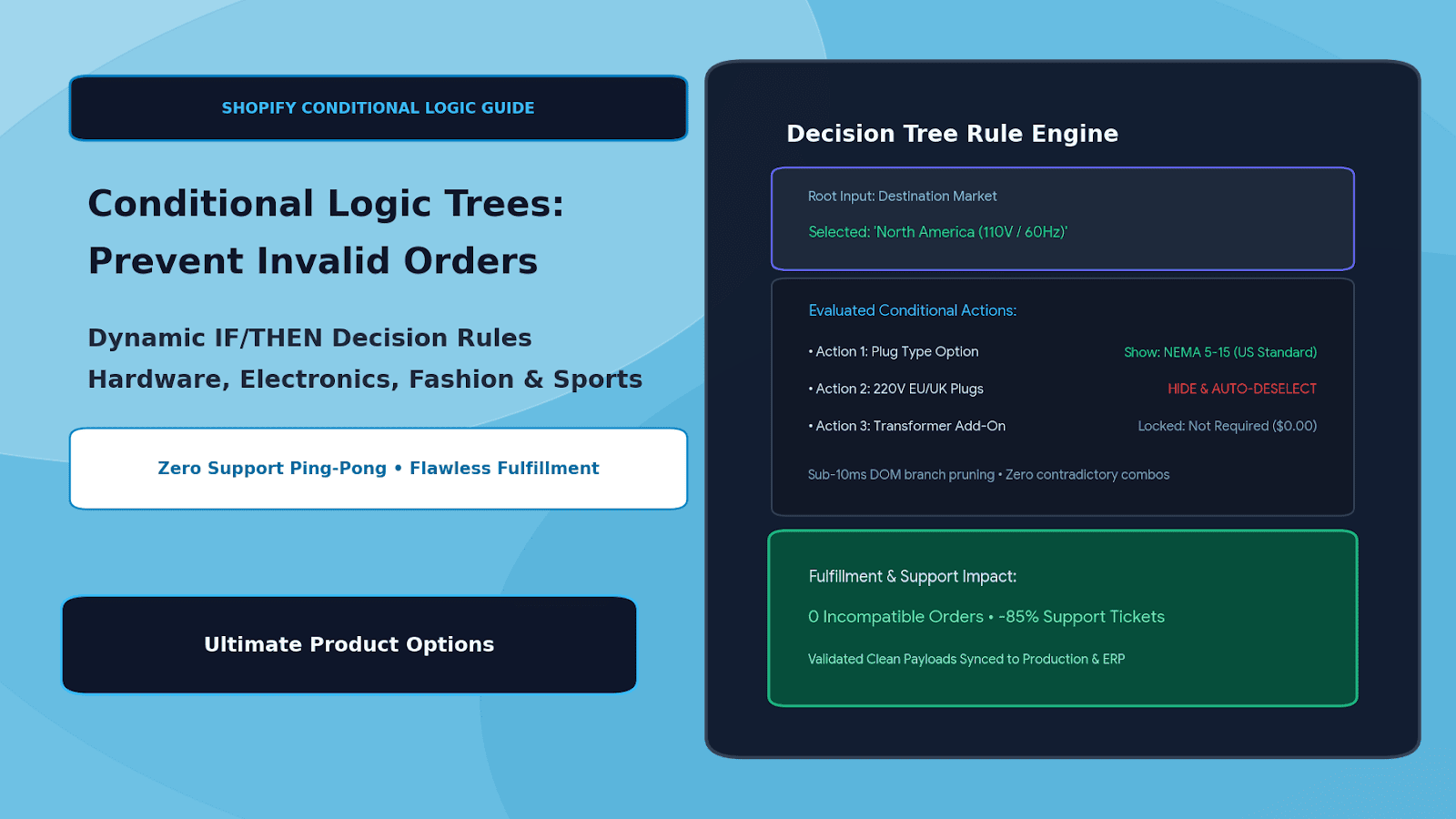
Yes. With Ultimate Product Options, you can tie conditional logic and formula values to internal underscore properties, automatically changing routing bins or tooling codes based on selected dimensions or materials.
Conclusion
Scaling made-to-order manufacturing requires operational precision. Forcing fulfillment staff to manually decipher customer order notes or cluttering buyer receipts with internal engineering tags creates friction at both ends of the purchase.
By leveraging structured line-item properties and Shopify’s native underscore hiding convention, you create a clean, elegant experience for your customers while delivering machine-ready automation data to your warehouse and ERP systems.
With Ultimate Product Options, configuring public customer swatches, hidden operational properties, and clean API routing payloads on Shopify is intuitive, reliable, and completely code-free.