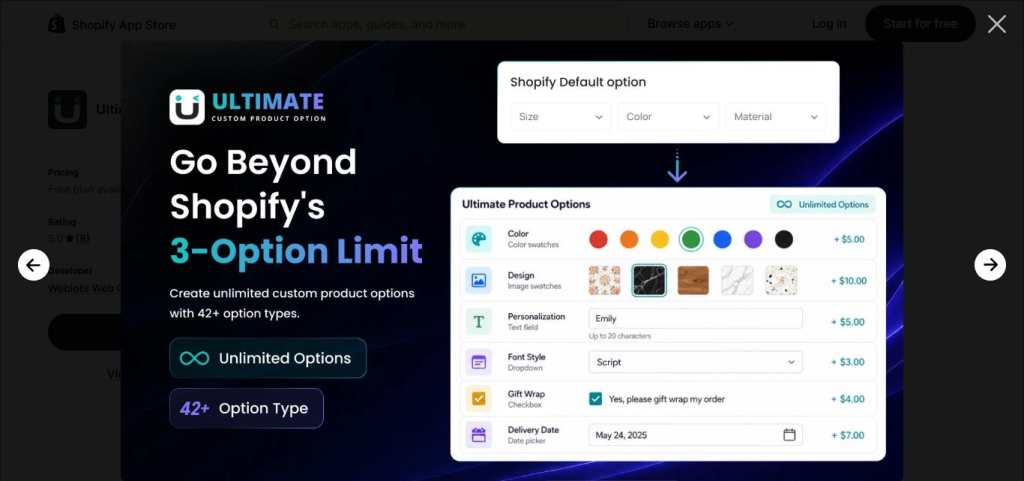

Custom product options are SEO-neutral by default because most apps render them on a single product URL with no new indexable pages. The risk appears only if an app or theme generates separate URLs per option combination (via query parameters that get crawled) or if your Product structured data becomes inaccurate once options are added. Check both before assuming there’s no impact.
When Product Options Actually Create Duplicate Content
Most custom product options are rendered client-side on a single product URL — a shopper picks a color, uploads a file, or adds a monogram, and none of that generates a new page for search engines to find. In that setup, there’s no duplicate content risk at all, because there’s only ever one URL and one canonical version of the product for Google to index.
The risk shows up specifically when an app or a theme integration creates separate, crawlable URLs per option combination — for example, if choosing “Red” appends ?color=red to the URL and that parameterized URL gets linked, sitemapped, or otherwise made discoverable to crawlers. That’s when you can end up with dozens of near-identical indexed pages competing with each other instead of one strong page.
URL Parameters: The Real Risk to Watch For
Ask two questions about how your product-options app handles state: does selecting an option change the URL at all, and if it does, is that parameterized URL ever linked to externally or included in your sitemap? If the answer to the first is “no” — options are pure in-page JavaScript state — you have nothing to fix. If the answer is “yes,” make sure a canonical tag points every parameterized variation back to the clean base product URL, so ranking signals consolidate on one page instead of splitting.
Keeping Product Structured Data Accurate
Shopify automatically outputs basic Product structured data (name, image, price, availability) for search results and shopping surfaces. Once you add custom options with their own pricing, two things are worth checking: the base price in your structured data should reflect the starting configuration, not an average or a fully-loaded price with every add-on included, and availability should still reflect the base product’s stock status rather than being affected by option logic. Neither of these needs to change just because you’ve added options — they only need occasional verification, since a theme or app update can sometimes alter how this data is generated.
Example: A Clean Product Schema for an Option-Heavy Page
This is the shape of a minimal, accurate Product schema for a customizable item — base price shown, with customization handled entirely as page content rather than separate schema entries:
Note there’s no attempt to enumerate every possible add-on combination in the schema — that’s not what structured data is for. It anchors the base offer; the options themselves are handled as on-page interactive content.
Technical SEO Checklist for Custom Product Pages
- Confirm option selection doesn’t generate new crawlable URLs (check your browser’s address bar while selecting options).
- If it does, verify a canonical tag points back to the clean base product URL.
- Product structured data reflects a base price and correct availability, verified after any app or theme update.
- No option-specific URLs are included in your sitemap.xml.
- Page content (title tag, H1, meta description) describes the product itself, not a specific option combination.
Common Mistakes to Avoid
- In-page product options rendered without new URLs carry no duplicate-content risk.
- The real risk is parameterized URLs that get crawled — canonicalize them if they exist.
- Structured data should reflect the base offer, not every possible customized total.
FAQ
Do custom product options create duplicate content problems on Shopify?
Only if the app generates separate indexable URLs or pages per option combination. Most product-options apps render choices via JavaScript on a single product URL, which avoids duplicate content — but it’s worth confirming your specific app doesn’t create option-specific URLs that get crawled and indexed.
Should option prices be reflected in a product’s structured data?
Your base Product schema should reflect the starting price, not every possible add-on total. If a customer can add priced options, it’s fine for the displayed offer price to represent the base configuration, since structured data isn’t required to model every possible customization total.
Do URL parameters from product options hurt SEO?
They can, if the option app appends option choices as URL query parameters that get crawled as separate pages, spreading ranking signals across near-identical URLs. Preferring in-page state changes (no URL parameter) or canonicalizing parameterized URLs back to the base product URL avoids this.
Customization that stays SEO-safe
Ultimate Product Options renders custom fields in-page on your existing product URL, so your SEO structure doesn’t have to change to support rich customization.
Install Ultimate Product Options