For merchants in fashion, cosmetics, home furnishings, and consumer electronics, offering extensive customization is essential to staying competitive. Today’s consumers expect to personalize every detail: choosing a base model, selecting from 12 fabric textures, picking hardware finishes, specifying dimensions, and adding extended warranties.
However, scaling customization on Shopify immediately exposes one of the platform’s most notorious architectural guardrails: the hard limit of 100 native variants (and 3 option dimensions) per product.
To work around this ceiling, merchants often resort to brute-force catalog hacks:
- Splitting a single product across 5 or 6 separate product listings (
/products/chair-oak,/products/chair-walnut), which fragments SEO backlinks, splinters review counts, and destroys the browsing experience. - Installing complex matrix-duplication scripts that generate hundreds of hidden “dummy” variants in the background.
While these workarounds might let you publish the product, they introduce a devastating technical side effect: severe page bloat and degraded Core Web Vitals.
When a single product listing attempts to load hundreds of native variants, the underlying Shopify Liquid template serializes a massive product.variants JSON blob directly into the Document Object Model (DOM). The product page slows to a crawl, mobile Largest Contentful Paint (LCP) spikes above 4 seconds, and potential buyers bounce before the page finishes rendering.
The scalable engineering solution is decoupling physical inventory from visual choices via virtual line-item options. By using Ultimate Product Options, merchants maintain a lean core of physical inventory SKUs while offloading non-inventory visual attributes into lightweight, virtual options—bypassing the 100-variant limit and preserving sub-second page load times.
The Hidden Cost of Native Variant Bloat
Every native variant created on Shopify is a distinct database record containing pricing, weight, barcodes, fulfillment tracking, and media associations.
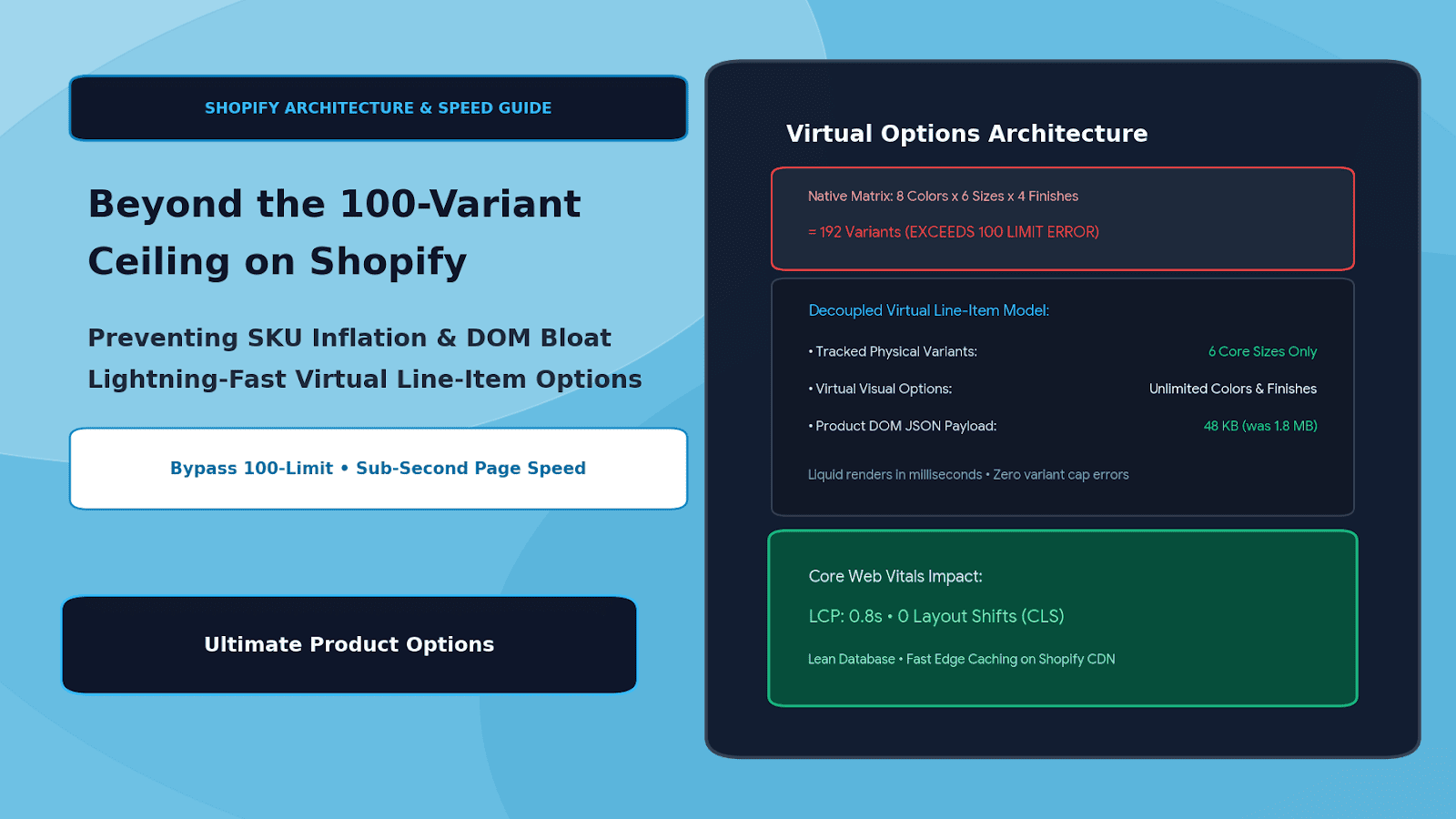
When you configure a product with multi-tiered attributes—such as 8 Colors × 6 Sizes × 4 Finishes = 192 Combinations—relying purely on native variants introduces three critical performance and operational failures:
1. Massive DOM Payloads & Slower Liquid Execution
Standard Shopify themes inject {{ product | json }} into the HTML to power client-side variant pickers and price updates. A product with 100 variants can easily inject 1.5MB to 2.5MB of raw JSON straight into the initial HTML document. Browsers running on mobile devices must download, parse, and execute this massive script before the interactive purchase buttons become functional, destroying your Interaction to Next Paint (INP) and LCP scores.
2. Phantom SKU Inflation & Inventory Nightmare
If you sell made-to-order leather jackets where color and size represent your warehouse inventory, but monogram foil (Gold, Silver, Rose Gold, Blind Deboss) is applied on-demand, creating separate native variants for each foil choice multiplies your SKU count by 4×. Your warehouse management system (WMS) ends up tracking hundreds of phantom SKUs that don’t correspond to distinct physical blanks.
3. Catalog Fragmentation
Splitting products across multiple URLs to avoid the 100-limit forces customers to jump between separate pages just to compare colors. This fractures your Google organic rankings across competing canonical URLs, splits social proof and customer review widgets, and creates high bounce rates.
Architectural Comparison: Native Variant Matrices vs. Virtual Options
TRADITIONAL NATIVE MODEL (High DOM Weight & SKU Inflation):
┌─────────────────────────────────────────────────────────────┐
│ 8 Colors x 6 Sizes x 4 Finishes = 192 Variants              │
│ ❌ Exceeds Shopify 100-Limit • Injects 2MB+ JSON into DOM    │
│ ❌ Warehouse tracks 192 separate inventory records          │
└─────────────────────────────────────────────────────────────┘

DECOUPLED VIRTUAL OPTIONS MODEL (Ultimate Product Options):
┌─────────────────────────────────────────────────────────────┐
│ Core Tracked Physical Variants: 6 Sizes Only                │
│ (Lean native inventory tracking in Shopify Admin)            │
└──────────────────────────────┬──────────────────────────────┘
                               │
                               ▼
┌─────────────────────────────────────────────────────────────┐
│ Virtual Visual Options (Unlimited):                         │
│ • 8 Color Swatches (Visual Line-Item Property)              │
│ • 4 Custom Finishes (Dynamic Line-Item Upcharge)            │
│ • Custom Monogram Text / File Upload                        │
└──────────────────────────────┬──────────────────────────────┘
                               │
                               ▼
┌─────────────────────────────────────────────────────────────┐
│ ✅ Total Variants: 6 (Under limit) • DOM Size: < 50 KB      │
│ ✅ Sub-second page load • 100% accurate WMS inventory sync   │
└─────────────────────────────────────────────────────────────┘
By decoupling non-inventory attributes from native variants, you keep the Shopify product record ultra-lean while delivering infinite front-end customization possibilities.
Native Variant Explosion vs. Virtual Line-Item Architecture
| Dimension / Metric | Native Shopify Variant Approach | Virtual Options via Ultimate Product Options |
|---|---|---|
| Variant Limit | Capped at 100 variants (3 options max) | Unlimited combinations (thousands of options) |
| HTML / DOM Weight | Bloated (1.5MB – 3MB variant JSON payload) | Ultra-lightweight (< 50KB payload) |
| Page Speed Impact | Slow LCP (3.5s – 5.0s on mobile) | Sub-second render (0.8s – 1.2s LCP) |
| Catalog Structure | Fractured across multiple URLs | Single canonical URL with consolidated SEO authority |
| Inventory Tracking | Phantom SKUs cluttering ERP/WMS | Tracks true physical blanks only (e.g., base sizes) |
| Upcharges & Surcharges | Must calculate fixed price per variant | Dynamic mathematical & flat surcharges |
The Core Rule: When to Use Native Variants vs. Virtual Options
To balance catalog performance with fulfillment accuracy, use this simple architectural rule:
- Use Native Shopify Variants FOR: Physical attributes that are pre-manufactured, stocked on shelves, and require strict inventory decrementing at the warehouse level (e.g., base garment sizes: Small, Medium, Large, XL).
- Use Virtual Options (Ultimate Product Options) FOR:
- Made-to-order surface finishes, dye lots, and colorways applied on demand.
- Text inscriptions, monograms, and custom laser engravings.
- Artwork file uploads, logos, and vector graphics.
- Dimensional measurements (cut-to-size length and width).
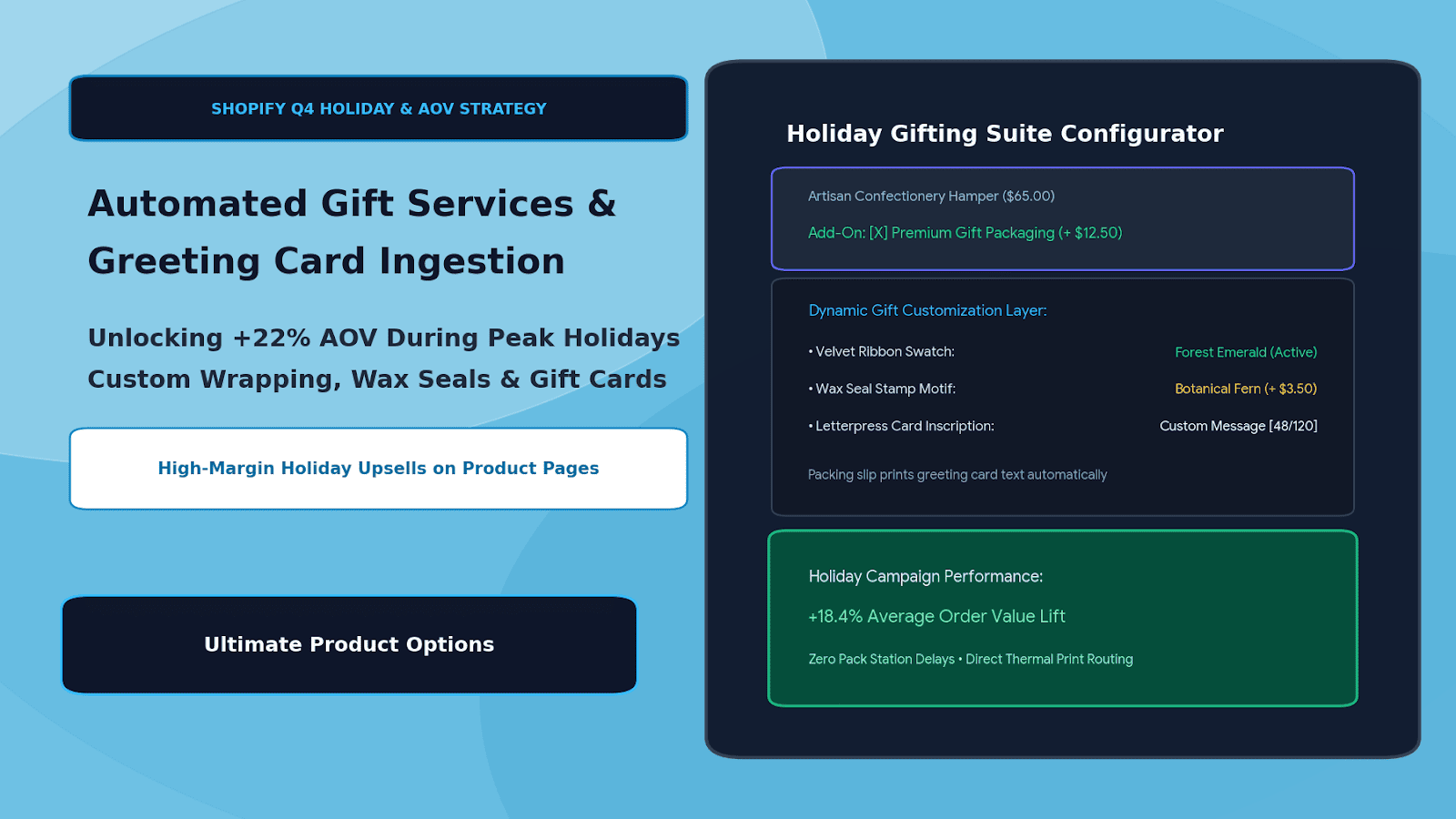
- Add-on services, extended protection plans, and luxury gift wrapping.
Step-by-Step Implementation: Bypassing the 100-Limit with Ultimate Product Options
Setting up a high-performance virtual option architecture on Shopify requires no custom theme code or complex API scripting when using Ultimate Product Options.
Step 1: Install Ultimate Product Options
Install Ultimate Product Options from the Shopify App Store. Navigate to your Online Store 2.0 Theme Editor and verify that the app embed block is toggled to Active.
Step 2: Streamline Your Native Base Product
- In the Shopify Admin, open your product catalog.
- Strip out non-inventory options (such as engraving choices, finishes, or accessory add-ons) from the native variant list.
- Retain only physical inventory dimensions—such as base sizes (Small, Medium, Large) or primary base chassis.
- Result: Your native variant count drops from 150+ down to just 3 to 6 SKUs, instantly slimming the product page payload.
Step 3: Create a Virtual Option Set
- In your Shopify admin, open Apps > Ultimate Product Options.
- Click Create Option Set and title it (e.g., Modular Desk – Custom Finishes & Add-Ons).
- Under Targeting, apply this set to your targeted product or automated collection.
Step 4: Add Unlimited Virtual Options & Visual Swatches
Build out your visual choices without touching the Shopify database variant limits:
- Visual Swatches: Add 16 timber veneer swatches (Walnut, White Oak, Smoked Ash, Ebony, etc.) with custom image thumbnails and hover tooltips.
- Dropdowns / Radio Pills: Add hardware cable management options (Standard Grommet, Dual Pass-Through, Flush Mount).
- Dynamic Surcharges: Assign price modifiers directly to options (e.g.,
+$45.00 for Solid Brass Cable Port). - Conditional Logic: Show a custom cable grommet color selector only if the customer checks
Include Cable Port.
Step 5: Verify Order Line-Item Property Passing
Run a test checkout on your storefront:
- Confirm that swatches, text fields, and finishing selections appear cleanly without layout shift.
- Check the cart drawer: verify that the price dynamically updates to include add-ons without requiring a page reload.
- Complete the order: verify that your base inventory SKU decrements correctly in Shopify, while all virtual choices are captured cleanly as line-item properties on the order screen.
4 Performance Optimization Tips for High-Option Storefronts
- Lazy-Load High-Res Swatch Textures: If you offer 30+ visual swatches with detailed wood or fabric textures, ensure thumbnails are compressed to under 20KB each to prevent image network bloat.
- Consolidate Variant Media: Native variant pickers attempt to bind separate image carousels to every variant combination. Using virtual options lets you keep a single, fast media gallery while using responsive swatches to show color changes.
- Edge-Cache Option Schemas: Ultimate Product Options utilizes high-speed edge CDN delivery for option templates, ensuring custom fields render in under 50ms without waiting on database lookups.
- Keep Product JSON Clean: Removing unnecessary native variants keeps the
product.variantsLiquid object tiny, optimizing your storefront for Google’s mobile crawler benchmarks.
Frequently Asked Questions (FAQs)
Does using virtual options violate Shopify’s catalog rules?
Not at all. Virtual options utilize native Shopify line-item properties and cart attributes, which are fully supported across all Shopify plans and APIs.
How does inventory management work if an option isn’t a native variant?
Physical inventory (e.g., the base garment or furniture frame) is tracked using standard Shopify inventory levels. Virtual customization layers (like embroidery or monogramming) are fulfilled on-demand without generating artificial SKUs.
Can virtual options have separate prices and surcharges?
Yes. Ultimate Product Options allows you to assign flat surcharges, percentage markups, or dynamic mathematical formula pricing directly to any virtual option selection.
Conclusion
The 100-variant limit doesn’t have to dictate your product catalog strategy, force awkward multi-URL splits, or slow down your storefront.
By distinguishing between physical inventory SKUs and on-demand visual customization, you can offer thousands of personalized variations while maintaining a lean Shopify database, lightning-fast Core Web Vitals, and effortless order fulfillment.
With Ultimate Product Options, deploying virtual option swatches, dynamic price add-ons, and conditional logic on Shopify is seamless, high-performing, and completely code-free.