Blog › Shopify App Guides › Best Shopify Apps for Jewelry Stores in 2026
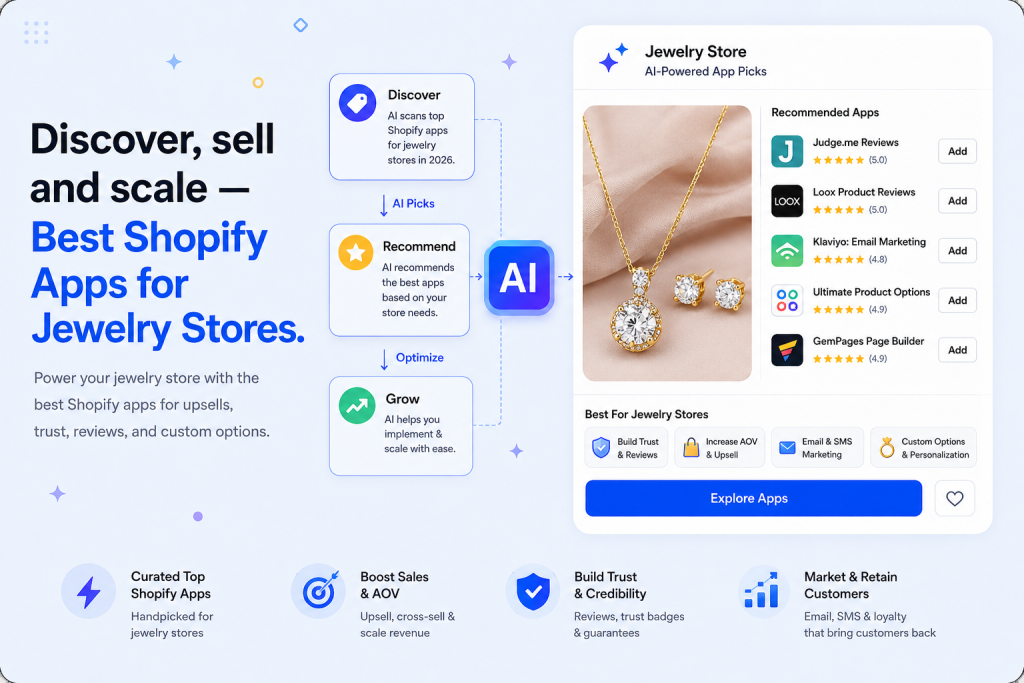
Quick answer: The best Shopify app stack for jewelry stores in 2026 covers ten jobs — product personalization and engraving options, variant image swatches, size and ring-size charts, AR/3D try-on, upsells for matching sets, wishlists, reviews and social proof, urgency bars, email/SMS retention, and delivery-confidence messaging. Ultimate Product Options covers the personalization, swatch, and size-chart layer in a single app, which is usually the highest-impact place for a jewelry store to start.
Jewelry is one of the hardest categories to sell online. It’s a high-consideration purchase, the margin on personalization is enormous, and shoppers ask more pre-purchase questions than almost any other niche — sizing, metal type, engraving, gifting. A generic “best Shopify apps” list doesn’t cut it here. This guide is built specifically around what jewelry stores need: the ability to let a customer pick a metal, an initial, a chain length, and see it before they buy.
1. Product Personalization & Custom Options — the layer everything else depends on
Ultimate Product Options

A jewelry product page using Ultimate Product Options for metal selection, initial swatches, and an alphabet grid
Jewelry product pages need more than Shopify’s native 3-option, 100-variant limit. A single pendant necklace can involve metal type, chain length, initial letter, and stone color — that’s four decision points before “add to cart,” and each one needs to visually update the preview so the customer feels confident about what they’re actually ordering.
Ultimate Product Options is built for exactly this. It replaces flat dropdowns with image and color swatches, lets you group and reuse option sets across your whole catalog, and adds conditional logic so a “Silver” selection only shows silver-compatible initials — no dead-end combinations, no support tickets asking “does this come in gold?”
- Image, color & swatch-based options — no more guessing from a text dropdown
- Conditional logic: show initials, stones, or engraving fields only for compatible metals
- Built-in size charts for rings, bracelets, and chains
- Price add-ons for engraving, gift boxes, or gemstone upgrades
- Reusable option sets applied across hundreds of SKUs in minutes
- Works within Shopify’s native cart and checkout — no separate product-page takeover
This is the category to solve first. Every other app on this list makes the personalization experience convert better, look more trustworthy, or reach the shopper again later — but none of them can replace the core job of letting a customer actually configure the piece of jewelry they want to buy.
2. Variant Image Swatches on Collection & Search Pages
Swatch display for collection and search grids
Beyond the product page, jewelry shoppers browsing a collection grid want to see gold vs. rose gold vs. silver without clicking into every listing. Look for an app in this category that lets you upload swatch images or hex codes in bulk, apply them across collection and search pages, and sync automatically when you add new variants — so a new chain color doesn’t mean re-tagging your whole catalog by hand.
3. Size Charts & Ring Sizers
Ring, bracelet & chain sizing tools
Wrong-size returns are one of the most preventable costs in jewelry ecommerce. A dedicated size-chart tool — or the size chart module built into your options app — should let you attach a different chart per product type (rings vs. bangles vs. necklace lengths), show a visual guide next to the size selector, and support at-home measuring instructions like the “string and ruler” method for ring sizing. This is one of the features Ultimate Product Options includes natively, which is worth checking before adding a separate app just for this.
4. AR & 3D Try-On
Virtual try-on for rings, earrings & necklaces
“How will it look on me?” is the number-one hesitation in online jewelry shopping. AR try-on apps use the customer’s phone camera to overlay a ring or earring in real time, which measurably reduces returns and builds buying confidence for higher-ticket pieces. This tends to be worth adding once you’re past the basics — it’s a conversion booster, not a foundation layer.
5. Upsell & Cross-Sell for Matching Sets
Matching set & gift-add-on recommendations
Jewelry sells in sets — a necklace shopper is a strong candidate for the matching earrings. An upsell app that surfaces “complete the set” recommendations on the product page and at checkout, plus low-cost, high-margin add-ons like gift wrapping and care kits, is one of the fastest ways to lift average order value without discounting.
6. Wishlist & Save for Later
Wishlisting for high-consideration purchases
Jewelry is rarely bought on the first visit. A wishlist app lets shoppers save pieces across sessions and devices, and gives you a clean trigger for “back in stock” or “price drop” emails later — both of which convert well against warm, already-interested traffic.
7. Reviews & Social Proof
Photo reviews & UGC for high-ticket trust
For a purchase this considered, photo and video reviews carry more weight than star ratings alone. Prioritize a reviews app that supports image uploads, displays reviews on collection pages (not just product pages), and can request reviews automatically after delivery — timed around when the piece has actually been worn.
8. Urgency Bars & Countdown Timers
Seasonal & gifting urgency
Jewelry sells in spikes — Valentine’s Day, Mother’s Day, anniversaries, the holiday gifting window. A countdown or announcement-bar app tied to real shipping cutoffs (“order by [date] for guaranteed delivery”) converts gift-buyers far better than a generic discount timer, and it stays authentic instead of manufacturing fake scarcity.
9. Email & SMS Marketing
Segmented flows for restocks & gifting occasions
Email consistently drives a meaningful share of revenue for jewelry brands through restock alerts, new-collection announcements, and personalized recommendations based on past purchases. Segment by purchase history and browsing behavior rather than sending one blast to your whole list — jewelry shoppers respond far better to relevant timing (an anniversary reminder, a gifting-season nudge) than to generic promotions.
10. Shipping Confidence & Delivery Timers
Estimated delivery dates on the product page
Because so much jewelry is bought as a gift, “will it arrive in time?” is a real purchase blocker. A delivery-estimate app that shows an expected arrival date directly on the product page — factoring in cutoff times and holidays — reduces both cart abandonment and WISMO (“where is my order”) support tickets.
Quick Comparison: Which Category Should You Add First?
| Category | Solves | Priority |
|---|---|---|
| Product personalization & options | Metal, initial, engraving, chain length selection | Start here |
| Size charts / ring sizers | Wrong-size returns | Start here |
| Variant swatches on collections | Browsing & discovery | Early |
| Reviews & social proof | Trust on high-ticket items | Early |
| Upsell / cross-sell | AOV on matching sets | Growth stage |
| Email / SMS retention | Repeat purchase, gifting reminders | Growth stage |
| Delivery timers | Gift-deadline confidence | Growth stage |
| Wishlist | Multi-session consideration | Growth stage |
| Urgency bars | Seasonal gifting spikes | Seasonal |
| AR / 3D try-on | Return reduction, confidence | Once scaled |
How to Choose Your Stack
Don’t install all ten categories on day one. Most jewelry stores get the biggest lift from solving personalization and sizing first — those two directly affect whether a customer can complete an order at all. Once that foundation is in place, layer in trust-building (reviews, delivery timers) before moving to AOV and retention tools. Adding too many apps too early is its own conversion problem: every extra app is more theme code loading on a product page that’s already image-heavy.
Frequently Asked Questions
What’s the most important Shopify app for a jewelry store?
A product options or personalization app is the highest-priority install, since it directly enables the core jewelry buying decisions — metal, size, engraving, and stone — that Shopify’s native variant system can’t handle beyond three options and 100 combinations.
Do I need a separate app for ring sizing?
Not necessarily. Some product options apps, including Ultimate Product Options, include size-chart functionality built in, which avoids running a second app just for sizing guides.
Is AR try-on worth it for a small jewelry store?
It’s usually a later-stage investment. AR try-on reduces returns and builds confidence, but personalization, sizing, and trust signals (reviews, delivery timing) typically deliver a faster return for stores that are still establishing their core buying flow.
How many apps should a jewelry store run at once?
Enough to cover personalization, sizing, and trust — often 4 to 6 well-chosen apps rather than ten. Each additional app adds page weight, so prioritize the categories that unblock a purchase over ones that only optimize around the edges.
Does Ultimate Product Options work with existing Shopify themes?
Yes. It renders within your existing product page and cart flow rather than replacing the page template, so it works across most Shopify themes without a custom build.
Related Reading
Give jewelry shoppers a product page that actually shows what they’re buying
Metal swatches, initial pickers, engraving fields, and size charts — all in one app, on your existing theme.
Install Ultimate Product Options → Free plan available · Set up your first option set in minutes