Last updated: October 21, 2026. Disclosure: Webiots develops Ultimate Product Options, the app used in the setup steps.
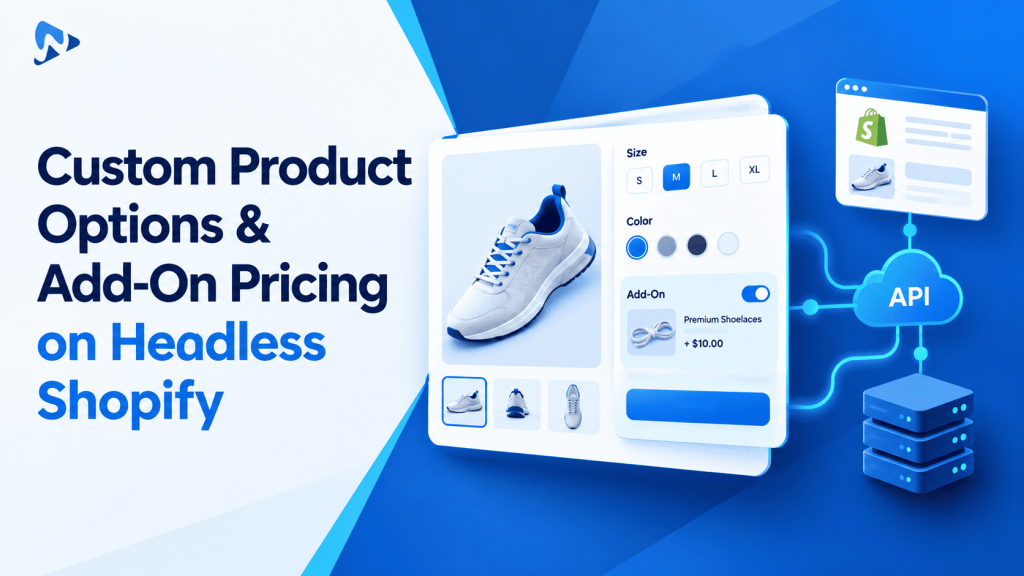
Quick answer: You can manage custom product options with add-on prices on headless Shopify by decoupling frontend UI inputs from cart mutations. Custom attributes are submitted as line item attributes using the Shopify Storefront API, while price add-ons are processed via dynamic product modifiers or cart lines. This setup preserves your custom architecture without inflating your product variant count.
Key takeaways:
- Headless stores use the Shopify Storefront API
cartLinesAddmutation to send custom line item attributes. - Add-on prices can be added as linked surcharge line items or handled through specialized option configurations.
- Native Shopify variants remain reserved for tracked physical inventory items.
In this guide:
- Why is pricing custom options difficult in a headless Shopify architecture?
- How does the Shopify Storefront API pass custom properties?
- How do different headless add-on pricing methods compare?
- How should you manage inventory for headless custom add-ons?
- How do you handle custom product options with add-on prices on headless Shopify?
- The Bottom Line
- Frequently Asked Questions
- Related Reading
- Update Log
- Sources
Why is pricing custom options difficult in a headless Shopify architecture?
Headless storefronts disconnect frontend input states from Shopify’s standard Liquid cart and checkout flow. In a traditional Online Store 2.0 theme, apps inject theme app embeds that automatically read DOM inputs and calculate totals before submitting form data. In a custom headless stack using React, Next.js, or Hydrogen, there are no default Liquid hooks for apps to listen to.
Shopify products support up to 3 option names and up to 2,048 variants per product. Creating separate native variants for every paid service (like custom embroidery, gift boxing, or rush dispatch) creates a combinatorial explosion. If you offer 10 custom add-ons across multiple colors and sizes, you quickly multiply database records unnecessarily. Decoupling the frontend presentation from native variants keeps your catalog lean.
Tip: Avoid creating native Shopify variants for services or non-inventory customizations. Capture them as custom line item attributes to protect your inventory database from bloat.
How does the Shopify Storefront API pass custom properties?
The Storefront API captures custom options through custom line item attributes attached to the cart lines. According to Shopify Storefront API documentation, developers pass an attributes array containing key and value pairs inside the cartLinesAdd mutation. These attributes stay attached to the item throughout checkout and appear on the final order record.
For example, custom text inputs or selected swatches are stored directly as text strings. If you want to keep internal codes hidden from customer invoices, prefix the key name with an underscore, such as _internal_sku. The Shopify admin preserves underscore keys for your fulfillment staff while suppressing them from buyer confirmation emails.
How do different headless add-on pricing methods compare?
Merchants typically choose between multi-line cart pairing, separate auxiliary SKUs, or specialized option configurations. Each implementation approach carries distinct technical trade-offs for custom frontend developers.
| Method | Pricing Mechanism | Implementation Effort | Catalog Impact |
|---|---|---|---|
| Native Variant Explosion | Pre-calculated on variant | Low initial build | High catalog and SKU bloat |
| Auxiliary Cart Line Items | Adds separate $0+ items | Moderate custom coding | Requires parent-child linking |
| Specialized Option API Configuration | Rules-driven pricing | Clean headless integration | Clean catalog and unified SKUs |
How should you manage inventory for headless custom add-ons?
Physical blanks should use native Shopify inventory tracking, while non-stocked add-on services should rely on virtual rules. When an item requires physical stock decrementing—such as a specific size or base material—Shopify tracks the stock level on the native product variant.
For custom add-ons like laser engraving, gift messages, or custom dimension cuts, inventory decrementing is usually not needed. Passing these specifications as custom attributes allows the base product stock to decrement accurately in Shopify without generating disconnected inventory records.
How do you handle custom product options with add-on prices on headless Shopify?
You handle custom product options with add-on prices on headless Shopify by configuring option schemas in your admin and mapping choices to cart lines through the Storefront API. Using an app backend lets marketing teams manage option rules without requiring developers to redeploy frontend code for every catalog update.
- Install Ultimate Product Options from the Shopify App Store.
- Open your Shopify admin, launch the app, and click Create Option Set.
- Assign your option set to your target products or automated collections.
- Add your desired customization fields, such as text boxes, color swatches, checkboxes, or dropdown menus.
- Configure price add-ons for specific selections (such as a flat surcharge for engraving) directly in the option rules. (Illustrative example: Adding a $15.00 surcharge to a $120.00 base product creates a $135.00 total order price.)
- Set up conditional logic rules (available on the Basic plan at $7.99/month and above) to reveal secondary fields only when relevant options are checked.
- Fetch the assigned option schema in your headless frontend framework (such as Next.js or Remix) using your integration endpoints or GraphQL client.
- Render accessible UI components that listen to customer inputs and calculate the live subtotal on your custom product page.
- Map customer choices to the
attributesarray within yourcartLinesAddmutation when the customer clicks the purchase button. - Place a test order on your headless development storefront to verify that custom properties and total price adjustments pass accurately to the Shopify order screen.
Configure Custom Options for Any Shopify Store
Create swatches, custom fields, and add-on pricing rules without touching theme template code. Free plan available.
The Bottom Line
Handling custom product options with add-on prices in a headless architecture requires a clean separation between frontend input states and backend cart mutations. By passing custom selections through Storefront API line item attributes and applying structured add-on pricing rules, you deliver an intuitive shopping experience while keeping your Shopify product catalog structured and maintainable.
Want to try it on your own products? Install Ultimate Product Options free or learn more about the app.
Frequently Asked Questions
Can I pass custom options through the Shopify Storefront API?
Yes, custom options can be passed as custom line item attributes using the cartLinesAdd mutation. These attributes attach directly to the cart line and transfer to the checkout and order record.
Do add-on prices require creating separate product variants in Shopify?
No, add-on prices can be managed through option pricing rules without creating dummy variants. This keeps your catalog database clean and avoids variant ceiling limits.
Can conditional logic rules be configured for custom options?
Yes, conditional logic rules allow you to show or hide fields based on customer selections. This feature is included in the Basic plan ($7.99/month) and above.
Do customer file uploads work on headless storefronts?
Yes, file uploads can be handled through secure endpoints and referenced in order properties. The app supports upload limits from 20MB on the Basic plan up to 100MB on the Premium plan ($19.99/month).
Will underscore-prefixed properties appear on customer receipts?
No, properties starting with an underscore are suppressed from buyer receipts and confirmation emails by default. They remain accessible in the Shopify admin and API payloads for fulfillment routing.
Related Reading
- Best Practices for Shopify Product Customization
- How to Use Conditional Logic in Shopify Product Options
- Managing Made-to-Order Fulfillment on Shopify Stores
Update Log
October 21, 2026: Published technical guide on handling custom product options with add-on prices on headless Shopify stores.