Last updated: October 24, 2026. Disclosure: Webiots develops Ultimate Product Options, the app used in the setup steps.
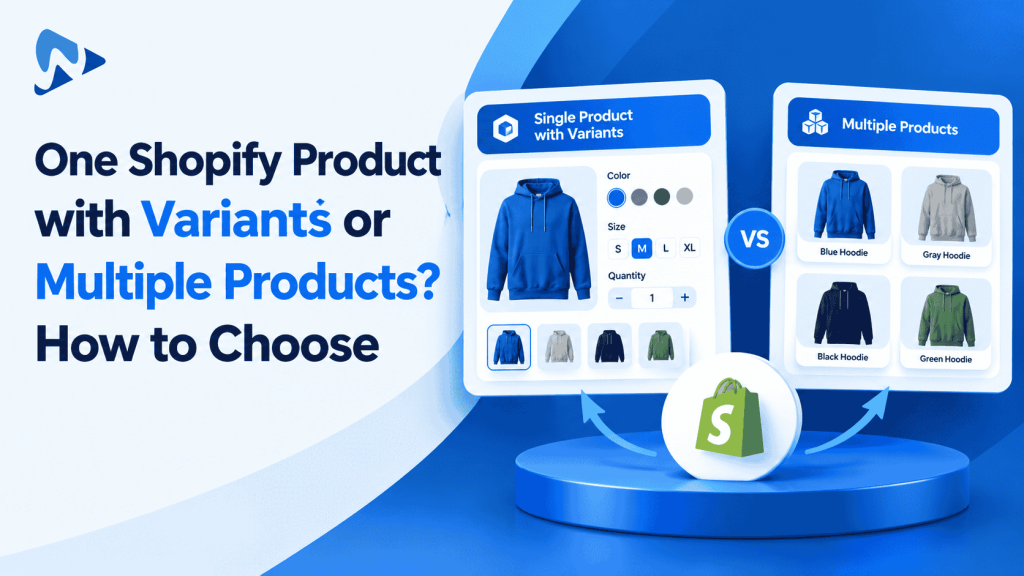
Quick answer: Choose one product with variants when choices share identical descriptions, media, and search intent. Split into multiple products when options target distinct search queries, feature separate photography, or need individual collection placement. For complex personalizations, virtual options let you combine both models without multiplying catalog SKUs.
Key takeaways:
- Grouping variations into one product consolidates reviews and simplifies customer navigation.
- Separate products allow individual title tags, meta descriptions, and unique collection merchandising.
- Product options apps bridge the gap by allowing unlimited custom fields without creating duplicate variants.
Deciding between one Shopify product with variants or multiple products is a foundational merchandising decision. Making the right choice impacts your organic search visibility, collection filtering, inventory tracking, and checkout conversion rates.
In this guide:
- When should you use one product with variants?
- When should you split variations into multiple standalone products?
- How do SEO and merchandising compare between the two models?
- One Shopify product with variants or multiple products: which structure fits your store?
- How do you set up complex product options without catalog bloat?
- The Bottom Line
- Frequently Asked Questions
- Related Reading
- Update Log
- Sources
When should you use one product with variants?
Use one product with variants when items share the exact same core design, search intent, and primary product photography. If a customer views a cotton t-shirt, they expect to select sizes like Small, Medium, or Large directly on the product detail page. Forcing shoppers to browse separate URLs for each standard size adds friction and fragments your social proof.
Shopify allows up to 3 option names and up to 2,048 variants per product. This architecture lets you track individual inventory quantities per variant while keeping customer reviews, sales history, and marketing traffic consolidated on a single URL. Combining standard choices also makes inventory reporting cleaner across your primary warehouse locations.
Tip: Keep variations unified under one product if customers consider them minor choices rather than standalone items. This keeps your collection grids clean and easy to scan.
When should you split variations into multiple standalone products?
Split variations into multiple products when each item targets distinct keyword searches or features completely unique imagery. In apparel merchandising, colors often represent distinct buying decisions. A shopper searching Google for a “crimson silk evening dress” rarely clicks on a listing titled “Silk Evening Dress” that displays an emerald thumbnail by default.
Separate product listings provide clear merchandising benefits:
- Targeted SEO: Each product gets its own dedicated URL slug, title tag, and meta description optimized for specific colors or materials.
- Collection Visuals: Displaying distinct colors across collection grids makes your catalog appear deeper and more comprehensive.
- Dedicated Media: You can upload 10 to 15 specialized lifestyle images per color without cluttering a single product media gallery.
- Granular Filtering: Items can be tagged into specific sub-collections, such as grouping all black accessories together.
How do SEO and merchandising compare between the two models?
Single-product setups concentrate link equity and customer reviews, while multi-product setups maximize collection surface area and keyword targeting. Choosing the right strategy requires balancing discoverability against shopper convenience.
| Dimension | One Product with Variants | Multiple Standalone Products |
|---|---|---|
| Search Engine Optimization | Consolidates authority onto one URL | Ranks for specific, long-tail terms |
| Social Proof & Reviews | Aggregates all reviews together | Splits reviews across individual URLs |
| Collection Grid Display | Shows one card per base product | Displays each variation as a card |
| Customer Usability | Fast selection on a single page | Requires navigating between pages |
One Shopify product with variants or multiple products: which structure fits your store?
A hybrid catalog architecture that uses standalone products for primary visual styles and virtual options for personalizations delivers the best results. Many growing merchants split items by primary color or material, then rely on a product options app for non-inventory choices like engravings, gift boxes, or custom dimensions.
Consider an illustrative example: you sell leather messenger bags in 3 colors (Tan, Black, and Navy). Setting these up as 3 separate products gives each color its own SEO landing page and curated photo gallery. If you also offer 4 monogram fonts, 3 hardware finishes, and a $15.00 protective dust bag, generating native variants for every variation creates 36 combinations per product (1 color × 4 fonts × 3 hardware finishes × 3 bag sizes = 36 variants). Offloading monograms and accessories to virtual options keeps your physical inventory tied to 3 simple size SKUs while offering complete customization.
How do you set up complex product options without catalog bloat?
You can offer extensive product options on single or multiple listings by using an options app to capture custom specifications as line item properties. This approach prevents SKU multiplication while giving shoppers an intuitive customization interface.
- Install Ultimate Product Options from the Shopify App Store.
- In your Shopify Admin, navigate to Online Store > Themes > Customize. In the App embeds menu on the left, switch the Ultimate Product Options embed to On, then save.
- Open Apps > Ultimate Product Options and click Create Option Set.
- Assign the option set to your products, whether you organized them as a single listing or separate color products.
- Click Add Option and choose your input types, such as text inputs for engravings, visual color swatches, or file upload fields.
- Configure conditional logic rules (available on the Basic plan at $7.99/month and above) so secondary options appear only after specific choices are made.
- Add dynamic price modifiers to options that carry an extra fee (such as +$10.00 for personalized foil stamping).
- Save and publish your option set.
- Open your storefront, navigate to the product page, test your selections, click add to cart, and verify that all choices attach cleanly to the order in your Shopify admin.
Simplify Your Shopify Catalog Architecture
Add swatches, custom fields, and paid add-ons without multiplying variants or creating messy inventory records. Free plan available.
The Bottom Line
Deciding between one product with variants or multiple products depends on search intent and merchandising strategy. Grouping standard sizes into one product provides a frictionless shopping experience, while splitting major colors into separate products maximizes search traffic and collection display. By pairing your catalog structure with Ultimate Product Options, you can offer rich personalizations and paid upgrades without cluttering your inventory with artificial variants.
Want to try it on your own products? Install Ultimate Product Options free or learn more about the app.
Frequently Asked Questions
Does splitting items into multiple products help SEO?
Yes, separate product listings allow you to target specific search keywords with custom page titles, URLs, and meta descriptions. This helps individual colors or styles rank directly for long-tail search queries.
Can I link separate products together using color swatches?
Yes, you can link standalone products together using cross-product swatches or dedicated option sets. This allows customers to click a color swatch and navigate to the dedicated product page seamlessly.
What is Shopify’s native variant limit per product?
Shopify allows up to 3 option names and up to 2,048 variants per product. If you need more options or personalizations without multiplying variants, you can use virtual options via an app.
Will multiple products make my collection pages look repetitive?
Multiple products can clutter collection pages if items look too similar. If colors or patterns are visually distinct, listing them separately enhances your collection and showcases your full variety.
Can customer reviews be shared across separate products?
Most modern Shopify review apps support product grouping or shared review tags. This allows you to aggregate star ratings across related color listings even when they exist on separate URLs.
Related Reading
- How to Add Product Options Without Creating Additional Variants
- How to Offer a Range of Product Options Under 1 Main Product
- How to Dynamically Change Product Prices with Custom Add-Ons
Update Log
October 24, 2026: Published new guide on choosing between one Shopify product with variants or multiple products.