

Last updated: November 19, 2026. Plans, prices and ratings come from each app’s Shopify App Store listing, checked on November 18, 2026. Disclosure: Webiots develops Ultimate Product Options and LUX AI Product Images, two of the eight apps below. We say where another app or a free Shopify feature is the better choice.
Quick answer: A new Shopify store needs about 8 apps, one per job, and all 8 below have a free plan, so you can launch for $0 a month in app fees. Install Ultimate Product Options for product options and add-on prices, Judge.me for reviews, Shopify Messaging for email, Shopify Forms for sign-ups, Shopify Inbox for chat, Shopify Search & Discovery for filters, LUX AI Product Images for image SEO and AfterShip for order tracking. Upgrade each one only when you hit its free limit.
Key takeaways:
- Use one app per job: two apps doing the same thing slow your store and clash.
- Four of the eight are free apps made by Shopify.
- Check what Shopify already does for free before you install anything.
In this guide
- The 8 apps at a glance
- How we picked them
- What Shopify does without an app
- The 8 apps in detail
- What order to install them in
- What the stack costs
- Apps to skip at the start
- How to check apps don’t slow your store
- FAQ
What Are the Best Shopify Apps for New Stores?
These 8 cover the jobs every new store has: better product pages, trust, email, support, search, images and delivery updates. Each one does a different job, so none of them overlap.
| # | App | Job | Free plan | Paid from | Rating (reviews) |
|---|---|---|---|---|---|
| 1 | Ultimate Product Options | Product options and add-on prices | Yes, unlimited options | $7.99/mo | 5.0 (15) |
| 2 | Judge.me Product Reviews | Reviews and star ratings | Yes, unlimited reviews | $15/mo | 5.0 (50,294) |
| 3 | Shopify Messaging | Email (and SMS) marketing | 10,000 emails a month | $1 per 1,000 extra emails | 4.8 (4,857) |
| 4 | Shopify Forms | Sign-up forms and pop-ups | Free | Free | 4.5 (774) |
| 5 | Shopify Inbox | Live chat and AI answers | Free | Free | 4.5 (5,821) |
| 6 | Shopify Search & Discovery | Filters, search and recommendations | Free | Free | 2.6 (514) |
| 7 | LUX AI Product Images | Image compression, alt text and AI photos | Yes, 200 credits | $9.99/mo | 5.0 (2) |
| 8 | AfterShip Order Tracking | Order tracking page and updates | Yes, 50 shipments a month | $11/mo | 4.6 (1,513) |
Prices are monthly in USD. Ratings and review counts were checked on November 18, 2026 and change often. A high rating from a few reviews (like our own apps) tells you less than a high rating from thousands.
How Did We Pick These 8 Apps?
We picked for a store with few or no orders yet, where every app has to earn its place.
- One app per job. No two apps on the list do the same thing.
- A free plan, not just a free trial. You can run all 8 at $0 until your sales justify an upgrade.
- Shopify’s own app first when it’s good enough. Shopify-built apps are free and share your store’s data with no setup.
- Checked on the App Store. Every price, plan and rating comes from the App Store listing on November 18, 2026.
- Left out on purpose: page builders, loyalty, subscriptions and upsell suites. They help later, but a store with no repeat customers doesn’t need them yet.
What Does Shopify Already Do Without an App?
A lot. Before installing anything, use what’s already in your Shopify admin.
- Discounts: discount codes, automatic discounts and buy X get Y, under Discounts.
- Abandoned checkout emails: turn on the automatic reminder under Marketing > Automations.
- Cookie banner: Shopify’s customer privacy settings add a consent banner, so you may not need a cookie app.
- Gift cards, shipping rates and taxes: all built in.
- Basic SEO: page titles, meta descriptions and a sitemap for every product.
- Reports: sales, traffic and conversion in Analytics.
Every app you skip is one less script on your pages, so check this list first.
Which 8 Apps Should a New Shopify Store Install?
1. Ultimate Product Options: product options and add-on prices
Best for: stores selling custom, personalized or made-to-order products · Free plan: unlimited options and add-on pricing · Paid: $7.99, $12.99, $19.99 a month, 14-day trial · Rating: 5.0 (15) · Made by Webiots
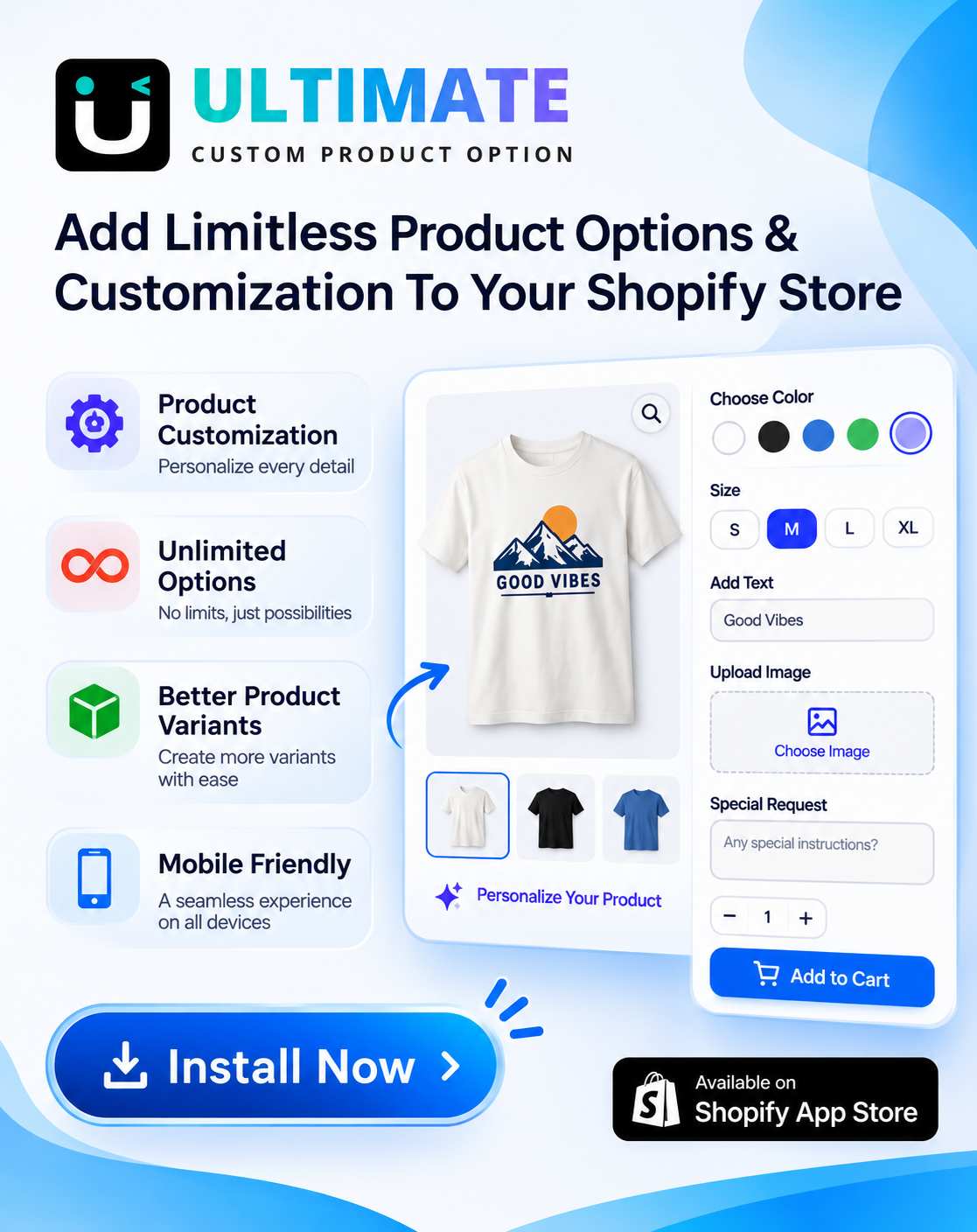
Shopify allows only 3 options per product. Ultimate Product Options adds as many as you need, such as text boxes, dropdowns, color and image swatches and checkboxes, without creating variants. The free plan also lets you charge extra for add-ons like engraving or gift wrap, which most options apps keep for paid plans.
Why first: your product page is where the sale happens. Getting options and add-on prices right from day one raises order value without extra traffic. When you need conditional logic, file uploads and all 42+ option types, the Basic plan is $7.99. See how to add more than 3 options to a Shopify product.
Trade-off: a newer app with 15 reviews, and no Built for Shopify badge yet. If you only sell simple products with one size and color, you can skip it for now.
2. Judge.me Product Reviews: reviews and star ratings
Best for: every new store · Free plan: unlimited reviews, photo and video reviews, Google rich snippets · Paid: Awesome $15 a month · Rating: 5.0 (50,294) · Built for Shopify
New stores have no trust yet, and reviews are the fastest way to build it. Judge.me’s free plan has no review limit and includes photo and video reviews, star ratings on product pages and Google star snippets.
Tip: only show real reviews from real buyers. Importing reviews you didn’t earn can break consumer protection rules and Google’s review policies.
Upgrade when: you want automatic review reminders, Q&A, Klaviyo sync or Google Shopping stars, which are on the $15 plan.
3. Shopify Messaging: email marketing
Best for: your first email list · Free plan: 10,000 emails a month · Paid: from $1 per 1,000 extra emails · Rating: 4.8 (4,857) · Made by Shopify
Shopify Messaging (formerly Shopify Email) sends campaigns and automated emails from inside your admin, with templates that pull in your products and prices. It now handles SMS and WhatsApp too.
Why it beats bigger tools at the start: 10,000 free emails a month covers a list of a few thousand people, and there’s no separate account to connect. Move to Klaviyo or Omnisend later if you need advanced flows and segments.
4. Shopify Forms: sign-up forms and pop-ups
Best for: building your email list · Price: free · Rating: 4.5 (774) · Made by Shopify
Email needs subscribers. Shopify Forms adds a sign-up pop-up or an inline form, can offer a discount code for joining, and sends new subscribers straight to Shopify Messaging.
Tip: show the pop-up after a few seconds or on exit, not the moment a shopper lands, and keep it to one field: email.
5. Shopify Inbox: live chat and AI answers
Best for: answering pre-sale questions · Price: free · Rating: 4.5 (5,821) · Made by Shopify
A shopper with a question about sizing or delivery often leaves instead of emailing. Shopify Inbox adds a chat button, and its AI assistant can answer from your catalog, stock and policies when you’re offline. You reply from the Shopify Inbox app on your phone.
Trade-off: reviewers mention no API and no way to forward chats to a helpdesk. That’s fine for a new store; switch to a helpdesk like Gorgias once you have a support team.
6. Shopify Search & Discovery: filters and recommendations
Best for: stores with more than a handful of products · Price: free · Rating: 2.6 (514) · Made by Shopify
This app controls your collection filters, search synonyms, product boosts and the related products shown on product pages. Without it, you can’t choose which filters appear or which products are recommended.
About the rating: its reviews are split, with about half 5 stars and a fifth 1 star, mostly from large catalogs that need more. For a new store it’s the free starting point; move to a paid search app like Boost or Searchanise only when your catalog outgrows it.
7. LUX AI Product Images: image compression, alt text and AI photos
Best for: faster pages and image SEO · Free plan: 200 credits, compression and resizing, AI alt text, SEO file names, watermarks · Paid: $9.99, $19.99, $49.99 a month · Rating: 5.0 (2) · Made by Webiots
Large images are the most common reason a new store loads slowly. LUX compresses and resizes them in bulk, writes alt text and renames files for search on the free plan. Paid plans add AI product photos and videos from your existing product shots.
Trade-off: a new app with only 2 reviews. If you only need compression, TinyIMG is a long-running alternative. Read our guide to Shopify image SEO and alt text.
8. AfterShip Order Tracking: tracking page and updates
Best for: cutting where-is-my-order emails · Free plan: 50 shipments a month · Paid: Essentials $11 a month (100 shipments) · Rating: 4.6 (1,513) · Built for Shopify
Where-is-my-order questions are the most common support request for new stores. AfterShip adds a branded tracking page and sends delivery updates, so customers check it themselves.
Upgrade when: you ship more than 50 orders a month.
Start with better product pages
Ultimate Product Options: unlimited options and add-on prices on the free plan. 14-day free trial on paid plans.
In What Order Should You Install Them?
Install them in the order shoppers meet them, and test each one before adding the next.
| When | Install | Why then |
|---|---|---|
| Before launch | Ultimate Product Options, LUX AI Product Images, Search & Discovery | Product pages, images and filters need to be right before anyone visits |
| Launch week | Shopify Inbox, Shopify Forms | Answer first visitors and start collecting emails |
| First orders | AfterShip, Judge.me | Send tracking updates, then ask buyers for reviews after delivery |
| First month | Shopify Messaging | Send a welcome email and your first campaign once you have subscribers |
How Much Does This Starter Stack Cost?
$0 a month to start. Each app has a clear point where upgrading pays for itself.
| App | Upgrade when | Next price |
|---|---|---|
| Ultimate Product Options | You need conditional logic, file uploads or date pickers | $7.99/mo |
| Judge.me | You want auto-reminders, Q&A or Google Shopping stars | $15/mo |
| Shopify Messaging | You send more than 10,000 emails a month | $1 per 1,000 emails |
| LUX AI Product Images | You want AI product photos or videos | $9.99/mo |
| AfterShip | You ship more than 50 orders a month | $11/mo |
| Forms, Inbox, Search & Discovery | Free for good | $0 |
Which Apps Should New Stores Skip?
Skip anything that needs traffic, repeat customers or a team you don’t have yet.
- Page builders. Modern Shopify themes have enough sections for a new store. Add one later if your theme really can’t do a page. See our page builder apps comparison.
- Loyalty and referral programs. They reward repeat buyers, so wait until people come back. Our loyalty apps guide covers when to start.
- Two apps for one job. Two pop-up apps or two discount apps clash and slow your pages.
- Big upsell suites. Use Shopify’s free discounts and a simple cart drawer first.
- Fake urgency and imported reviews. Countdown timers that reset and reviews you didn’t earn hurt trust and can break consumer rules.
How Do You Check Apps Don’t Slow Your Store?
- Test your home page and a product page on PageSpeed Insights before installing anything, and note the mobile score.
- Install one app at a time, on a duplicate theme when the app adds blocks to your pages.
- Test the same pages again. If the score drops a lot, check the app’s settings or try another app.
- When you remove an app, also remove its theme blocks and any code it added. Some apps leave code behind.
- Review your apps every quarter and remove any you no longer use.
The Bottom Line
A new Shopify store doesn’t need 20 apps. Start with these 8, one per job, all on free plans: Ultimate Product Options for product pages, Judge.me for reviews, Shopify Messaging and Shopify Forms for email, Shopify Inbox for chat, Search & Discovery for filters, LUX AI Product Images for images and AfterShip for tracking. Use Shopify’s built-in features first, test your speed after each install, and upgrade only when you hit a free limit.
Frequently Asked Questions
How many apps should a new Shopify store have?
Around 5 to 10. Start with one app per job, such as product options, reviews, email, chat and tracking, and add more only when you have a clear need.
Can I run a Shopify store with only free apps?
Yes. All 8 apps in this guide have a free plan, and four of them are free apps made by Shopify, so you can launch with $0 a month in app fees.
What is the first app to install on Shopify?
The one that improves your product page. For stores selling customizable products, that’s a product options app such as Ultimate Product Options. For other stores, start with a reviews app like Judge.me.
Do Shopify apps slow down my store?
Some do, especially apps that add scripts to every page. Test your speed before and after each install, and remove apps and their leftover code when you stop using them.
Should I use Shopify’s own apps or third-party apps?
Use Shopify’s own apps when they cover the job, because they’re free and work with your store data out of the box. Use third-party apps where Shopify has no app or its app is too limited, such as product options and reviews.
Are free Shopify apps safe?
Apps on the Shopify App Store are reviewed by Shopify before listing. Still check the permissions each app asks for, its reviews and when it was last updated.
Related Reading
- Best Shopify Product Options Apps (2026): 12 Compared
- Best Shopify Apps for Clothing Stores
- Best Shopify Apps for Jewelry Stores
- Shopify Image SEO and Alt Text
- Best Shopify Discount Apps
Update Log
November 19, 2026: First published, with plans, prices and ratings checked on the Shopify App Store on November 18, 2026.
Sources
- Ultimate Product Options on the Shopify App Store
- Judge.me Product Reviews on the Shopify App Store
- Shopify Messaging on the Shopify App Store
- Shopify Forms on the Shopify App Store
- Shopify Inbox on the Shopify App Store
- Shopify Search & Discovery on the Shopify App Store
- LUX AI Product Images on the Shopify App Store
- AfterShip Order Tracking on the Shopify App Store