

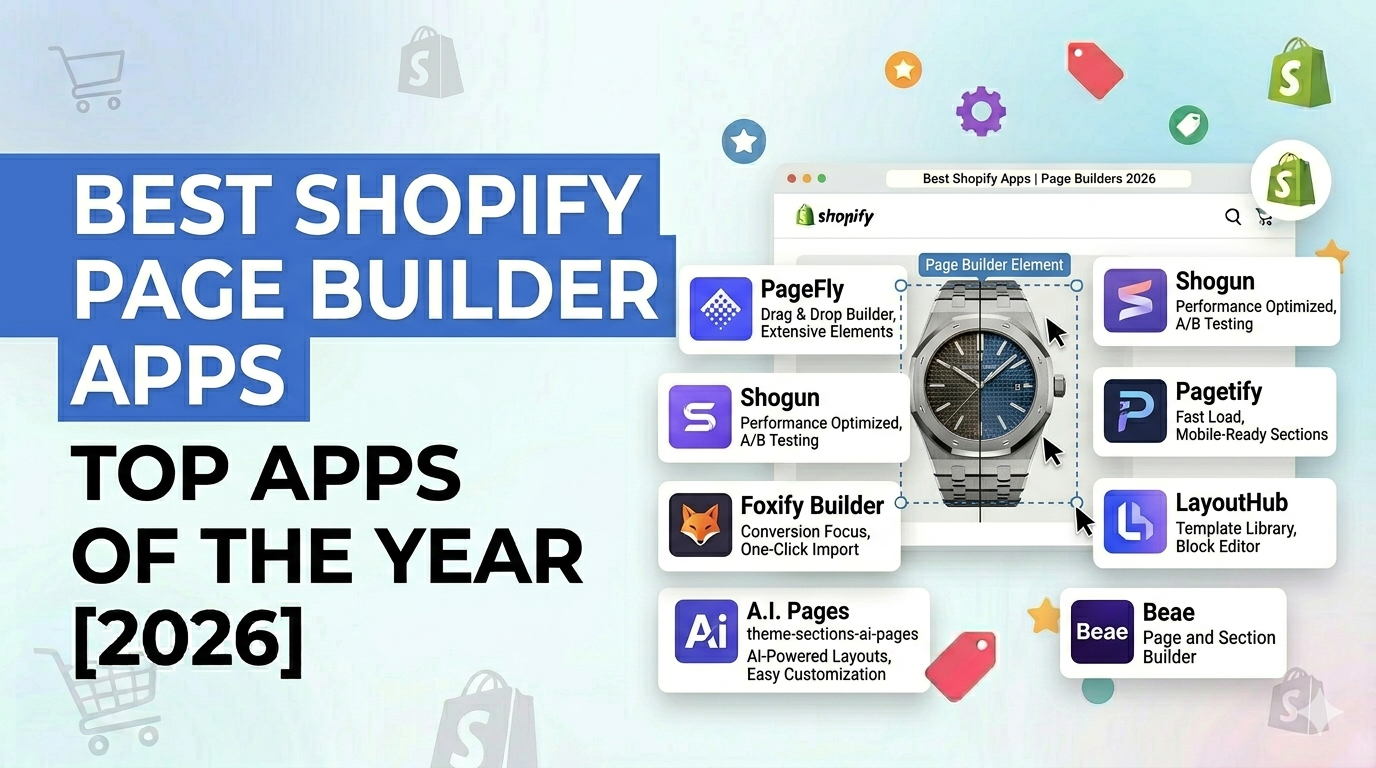
If you’re running a Shopify store in 2026, design isn’t just about making things look nice anymore – it’s about turning visitors into buyers. That’s really where Shopify Page Builder Apps start to matter.
Here’s the honest situation: most Shopify themes – even the expensive ones – hit a ceiling pretty fast. You tweak a few sections, adjust layouts… and then suddenly you’re stuck. Want a proper landing page? Need a custom product layout? Now you’re either hacking things together or waiting on a developer for small changes. And yeah, that slows everything down – especially when speed is everything in eCommerce.
Now think about this for a second: you want to launch a new product page, test a promo campaign, or refresh your homepage for a sale. Do you wait 2–3 days for a dev… or just build it yourself in 15–20 minutes?
That gap right there – that’s what a good page builder solves.
Modern Shopify Page Builder Apps give you full drag-and-drop control, advanced design elements, and templates that are actually built to convert – not just look pretty. Whether you’re running the store solo, handling marketing, or scaling a brand, these tools let you build pages that don’t just sit there – they perform.
In this guide, we’ll break down the best Shopify Page Builder Apps in 2026, what each one is good at, and how to pick the right one based on how your store actually runs.
What Is a Shopify Page Builder App? (And Why Your Theme Isn’t Enough)
A Shopify Page Builder App is basically a visual design tool that lets you build and customize store pages using drag-and-drop no coding needed. Instead of being boxed into your theme’s layout, you get control over how everything looks, flows, and converts.
At first, Shopify themes feel flexible. You can change colors, tweak fonts, move a few sections around. It feels enough… until it isn’t.
The moment you try building something more serious – like a high-converting landing page or a custom product experience you hit walls. Hard ones.
That’s because themes are built for general use. Not for aggressive marketing. Not for CRO. Not for advanced UX.
This is where page builders step in and change the game:
- They remove those annoying design limits from your theme
- You can edit everything visually in real time (what you see is actually what you get)
- You get ready-made templates designed for conversions not just design
- You can run A/B tests, add dynamic content, and build advanced sections
Think of your Shopify theme like the structure of a house. Solid, necessary… but basic.
A page builder? That’s the interior designer, the architect, and the renovation crew all rolled into one.
And if you’re serious about scaling, relying only on your theme is kind of like entering a Formula 1 race with a regular car. You’ll move… but you’re not winning anything.
The Difference Between Shopify’s Native Editor and a Page Builder App
Shopify’s native editor (Theme Customizer) is simple and that’s both its strength and its limitation.
It’s great when you’re setting things up. But the moment you want flexibility or performance optimization… it starts feeling restrictive.
Here’s the real-world difference:
Shopify Native Editor
- Works within predefined theme sections
- Limited layout flexibility (you’re stuck with structure)
- No real drag-and-drop
- Needs code (Liquid/HTML/CSS) for anything advanced
- Slower when you’re trying to launch or test campaigns
Shopify Page Builder Apps
- Full drag-and-drop control
- Build completely custom layouts no restrictions
- Comes with conversion elements (countdowns, popups, CTAs)
- No coding needed
- Way faster when creating and testing pages
Simple way to think about it: Shopify’s editor lets you edit templates.
Page builders let you create whatever you want.
And for growth-focused stores, that difference shows up fast in speed, experiments, and conversions.
What Types of Pages Can You Build?
One of the biggest advantages of using Shopify Page Builder Apps is flexibility. You’re not just tweaking a homepage you can build pretty much anything your store needs.
Here are the pages that actually move the needle:
1. High-Converting Landing Pages
Perfect for ads, email campaigns, product launches.
These pages focus on one goal get the click, capture the lead, or close the sale.
2. Custom Product Pages
Go beyond Shopify’s default layout.
Add storytelling, comparisons, FAQs, videos, trust badges basically everything that helps someone say “yes.”
3. Homepage Designs
Instead of using generic layouts, you can shape your brand experience properly.
Highlight offers, best sellers, messaging clean and intentional.
4. Collection Pages
Guide users better with banners, filters, and structured layouts. Small tweaks here can impact browsing a lot.
5. About Us & Brand Story Pages
Most people ignore this… but it matters.
A well-designed story page builds trust faster than you’d expect.
6. Sales & Seasonal Campaign Pages
Black Friday, festive sales, flash offers you can spin up dedicated pages quickly with urgency elements like countdown timers.
7. Lead Generation Pages
Capture emails using custom forms, free offers, or quizzes.
If you’re building a list, this is essential.
8. Blog & Content Pages (Enhanced)
Some builders let you design blog layouts that actually look engaging not like default Shopify blogs from 2018.
The bottom line? Once you start using a proper page builder, your store stops feeling like a template and starts behaving like a real conversion system.
Best Shopify Page Builder Apps in 2026
1. PageFly – Powerful, Flexible & Conversion-Focused Page Builder
If you ask around, PageFly is usually the first name that comes up and honestly, there’s a reason for that.
It’s built for store owners who want full control without constantly depending on developers. You get a proper drag-and-drop editor where you can build landing pages, product pages, homepages whatever you need exactly how you want.
Where PageFly really stands out in 2026 is its CRO focus. You’re not just designing pages you’re building for conversions. Templates, elements, integrations… everything leans toward performance.
If you’re running campaigns or constantly testing ideas, this matters a lot.
Key Features
- CRO-focused templates: 100+ templates and sections ready to go
- Full design control: Move, group, align elements freely
- A/B testing support for optimization
- Conversion elements: timers, upsells, trust badges
- 130+ integrations with marketing tools
- No coding required
If your goal is speed, testing, and scaling PageFly is easily one of the safest bets.
2. Foxify – AI-Powered Page Builder for Faster, Smarter Conversions
Now this one’s interesting.
Foxify is gaining attention fast, mainly because it leans heavily into AI. It’s not just a builder it tries to do part of the thinking for you.
The AI Layout Generator can create complete page structures based on your niche. Sounds gimmicky at first… but it actually saves a lot of time.
Then there’s Fox Magic AI, which helps with content writing, translating, optimizing. If you’re managing multiple products or markets, this becomes surprisingly useful.
It’s built for speed, automation, and scaling especially for modern brands.
Key Features
- 200+ CRO-focused templates
- AI Layout Generator for instant designs
- AI content generation & optimization
- Flexible drag-and-drop builder
- Figma & HTML support
- Built-in upsell and review integrations
If you like the idea of AI doing 30–40% of the work, Foxify is worth looking at.
3. Pagetify – Fast, Lightweight Builder for High-Converting Shopify Pages
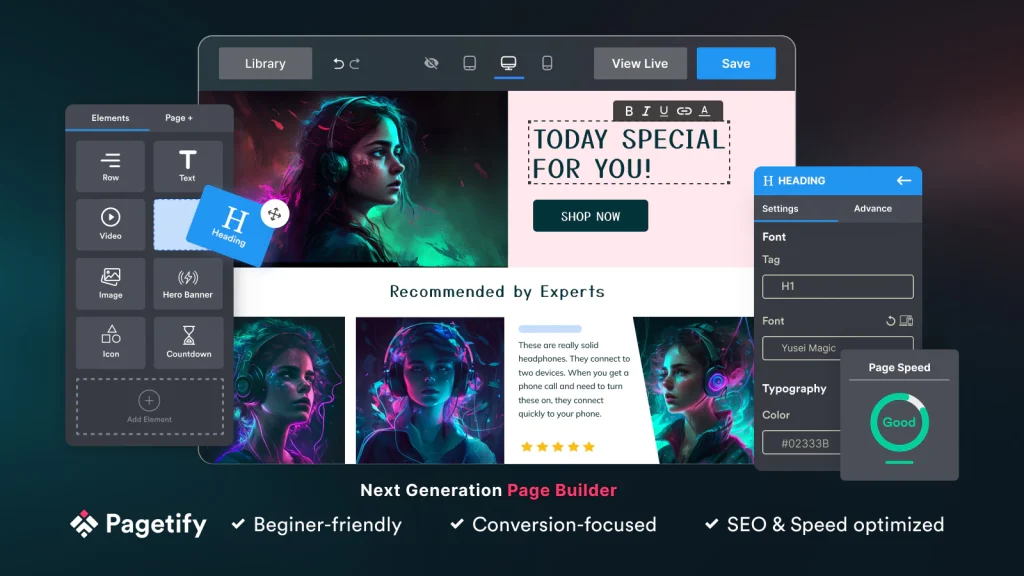
If speed matters to you (and it should), Pagetify is a strong option.
Some builders get heavy over time. Pages load slower, performance dips… not great. Pagetify avoids that by staying lightweight and optimized.
It’s simple, fast, and still flexible enough for most use cases. Also, developers get room to customize if needed – which is a nice balance.
Key Features
- Drag-and-drop builder with 99+ elements
- SEO & speed-optimized templates
- Works with all Shopify themes
- Custom HTML, Liquid, CSS support
- Conversion elements like popups, timers, testimonials
- Review app integrations
If you care about performance and clean builds, this one makes sense.
4. Theme Sections & AI Page Builder – Simple, Fast & Built Inside Shopify
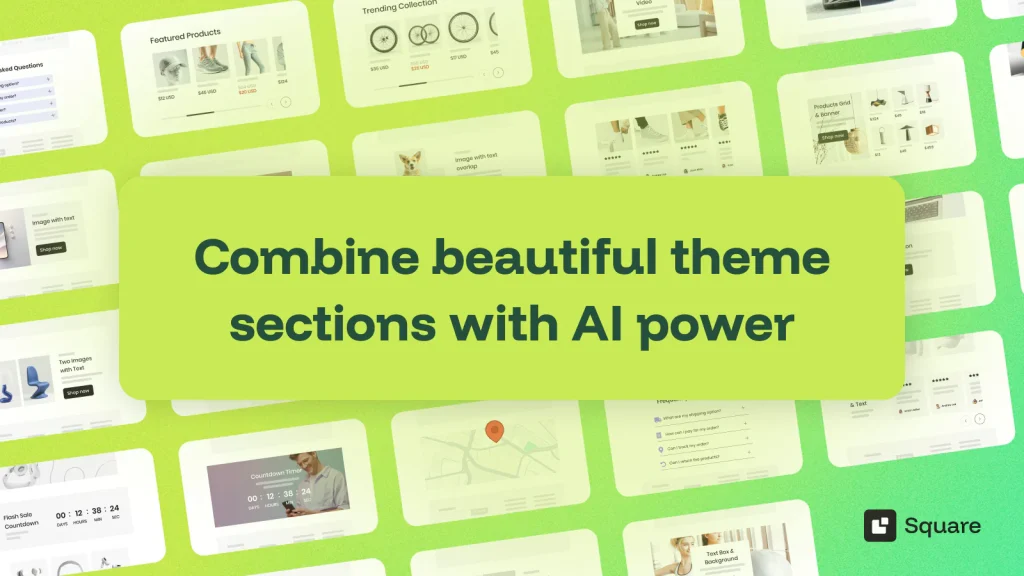
This one takes a slightly different approach.
Instead of replacing your workflow, it works inside Shopify’s native editor. So you don’t have to relearn everything.
The AI Product Page Generator is the highlight it can build full product pages (layout + content) with minimal input.
Good fit if you want improvements without a full rebuild.
Key Features
- 40+ customizable sections
- AI-generated product pages
- UX-focused layouts
- Works with any Shopify theme
- Built directly inside Shopify editor
- Supports multiple content types
Simple, practical, and low-friction.
5. Shogun – Enterprise-Grade Visual Builder for Scalable Shopify Stores

Shogun has been around for a while and it’s still one of the most reliable tools out there, especially for bigger stores.
It’s not just drag-and-drop. It’s structured. You get reusable sections, global edits, better content management stuff that really matters at scale.
If you’re handling a large catalog or multiple campaigns, this saves a ton of time.
Key Features
- Advanced visual editor for all page types
- Reusable content blocks
- Shopify Plus Certified
- Shopify 2.0 compatibility
- Structured layout control
- Campaign-ready page building
For scaling or enterprise brands, Shogun is a solid long-term choice.
6. LayoutHub – Ready-Made Layouts for Quick, Conversion-Focused Pages
Not everyone wants to design from scratch. And that’s where LayoutHub fits in.
It’s very template-driven. You pick a layout, customize it, and you’re live. Simple.
The good part? These templates are designed by people who understand eCommerce—not just designers.
Key Features
- Easy-to-use editor
- Large template library
- Fast page creation
- Optimized for performance
- Works with other Shopify apps
- 24/7 support
If you want speed without complexity, this is one of the easiest tools to start with.
7. Beae – Conversion-Focused Builder with Built-In A/B Testing
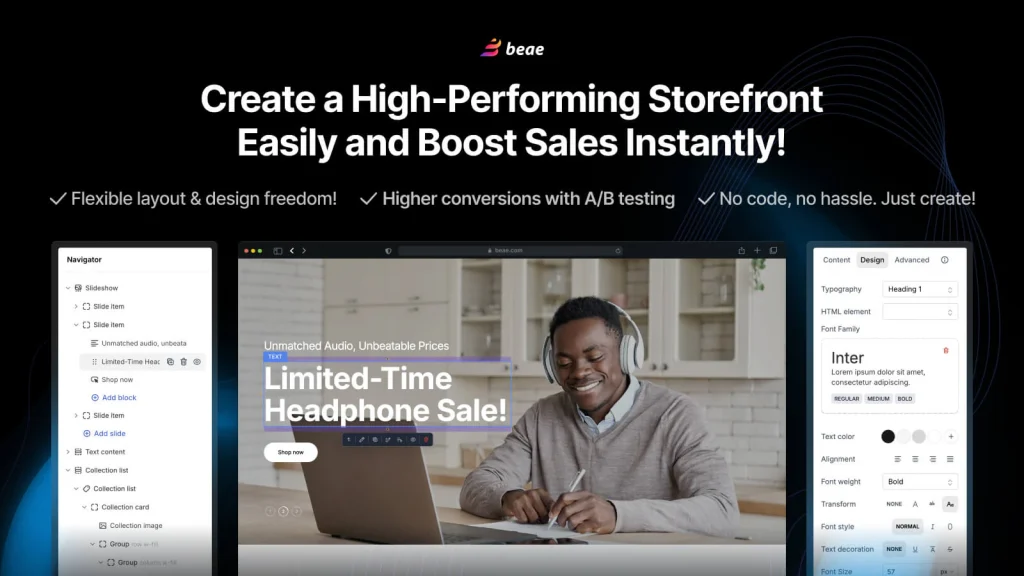
Beae leans heavily into performance.
The big differentiator? Built-in A/B testing. You can test layouts, sections, and variations directly no extra tools needed.
For marketers, that’s huge.
Key Features
- All-in-one page builder
- Built-in A/B testing
- Conversion-focused templates
- CRO elements like timers and banners
- Fast, SEO-friendly performance
- Mobile-first design
If you care about testing and data-backed decisions, Beae stands out.
Shopify Native Editor vs. Page Builder Apps – Honest Comparison
At some point, every Shopify store owner asks this:
“Do I really need a page builder, or is Shopify’s native editor enough?”
Short answer? Depends. But most growing stores outgrow the native editor pretty quickly.
Here’s the clean comparison:
| Feature | Shopify Native Editor | Shopify Page Builder Apps |
| Ease of Use | Beginner-friendly | Beginner to advanced (drag-and-drop) |
| Design Flexibility | Limited to theme structure | Full control, no layout restrictions |
| Customization | Requires coding for advanced edits | No-code customization |
| Templates | Basic theme sections | 100s of CRO-optimized templates |
| A/B Testing | Not available | Available in many builders |
| Speed of Execution | Slower for new pages | Fast page creation & iteration |
| Conversion Features | Minimal | Built-in (countdowns, upsells, etc.) |
So, Which One Should You Use?
- Use Shopify Native Editor if:
- You’re just starting out
- You only need basic pages
- You’re not running campaigns
- Use Shopify Page Builder Apps if:
- You want better conversions
- You run ads or campaigns
- You need custom pages
- You want control without coding
How to Choose the Right Shopify Page Builder for Your Store (Decision Guide)
With so many options in 2026, it can feel like overkill. But it’s actually simpler than it looks.
1. Define Your Goal First
Ask yourself:
- Want design freedom? → PageFly or Shogun
- Want AI speed? → Foxify or Theme Sections AI
- Want performance? → Pagetify
- Want simplicity? → LayoutHub
- Want testing? → Beae
Your goal pretty much decides your tool.
2. Consider Your Skill Level
- Beginner: LayoutHub, Theme Sections AI
- Intermediate: PageFly, Pagetify
- Advanced / Teams: Shogun, Foxify
If something feels overwhelming, it probably is. Keep it simple.
3. Focus on Conversion Features (Not Just Design)
This part gets ignored a lot.
A page can look amazing… and still not convert.
Look for:
- Countdown timers
- Trust badges
- Upsell/cross-sell blocks
- A/B testing
- Mobile optimization
These are the things that actually make money.
4. Check Speed & Performance
Speed matters for SEO and conversions.
- Lightweight builders → better performance
- Heavy builders → more flexibility (but needs optimization)
Always test after building. Don’t assume.
5. Integration & Scalability
Make sure it works with your stack:
- Review apps (Loox, Judge.me)
- Upsell tools
- Email marketing tools
- Analytics
Because once you grow, switching tools is… not fun.
Quick Decision Shortcut
- Best overall: PageFly
- Best AI builder: Foxify
- Best for speed: Pagetify
- Best for simplicity: LayoutHub
- Best for enterprise: Shogun
- Best for testing: Beae
Final Thoughts
Choosing the right Shopify Page Builder Apps in 2026 isn’t really about design it’s about how fast you can grow.
If you’re serious about conversions, campaigns, and scaling, sticking only with Shopify’s native editor will slow you down. Not immediately… but you’ll feel it soon enough.
The good part? You don’t need to overthink this.
Pick one tool. Try it properly. Build a few pages. Break things. Fix them. Improve.
Because honestly, the best page builder isn’t the one with the longest feature list it’s the one that helps you sell faster without friction.
And yeah… once you experience that speed, it’s hard to go back.
FAQ
1. What are Shopify Page Builder Apps?
They’re tools that let you design store pages using drag-and-drop no coding needed. You can build landing pages, product pages, homepages, and more.
2. Do I really need a page builder for Shopify?
Not always. But if you care about speed, flexibility, and conversions you’ll probably need one sooner or later.
3. Which is the best Shopify Page Builder App in 2026?
Depends on what you need:
- PageFly → Best overall
- Foxify → Best AI builder
- Shogun → Best for large stores
- LayoutHub → Best for beginners
- Beae → Best for A/B testing
4. Will page builder apps slow down my Shopify store?
Some do. But tools like Pagetify and Beae are built to stay lightweight. Still always test your pages.
5. Can I use multiple page builder apps together?
You can… but you shouldn’t. It usually creates conflicts and slows things down.
6. Are Shopify Page Builder Apps SEO-friendly?
Yes, most modern ones are. But tools don’t fix bad content so optimization still matters.
7. Do I need coding skills to use these apps?
No. That’s the whole point. Drag, drop, publish.
(Though if you know code, you can push things further.)
8. Can I switch page builders later?
Yes but you’ll likely have to rebuild pages. So choosing right the first time helps.