Published: November 24, 2026. Shopify limits are checked against the Shopify Help Center and changelog linked in Sources. Disclosure: Webiots develops Ultimate Product Options, one of the apps covered below.
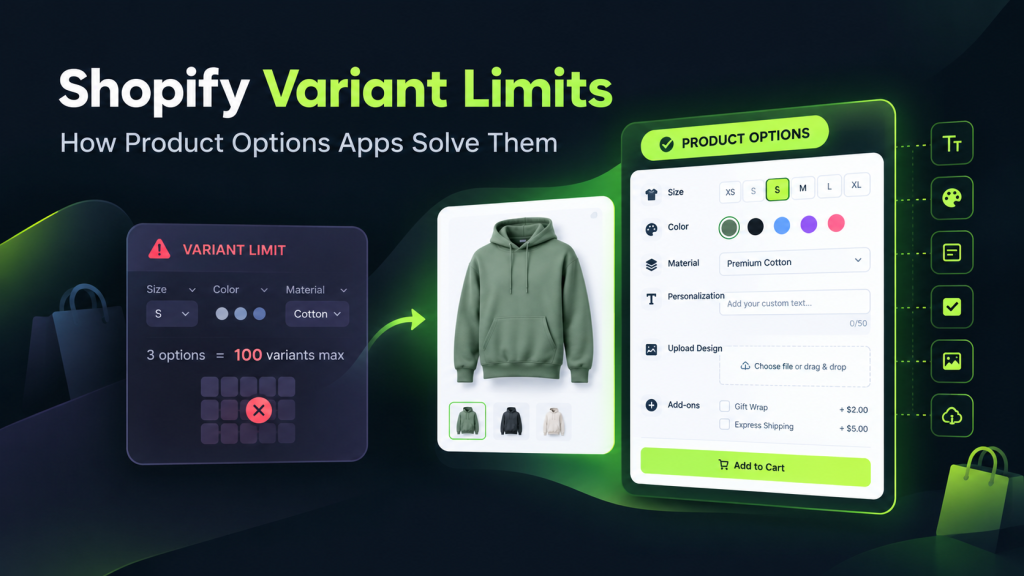
Quick answer: The Shopify variant limit is 2,048 variants per product, on every plan, with up to 3 options per product. Shopify raised it from 100 on October 15, 2025. Some themes, apps and sales channels still only handle 100 variants, so test before you go past that. To go beyond 2,048 variants or 3 options, split the product, use Combined Listings (Shopify Plus), or add extra choices with a product options app, which doesn’t create variants.
Key takeaways:
- 2,048 variants and 3 options per product, on all plans.
- 100 variants is now a compatibility line, not a hard limit.
- No setting raises the limit above 2,048.
- Only choices that change the SKU, price or stock need to be variants.
In this guide
What Is the Shopify Variant Limit?
Each Shopify product can have up to 2,048 variants and up to 3 options. An option is a type of choice, like Size or Color. A variant is one combination of option values, like Large / Blue. Each variant has its own price, SKU, barcode, weight, inventory and image.
| Limit | What Shopify allows |
|---|
| Variants per product | 2,048 (all plans) |
| Options per product | 3 |
| Media per product | 250, with 1 media item per variant |
| New variants per day | 10,000 by app or CSV, only for stores with 500,000+ variants. Shopify Plus is exempt. |
| Combined Listings (Plus only) | Up to 3 extra options on top of each included product’s options |
| Compatibility line | 100 variants: some themes, apps and channels stop working above it |
Is the Shopify Variant Limit Still 100?
No. Shopify raised the limit from 100 to 2,048 variants per product for all merchants on October 15, 2025. Many older guides still say 100, which is why the number causes so much confusion.
The change took years. Shopify released a new GraphQL product API that supports 2,048 variants in April 2024, and more than 6,500 app partners moved to it before the limit went up. You add variants the same way as before, in the Variants section of the product page in your admin.
The 100 number still matters, though. It’s now the point where older themes and apps can fail, as explained below.
How to Count Your Variants
Multiply the number of values in each option. Three sizes and nine grinds make 3 × 9 = 27 variants. Add a third option with 4 values and you get 108, which is past the 100 compatibility line.
| Product | Options | Variants | Result |
|---|
| Coffee | 3 sizes × 9 grinds | 27 | Fine anywhere |
| Ring | 4 metals × 15 sizes × 6 stones | 360 | Allowed, but test theme and apps |
| Sofa | 5 sizes × 30 fabrics × 4 leg finishes | 600 | Allowed, but test theme and apps |
| T-shirt | 20 colors × 10 sizes × 12 materials | 2,400 | Over the limit |
| Engraved mug | 2 sizes × 6 colors, plus custom text and 10 fonts | 12 (text can’t be a variant) | Needs product options for the text and font |
The last row is the most common case. Free text, file uploads and add-ons can’t be variants at all, whatever the limit is.
What Can Break Above 100 Variants?
Shopify supports 2,048 variants, but not every tool around it does. Shopify’s Help Center lists these:
| Tool | Status above 100 variants | What to do |
|---|
| Third-party themes | Some may not support it | Update the theme, or ask the theme developer |
| Theme app extensions and public apps | Some may not support it | Ask each app developer |
| Sales channels | Some may not support it | Check the channel before you publish |
| Stocky | Not supported | Keep products it manages at 100 or fewer |
| Legacy Order Printer | Not supported | Move to the current Order Printer or another app |
| Custom apps on the REST Admin API | May fail | Migrate to the GraphQL Admin API |
Shopify warns that apps not on its current GraphQL product APIs can give a broken or downgraded experience, both when creating and viewing products with more than 100 variants.
How to test: open the product page on desktop and phone, select choices from every option (including the last values), add a few combinations to the cart, and check that inventory, feeds and order printing still show the right variant.
What Happens When You Reach 2,048 Variants?
Shopify won’t let you add more option values once a product would go over 2,048 variants. There’s no setting, plan or support request that raises it. Shopify Plus has the same 2,048 limit; Plus only adds Combined Listings and removes the daily upload cap.
Shopify’s own suggestions for going further are a third-party app or line item properties (custom fields that collect extra choices). The workarounds below cover both.
Which Choices Should Be Variants?
Most stores hit the limit because they make every choice a variant. Use a simple test:
if the choice changes what you stock, ship or count, it’s a variant. If it only describes how to customize the item, it’s a product option.
| Keep as a variant | Move to a product option |
|---|
| Size, if each size has its own stock | Engraving or custom text |
| Color, if it has its own SKU or photo | Font, thread color, print position |
| Material that changes the base price | Photo or logo upload |
| Choices shoppers search for in Google Shopping | Gift wrap, rush delivery, add-ons |
For the full difference, see
Shopify virtual options vs variants.
5 Ways to Get Around the Shopify Variant Limit
1. Remove variants that don’t need to be variants
Apply the test above. Delete variants created only for personalization and move those choices to product options. This often cuts a product from hundreds of variants to a few dozen, which also helps with older themes and apps.
2. Split the product into several products
Create one product per color, style or collection, each with its own variants and stock. It works on every plan and needs no app. The downside: shoppers move between pages, so link the products with swatches or a “choose a style” block so it still feels like one product.
3. Use Combined Listings (Shopify Plus only)
The free Combined Listings app joins separate products into one listing, and adds up to 3 options on top of each product’s own options. Each child product keeps its own title, URL and images. It needs a compatible theme, and child products don’t show in Search & Discovery filter results, so test before switching.
4. Collect extra choices as line item properties with theme code
Add custom fields to the product form so extra choices are saved on the order. It’s free if you can edit code, but line item properties have no price or stock of their own, and they may not carry over to items added through Shopify POS.
5. Use a product options app
A product options app adds choices like text, dropdowns, swatches, uploads and priced add-ons without creating variants, so they don’t count toward the 2,048 limit or the 3-option limit. Most apps also add conditional logic and extra prices. This is the quickest way past the limit for most stores. If your problem is the 3-option limit specifically, our guide on
how to add more than 3 options to a Shopify product covers it step by step.
The 5 Ways Compared
| Way | Plan | Own stock per choice | Extra prices | Best for |
|---|
| Remove extra variants | Any | Yes, for what stays | Variant prices | Every store, as a first step |
| Split products | Any | Yes | Yes | Over 2,048 stocked combinations |
| Combined Listings | Plus only | Yes | Yes | Large color or style ranges on Plus |
| Theme code | Any | No | Not without more code | A simple text field |
| Product options app | Any | Only with apps that support it | Yes | Personalization, uploads, add-ons, more than 3 options |
Product Options Apps That Don’t Add Variants
These apps save choices as line item properties, so they don’t count toward the variant limit. Ratings and prices are from each app’s Shopify App Store listing in November 2026.
1. Ultimate Product Options (our app)
Webiots builds this app. It’s rated 5.0 from 15 reviews. The Free plan includes unlimited option sets, text boxes, dropdowns, radio buttons, checkboxes, color and image swatches, and add-on pricing. Basic ($7.99/month) adds 35+ option types, file uploads and conditional logic. Advanced ($12.99/month) adds live text preview, POS support and a step wizard. Premium ($19.99/month) adds inventory for options, so choices that aren’t variants can still track stock. Paid plans have a 14-day free trial, and at the time of writing the first 3 months are discounted for Black Friday/Cyber Monday.
How to use it past the variant limit:
- Keep only stock-tracked choices (like size and color) as Shopify variants.
- Install Ultimate Product Options and create an option set.
- Add the other choices as text boxes, dropdowns or swatches, with add-on prices where they cost more.
- Use conditional logic to show follow-up fields only when needed.
- Assign the option set to your products and place a test order.
2. Easify Product Options
Rated 4.9 from 3,276 reviews, with a free plan. A popular all-round options app with conditional logic and add-on pricing.
3. Globo Product Options
Rated 4.9 from 5,319 reviews, with a free plan. Offers custom product options and conditional fields.
4. Infinite Options and Bold Product Options
Two long-running options apps for adding extra fields and advanced configurations. Check each listing for current plans and theme compatibility.
5. Textbox & Textfield by Textify
Rated 4.8 from 153 reviews, at $2.99/month. A low-cost pick if you mainly need text fields, with dropdowns, swatches and uploads also included.
For a full comparison, see
the best Shopify product options apps.
Bulk Imports and CSV Pitfalls
- Daily cap: stores with 500,000 or more variants can add up to 10,000 new variants a day by app or CSV. Shopify Plus stores have no daily cap.
- Changing option values by CSV: this replaces the variant IDs, which can break apps, feeds or integrations that stored the old IDs.
- Images: with up to 250 media items per product and one per variant, large products can’t have a unique image for every variant. Assign images per color instead.
- Older integrations: inventory and sync tools built on the REST Admin API may not see variants beyond 100.
Checklist
- Count your variants: multiply the values in each option.
- Move personalization and add-ons out of variants.
- If you’re still over 100, test your theme, apps and sales channels.
- If you’re over 2,048, split the product or use Combined Listings on Plus.
- Add the remaining choices with a product options app.
- Place a test order and check the variant, SKU and options on the order.
The Bottom Line
The Shopify variant limit is 2,048 variants and 3 options per product, on every plan. Most stores never need that many variants. They need fewer variants and more product options. Keep stock-tracked choices as variants, test anything above 100, and move personalization into an options app.
Want to try it?
Install Ultimate Product Options free or
learn more about the app.
Frequently Asked Questions
What is the Shopify variant limit?
2,048 variants per product, with up to 3 options per product. It applies to every Shopify plan.
When did Shopify raise the variant limit from 100?
On October 15, 2025, for all merchants.
Why does my theme only show 100 variants?
Some older or third-party themes weren’t built for more than 100 variants. Update the theme or ask its developer.
Does Shopify Plus have a higher variant limit?
No. Plus has the same 2,048-variant and 3-option limits. It adds Combined Listings and has no daily variant upload cap.
Can I have more than 2,048 variants on one product?
Not as Shopify variants. Split the product, use Combined Listings on Plus, or move non-stock choices to a product options app.
Do product options app choices count toward the variant limit?
No. They’re saved as line item properties, not variants.
How many images can each variant have?
One. A product can have up to 250 media items, and each variant can use one of them.
Can options that aren’t variants track inventory?
Not by default. Some apps add it; Ultimate Product Options includes inventory for options on its Premium plan.
Related Reading
Update Log
November 24, 2026: Rewritten for the 2,048-variant limit, with what breaks above 100 variants, how to count variants, 5 workarounds, apps and FAQs. Limits checked against the sources below.
Sources