

Last updated: November 19, 2026. Shopify settings come from the Shopify Help Center.
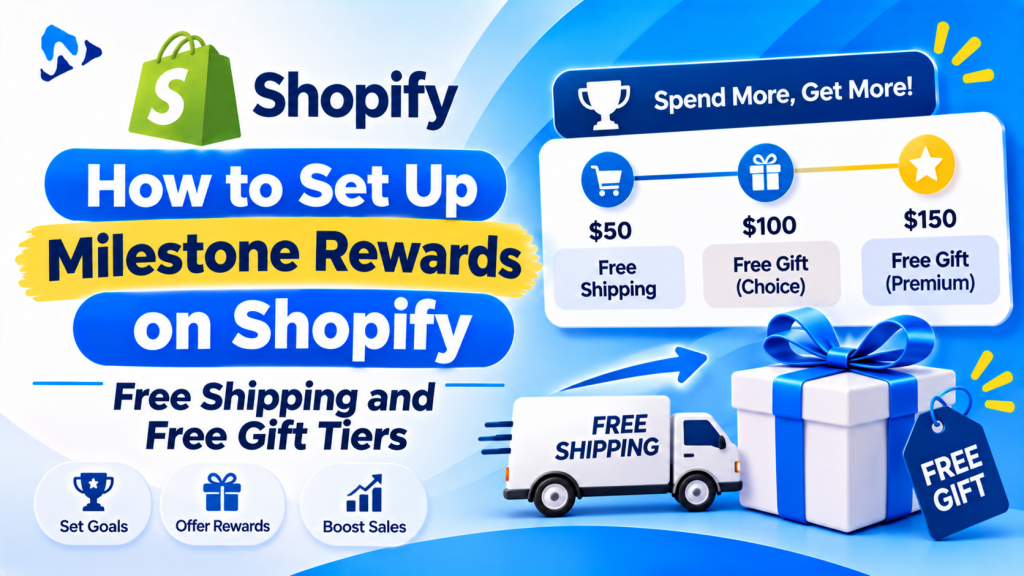
Quick answer: Milestone rewards give shoppers a reward each time their cart passes a spend level, such as free shipping at $50 and a free gift at $100. On Shopify you can build each tier with a native automatic discount that has a minimum purchase amount: a free shipping discount for the first tier and a Buy X get Y discount for the gift. Set the discounts to combine, and add a cart progress bar so shoppers see how close they are. Shopify won’t add the free gift to the cart by itself, so either tell shoppers to add it or use a cart app that adds it automatically.
Key takeaways:
- Set the first tier 15% to 30% above your average order value.
- Use 2 or 3 tiers, not more.
- Show progress in the cart, not just in a banner.
- Check your margin at every tier before you launch.
In this guide
- What milestone rewards are
- Single reward vs milestone rewards
- How to choose your tiers
- Check the margin: worked example
- Set up tiers with Shopify discounts
- Add a progress bar
- Reward ideas
- How to measure results
- Common mistakes
- FAQ
What Are Milestone Rewards on Shopify?
Milestone rewards, also called tiered cart rewards, unlock a bigger reward at each spend level, so shoppers add one more item to reach the next one. A common setup looks like this:
| Cart total | Reward | Shopify discount type |
|---|---|---|
| $50 | Free shipping | Free shipping, minimum purchase $50 |
| $75 | 10% off | Amount off order, minimum purchase $75 |
| $100 | Free gift | Buy X get Y, minimum purchase $100, gift 100% off |
You can also set milestones by the number of items instead of the cart total, such as a free gift with 3 items. Shopify discounts support a minimum quantity of items as well as a minimum purchase amount.
Single Reward vs Milestone Rewards
| Single reward | Milestone rewards | |
|---|---|---|
| Example | Free shipping over $50 | Free shipping at $50, free gift at $100 |
| What shoppers do | Stop adding once they qualify | Have a reason to add another item |
| Setup | One discount | Two or three discounts that combine |
| Best for | New stores, testing a threshold | Stores with low-cost add-on products and sale seasons |
If you’ve never run a threshold offer, start with one tier, check it works, then add a second.
How Do You Choose the Right Tiers?
- Find your average order value for the last 90 days in Analytics. That’s what most carts look like today.
- Set the first tier a little above it. A common rule of thumb is 15% to 30% above your average order value: close enough to reach with one more item.
- Space the next tiers so each needs about one more product.
- Match the reward to the tier: free shipping first, a sample or small gift in the middle, a full-size gift or bigger discount at the top.
How Do You Check the Margin? A Worked Example
Illustrative example with assumed numbers. Your average order is $40, your gross margin is 50%, and the free gift costs you $4.
| Step | Amount |
|---|---|
| Gift tier | $50 |
| Extra spend to reach it | $50 – $40 = $10 |
| Profit on the extra spend (50%) | $5 |
| Cost of the gift | $4 |
| Extra profit per order | $1 |
Only $1 extra, so this tier is too generous for a shopper who would have bought anyway. Raising the tier to $60, or choosing a $2 gift, makes it pay. Run this check for every tier with your own numbers.
How Do You Set Up Tiers With Shopify Discounts?
Tier 1: Free shipping over a set amount
- Go to Discounts and click Create discount.
- Choose Free shipping and select Automatic discount.
- Under minimum purchase requirements, enter the amount, for example $50.
- Choose the countries it applies to and save.
You can also do this with a shipping rate that only applies above a set order price, in Settings > Shipping and delivery.
Tier 2: A free gift over a set amount
- Create a Buy X get Y automatic discount.
- Under Customer buys, choose Minimum purchase amount and enter the amount, for example $100.
- Under Customer gets, pick the gift product and set it to Free.
- Limit it to one use per order and save.
Important: Shopify applies the discount only when the gift is already in the cart. It doesn’t add the gift for the shopper, and it doesn’t remove it if the cart drops below the tier. Tell shoppers to add it, or use a cart app that adds and removes the gift automatically as the cart total changes.
Let the tiers work together
In each discount, open Combinations and allow it to combine with the other discount classes you use, such as shipping and product discounts. Otherwise a shopper who reaches $100 may only get one of the rewards. See Shopify Help Center: Combining discounts.
Keep the gift product out of sight
Use a separate gift product priced at what it’s worth, keep it out of your collections and search, and track its stock. That stops shoppers buying it by mistake and shows its value when it appears free in the cart.
How Do You Show a Progress Bar?
A progress bar in the cart drawer tells shoppers exactly how much more they need, such as “You’re $12 away from a free gift.” Some themes include a free shipping bar, but most only show one goal. For several tiers, use a cart drawer app that shows each milestone, updates as items change and adds the free gift automatically.
- Show the bar in the cart drawer and on the cart page.
- Show the next reward, not every reward at once.
- Celebrate when a tier unlocks, then point to the next one.
- Suggest a product that would close the gap.
- Test on a copy of your theme, on mobile and desktop, before you publish.
For more, see how to add gift options to the Shopify cart and post-purchase upsells on Shopify.
What Rewards Work Best?
- Free shipping: the easiest first tier, since shoppers expect it.
- A free sample or mini product: low cost, and it introduces another product.
- Slow-moving stock: turns stock you need to clear into a reward.
- A percentage off: works for higher tiers; check your margin.
- Free gift wrap or a gift note: popular during the holidays.
- Bonus loyalty points: if you run a points program.
How Do You Measure Results?
| Metric | What it tells you | If it looks wrong |
|---|---|---|
| Average order value | Whether carts got bigger | Move the first tier closer to your average |
| Share of orders reaching each tier | Whether tiers are reachable | Very few: lower it. Almost all: raise it |
| Conversion rate | Whether the offer helps people buy | Check the bar isn’t slowing or cluttering the cart |
| Reward cost per order | What the offer costs you | Pick cheaper gifts or raise tiers |
Compare 2 to 4 weeks before and after launch, and avoid comparing a sale week with a normal week.
Common Milestone Reward Mistakes
- First tier too high. If it’s far above your average order, few shoppers try to reach it.
- Discounts that don’t combine. Shoppers expect every unlocked reward.
- Gift not in the cart. With native discounts, the gift only appears free if the shopper adds it.
- Too many tiers. Two or three are easy to follow.
- Free gift goes out of stock. Pick a gift you have plenty of, or set a backup.
- No margin check. A reward that costs more than the extra spend earns loses money on every order.
Frequently Asked Questions
Does Shopify support tiered rewards natively?
Partly. You can create separate automatic discounts with different minimum purchase amounts and let them combine. Shopify doesn’t show a progress bar or add free gifts automatically; those need a theme feature or an app.
Can Shopify give free shipping and a free gift at different cart totals?
Yes. Create a free shipping automatic discount with one minimum purchase amount and a Buy X get Y discount with a higher one, then allow them to combine.
Does Shopify add a free gift to the cart automatically?
No. A native Buy X get Y discount makes the gift free once it’s in the cart, but the shopper has to add it. Cart apps can add it automatically.
How many milestone tiers should I use?
Two or three. The first should be a little above your average order value.
Can customers choose their own free gift?
Yes. In a Buy X get Y discount you can make several products eligible, and the shopper adds the one they want. Some cart apps show a gift picker in the cart.
Do milestone rewards increase average order value?
They are designed to, by giving shoppers a reason to add one more item. Compare your average order value for a few weeks before and after you launch them.
Related Reading
- How to Add Gift Options to the Shopify Cart
- Shopify Post-Purchase Upsells: How to Set Them Up
- How to Set Up VIP Tiers on Shopify
Update Log
November 19, 2026: First published with tier examples, a margin check, native discount steps, progress bar tips, metrics and common mistakes.