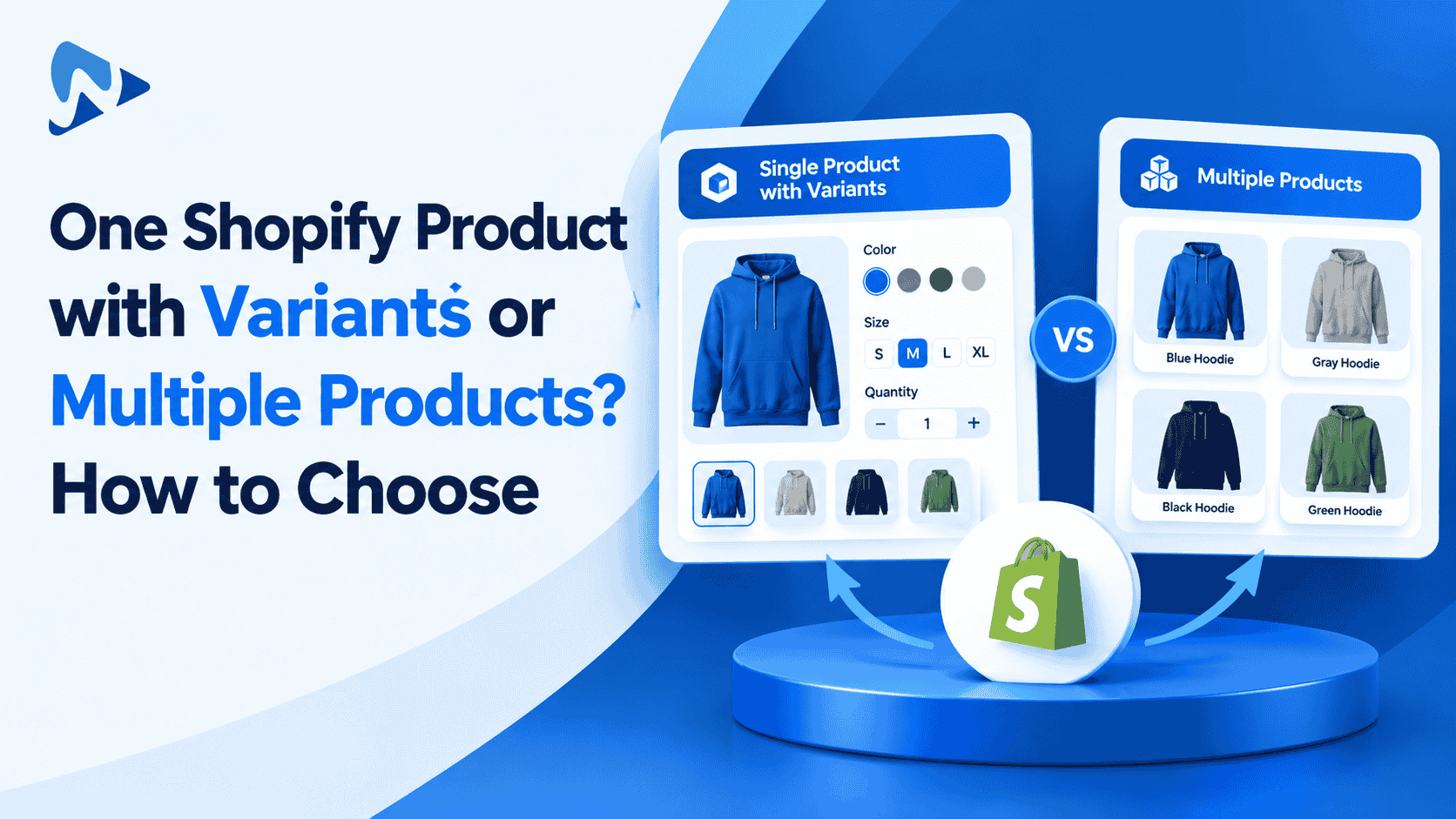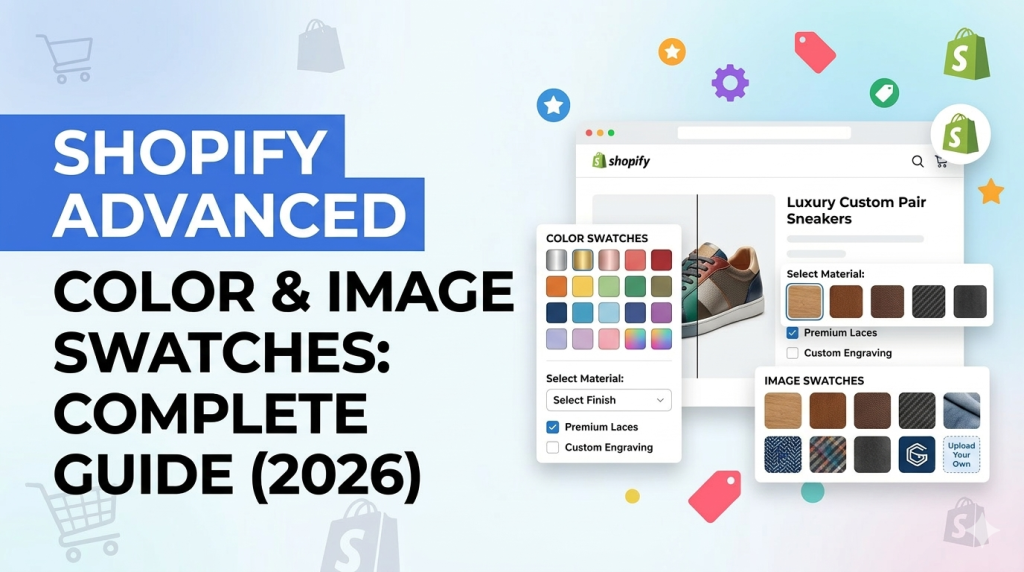
If you sell products with multiple colors, styles, or visual variations, your variant selector can directly impact conversion rates.
A simple dropdown showing “Red,” “Blue,” or “Black” forces customers to imagine the product. That creates friction — and friction reduces sales.
That’s exactly why Shopify advanced color and image swatches have become essential in modern ecommerce UX.
Instead of text-only dropdowns, swatches show visual color blocks or actual product images. Customers instantly understand what they’re buying. No guessing. No confusion.Shopify has also introduced major platform improvements, including increasing the variant limit to 2048 variants per product, dramatically expanding flexibility for complex products.
What Are Shopify Color and Image Swatches?
Shopify color and image swatches are visual variant selectors that replace traditional dropdown menus.
Instead of this, Dropdown selector:
- Red
- Blue
- Black
Customers see visual selectors like, Color swatches:
⬛ ⬜ 🟦 🟥
Or image swatches:
Product thumbnail previews of each variant
This improves clarity and makes product selection faster and easier.
Swatches allow customers to:
- See color differences instantly
- Preview visual variations
- Reduce decision friction
- Make faster purchase decisions
This is now standard UX across major ecommerce brands including Nike, Apple, and Gymshark.
Types of Shopify Color Swatches & Image Swatches
- Color Swatches
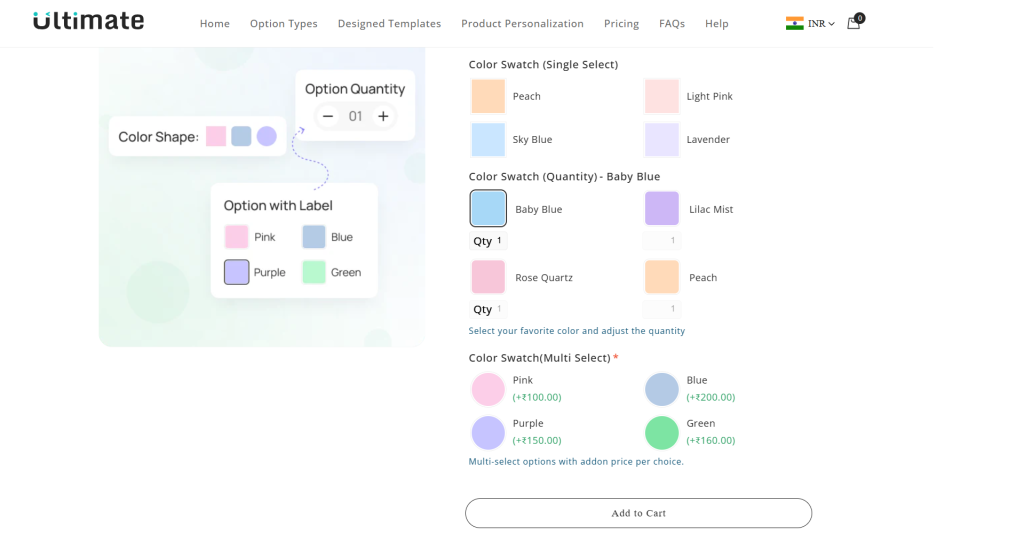
Color swatches display solid color blocks representing product variants.
Example use cases:
- Clothing (Black, Blue, White shirts)
- Accessories
- Furniture finishes
- Cosmetics
Benefits:
- Lightweight and fast loading
- Clean visual design
- Easy to implement
- Improves UX instantly
Limitations:
- Not suitable for patterns
- Not ideal when color differences are subtle
- Cannot show texture or material differences
- Image Swatches
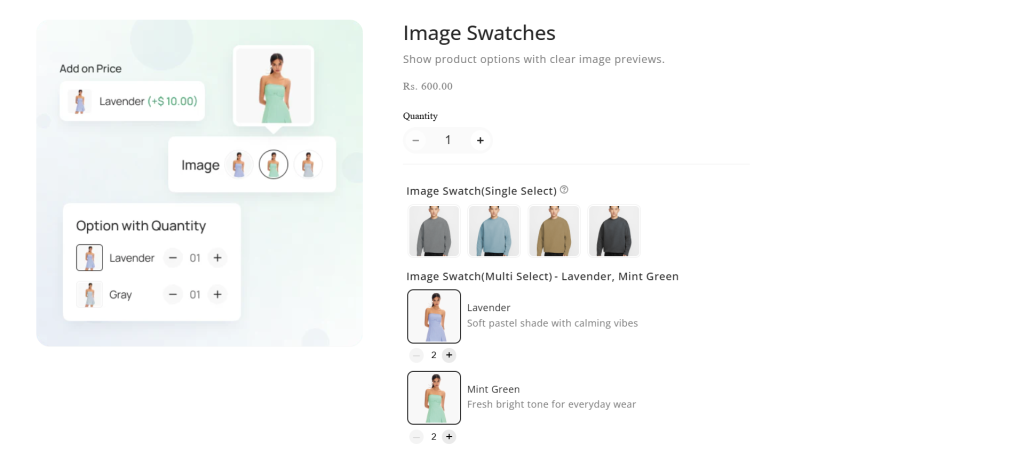
Image swatches display actual product images instead of color blocks.
Example:
Instead of showing a red square, Shopify displays a thumbnail of the red shirt.
Best used for:
- Apparel
- Shoes
- Printed products
- Pattern-based products
- Visual customization products
Benefits:
- Highest clarity
- Reduces purchase hesitation
- Improves conversion rates
- Provides accurate product representation
Image swatches are considered the most advanced and conversion-optimized variant selector.
- Hybrid Swatches
Hybrid swatches combine both color and image swatches.
Example:
– Solid colors → color swatches
– Patterns → image swatches
This provides optimal balance between performance and visual clarity.
Default Shopify Variant Selector vs Advanced Swatches
Shopify provides built-in variant selectors through themes like Dawn, Refresh, and Sense.
These include:
- Dropdown selectors
- Button selectors
- Basic color swatches (theme-dependent)
However, advanced swatches provide significantly better UX and flexibility.
| Feature | Default Shopify Selector | Advanced Swatches |
| Dropdown selector | Yes | Yes |
| Color swatches | Theme-dependent | Full support |
| Image swatches | Limited | Fully supported |
| Variant image switching | Supported | Fully customizable |
| UX customization | Limited | Advanced |
| Conditional logic | No | Yes |
| Personalization support | No | Yes |
Native selectors work well for simple products.
Advanced swatches are better for complex or visual products.
Shopify Variant Limits (Updated for 2026)
Shopify introduced a major update increasing variant capacity – Variant limit increased to 2048 per product
Shopify increased the maximum variant limit from 100 to 2048 variants per product.
This allows much more flexibility.
- Size: 16 options
- Color: 16 options
- Material: 8 options
Example:
Total variants = 2048
Previously, this was impossible.
This update enables:
- Larger product catalogs
- Complex configurations
- More scalable stores
Shopify Still Limits Products to 3 Option Types
Despite the variant increase, Shopify still limits products to:
Maximum: 3 product options
Example allowed:
- Size
- Color
- Material
Example NOT allowed natively:
- Size
- Color
- Material
- Style
- Fit
- Engraving
The 3-option limit remains a core structural limitation of Shopify’s product model.
This is confirmed in Shopify’s official product variant documentation.
Native Shopify Swatches: What Shopify Supports in 2026
Shopify now supports swatches natively through modern themes and variant systems.
Native Shopify swatches support:
- Basic color swatches
- Variant image switching
- Button-style selectors
- Theme-based styling
However, native swatches are theme-dependent.
Capabilities vary based on:
- Theme used
- Theme customization
- Variant configuration
Native swatches work well for simple variant structures.
But they have important limitations.
Limitations of Shopify Native Swatches
Even after recent improvements, Shopify’s native swatch system has limitations.
1. Limited customization
Shopify does not natively support:
- Advanced swatch layouts
- Conditional variant logic
- Fully dynamic variant personalization
- Custom input fields tied to swatches
These require apps or custom development.
2.Only 3 option types per product
This is the most significant limitation.
Products requiring more customization options must use alternative approaches like:
- Line item properties
- Custom product options
- Product option apps
3. Limited support for complex product configurators
Example:
Custom T-shirt with:
- Size
- Color
- Material
- Print type
- Sleeve type
- Custom text
Shopify cannot support this natively as variants.
Advanced swatch apps solve this using custom product options instead of variants.
4. Theme-dependent swatch functionality
Not all Shopify themes provide full swatch functionality.
Some themes require:
- Custom Liquid development
- Theme customization
- Swatch apps
Shopify Native Swatches vs Swatch Apps Comparison
| Feature | Shopify Native Swatches | Swatch Apps |
| Variant limit | Up to 2048 variants per product | Not limited by variants (uses custom options, supports unlimited combinations) |
| Product options limit | Max 3 options (e.g., Size, Color, Material) | Unlimited product options |
| Option types | Basic (variant-based only) | Text fields, color swatches, image swatches, dropdowns, checkboxes, buttons, file uploads, and more |
| Image swatches | Supported but limited customization | Fully customizable image and color swatches |
| Conditional logic | Not supported | Fully supported (show/hide options based on selection) |
| Personalization support | Not supported natively | Fully supported (text input, uploads, custom inputs) |
| Add-on pricing | Not supported natively | Supported (add extra charges for selected options) |
| Variant dependency logic | Limited | Advanced logic and dynamic option control |
| Apply options to multiple products | Manual setup required | Bulk assign option sets to multiple products |
| Import / Export options | Not supported | CSV import/export supported |
| UX and design customization | Theme-dependent, limited control | Full customization with flexible option display |
| Complex product support | Limited for highly customizable products | Fully supported (ideal for personalized and configurable products) |
| Works without creating variants | No | Yes |
| Best use case | Simple products with few variants | Personalized, configurable, or complex products |
Best Shopify App for Swatches and Custom Product Options
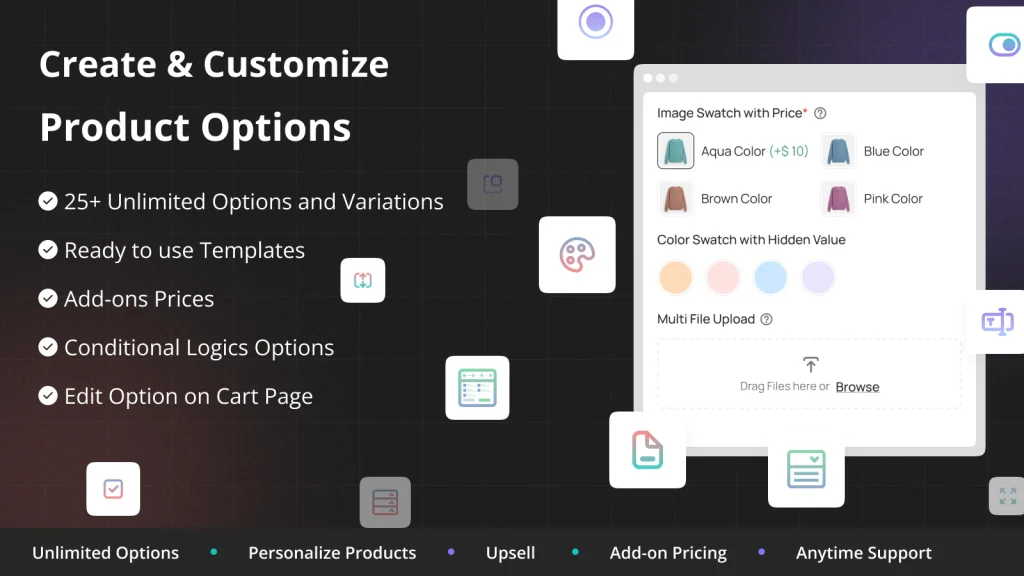
The Ultimate Custom Product Options app helps Shopify merchants create fully customizable products without being limited by Shopify’s default variant system. You can add unlimited product options like color swatches, image swatches, text fields, dropdowns, and file uploads to offer better personalization. It also supports conditional logic, so options appear dynamically based on customer selections, creating a clean and user-friendly buying experience.
This app is ideal for stores selling personalized, configurable, or custom products, such as apparel, gifts, print-on-demand, and made-to-order items. It also allows you to add extra charges for premium options, helping increase your average order value while giving customers more flexibility.
Key Features:
- Unlimited Product Options – Add unlimited custom options beyond Shopify’s 3-option limit
- Advanced Color & Image Swatches – Create beautiful, fully customizable visual swatches
- Conditional Logic Support – Show or hide options automatically based on customer selections
- Personalization & File Uploads – Let customers enter text, upload images, or customize products
- Bulk Management & CSV Support – Assign options to multiple products and import/export easily
Pricing
- Free – Free
- Pro – $10/month
When Should You Use Shopify Advanced Color & Image Swatches?
Advanced swatches are recommended if you sell:
- Clothing
- Shoes
- Jewelry
- Custom products
- Personalized products
- Print-on-demand products
- Products with many visual variations
Native swatches are sufficient if:
- Products have few variants
- Variants do not change visual appearance
- No personalization is needed
Conversion Impact of Shopify Advanced Swatches
Advanced swatches improve performance in multiple ways.
1. Improved conversion rates
Customers understand products faster.
Visual selectors reduce friction.
2. Better mobile UX
Swatches are easier to use on mobile compared to dropdowns.
This improves mobile conversion performance.
3. Reduced product confusion
Customers see the exact product appearance.
This reduces hesitation.
4. Lower return rates
Customers better understand what they’re buying.
This reduces mismatch expectations.
Best Practices for Shopify Color and Image Swatches
Use image swatches for visual products
Especially:
- Apparel
- Pattern-based products
- Visual customization products
Keep swatches consistent
Maintain consistent:
- Size
- Shape
- Layout
Consistency improves usability.
Optimize swatch images
Use:
- Compressed images
- Web-optimized formats
Improves page speed.
Use clear variant names
Bad example:
Variant 1
Variant 2
Good example:
Black
Navy Blue
Final Thoughts: Are Shopify Advanced Color & Image Swatches Worth It?
Shopify advanced color and image swatches are no longer optional — they are essential for modern ecommerce UX.
Shopify’s increase to 2048 variants per product significantly improves scalability, allowing more complex product offerings.
However, Shopify still limits products to:
- 3 option types
- Basic swatch customization
For simple stores, native swatches are sufficient.
But for serious ecommerce brands, advanced swatches provide:
- Better UX
- More flexibility
- Improved conversions
- Scalable customization
If your products rely on visual or personalized variants, advanced swatches deliver measurable ROI.
FAQ: Shopify Advanced Color & Image Swatches
Does Shopify support color swatches natively?
Yes. Shopify themes support basic color swatches, depending on theme capabilities and variant setup.
What is Shopify’s variant limit in 2026?
Shopify allows up to 2048 variants per product, significantly increased from the previous limit of 100.
How many options can Shopify products have?
Shopify supports up to 3 product options, such as size, color, and material.
Are image swatches better than color swatches?
Yes, image swatches provide better clarity and improve conversion rates for visual products.