

Last updated: November 16, 2026. Platform rules come from Apple and Android developer documentation, checked on November 14, 2026. Disclosure: Webiots builds Shopify apps and custom mobile apps.
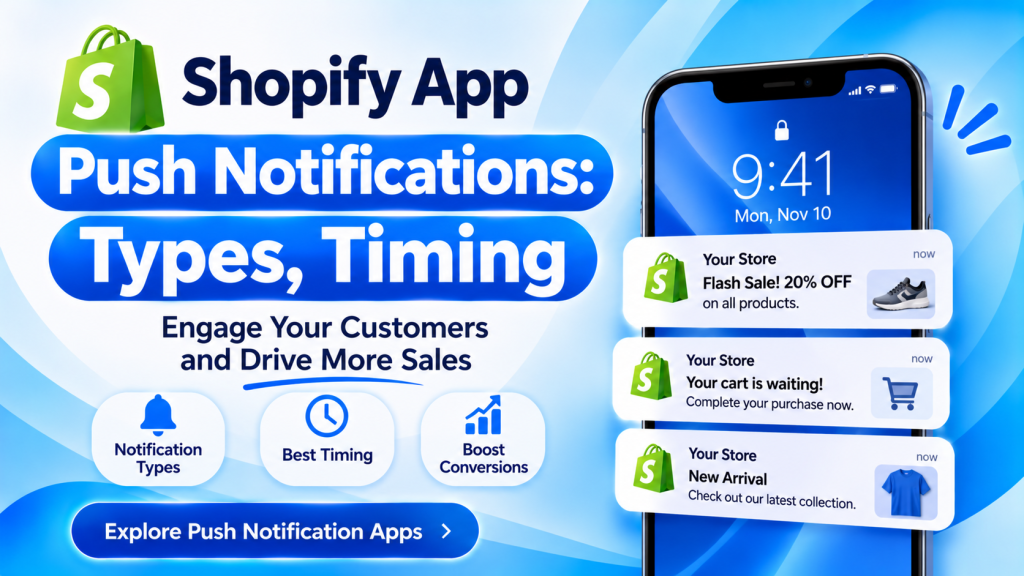
Quick answer: A Shopify mobile app should send two kinds of push notifications: automated ones triggered by what a shopper does (abandoned cart, back in stock, price drop, order shipped) and planned campaigns (new arrivals, app-only offers, sales). Automated pushes usually perform best because they’re timely and personal. Send campaigns at times your customers are active, keep marketing pushes to a few a week, write short titles with one clear action, and ask for permission after a shopper sees value, since iPhones and newer Android phones need it before you can send anything.
Key takeaways:
- Set up automated pushes before campaigns.
- Ask for permission at a useful moment, not on first open.
- Keep marketing pushes to a few a week.
- One message, one action, one link.
In this guide
- App push vs web push
- The 10 push types every store needs
- How to get more opt-ins
- When to send push notifications
- How often to send
- 20 push notification examples
- Holiday and sale pushes
- What to measure
- FAQ
What Are Shopify App Push Notifications?
App push notifications are short messages your store’s mobile app sends to a shopper’s phone lock screen, even when the app is closed. They’re different from web push, which comes from your website through the browser and is easier to miss. A branded mobile app, built with one of the Shopify mobile app builders, lets you send app push to everyone who installs it and allows notifications. Check which plan includes the push features you need, since segmented and automated push often sit on higher plans.
Which Push Notifications Should a Shopify App Send?
| Push type | Trigger | When to send |
|---|---|---|
| Abandoned cart | Items left in cart | 1 to 4 hours later |
| Browse abandonment | Viewed a product, didn’t add it | Same day or next day |
| Back in stock | Saved item or size restocked | Immediately |
| Price drop | Wishlisted item on sale | When the sale starts |
| Order updates | Order confirmed, shipped, delivered | As each event happens |
| New arrivals | New collection or drop | Launch time |
| App-only offer | Planned campaign | When your customers are active |
| Loyalty reminder | Points to spend or about to expire | A week before expiry |
| Review request | Order delivered | A few days after delivery |
| Win-back | No order for a while | Based on your usual reorder time |
How Do You Get Customers to Allow Push Notifications?
On iPhone and on Android 13 and later, the app must ask permission before it can send notifications, so when and how you ask matters. (Apple, Android)
- Don’t ask on first open. Let shoppers browse first.
- Ask at a useful moment: after they wishlist an item (“Want an alert if it goes on sale?”) or after their first order (“Get shipping updates?”).
- Show a short explanation screen first, then the system prompt. If they say no on the explanation screen, you can ask again later.
- Offer a reason: early access, app-only offers or restock alerts.
- Let people choose topics, such as order updates only, or sales too.
When Should You Send Push Notifications?
Send automated pushes when the trigger happens, and campaigns when your own customers are most active. Your app’s analytics shows the hours your shoppers open the app; use that over general advice. As a starting point, push providers such as Pushwoosh suggest:
- Morning: new offers and launches
- Afternoon: cart and browse reminders
- Evening: last-chance and low-stock messages
Send by each shopper’s local time zone, and avoid late night and very early morning.
How Often Should a Shopify App Send Push Notifications?
Automated pushes can go out whenever they’re triggered, but keep marketing campaigns to a few a week. Too many pushes is the quickest way to get notifications turned off or the app deleted. Watch your opt-out rate: if it rises after a campaign, send less.
20 Shopify Push Notification Examples
| Type | Example message |
|---|---|
| Abandoned cart | Still thinking about it? Your [product] is waiting in your cart. |
| Abandoned cart | Only 3 left in your size. Complete your order before it’s gone. |
| Browse | Liked the [product]? See it styled 3 ways. |
| Back in stock | It’s back! The [product] in [size] is in stock again. |
| Back in stock | Your waitlist item just landed. Grab it before it sells out again. |
| Price drop | Good news: the [product] on your wishlist is now 20% off. |
| Order confirmed | Thanks, [name]! Order #[number] is confirmed. |
| Shipped | Your order is on its way. Tap to track it. |
| Delivered | Your order has arrived. Enjoy! |
| New arrivals | New in: the [collection] just dropped. App users see it first. |
| App-only offer | App exclusive: 15% off everything until midnight. |
| Free shipping | Free shipping on all orders this weekend, app only. |
| Loyalty | You have 500 points ($5) to spend. They expire Friday. |
| VIP | You’ve reached Gold! Free shipping is now on every order. |
| Review | How’s your [product]? Share a quick photo review. |
| Reorder | Running low on [product]? Reorder in one tap. |
| Win-back | We miss you. Here’s 10% off your next order. |
| Birthday | Happy birthday, [name]! A gift is waiting in your account. |
| Early access | App early access: our sale starts now for you, tomorrow for everyone. |
| Last chance | Last call: the sale ends at midnight. |
Keep titles short, so they aren’t cut off on the lock screen, and link each push to the exact product or cart, not the home page.
What About Holiday and Sale Pushes?
During big sales such as Black Friday, Christmas and New Year, app users are your most engaged shoppers, so give them early access and app-only offers.
- Send an early-access push before the public sale starts.
- Send one launch push and one last-chance push; let automated cart and price-drop pushes do the rest.
- Send shipping cut-off reminders before Christmas.
- Don’t send more than usual just because it’s a sale; opt-outs rise when people feel spammed.
For the full sale plan, see our Shopify BFCM checklist.
What Should You Measure?
- Opt-in rate: the share of app users who allow notifications
- Open rate: the share of delivered pushes that are tapped
- Conversion rate and revenue per push: orders that follow a push
- Opt-out and uninstall rate: your early warning that you’re sending too much
Frequently Asked Questions
Can Shopify send push notifications?
Shopify doesn’t send app push notifications on its own. You need a branded mobile app, built with a Shopify mobile app builder, or a web push app for browser notifications.
What’s the difference between app push and web push?
App push comes from your store’s installed mobile app. Web push comes from your website through the shopper’s browser. App push reaches people who installed your app and allowed notifications.
How many push notifications should I send a week?
Send automated pushes when triggered, and keep marketing campaigns to a few a week. Cut back if opt-outs rise.
What is the best time to send push notifications?
When your own customers are most active, which your app analytics shows. Send by local time zone and avoid late nights.
Which push notification makes the most sales?
Automated pushes such as abandoned cart, back in stock and price drop usually perform best, because they’re timely and about a product the shopper already wanted.
Related Reading
- 12 Best Shopify Mobile App Builders (2026): Free and Paid Compared
- How Much Does a Shopify Mobile App Cost?
- Shopify BFCM 2026: The Complete Guide
- Best Shopify Wishlist Apps (2026)
Update Log
November 16, 2026: First published with 10 push types, opt-in tips, timing and frequency guidance, 20 examples and holiday advice.