Last updated: October 31, 2026. Disclosure: Webiots develops Ultimate Product Options, the app used in the setup steps.
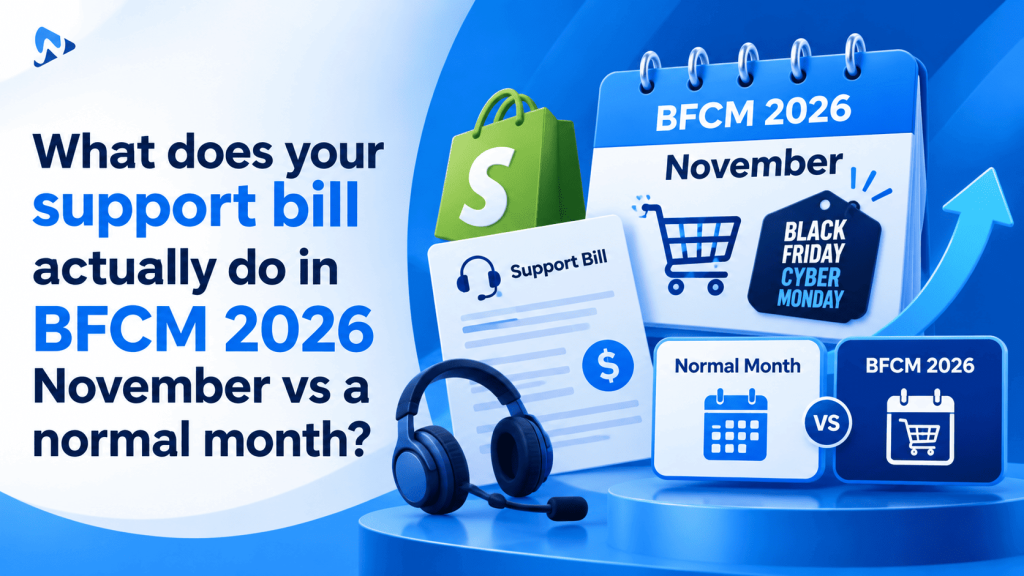
Quick answer: Comparing your support bill during BFCM 2026 November vs a normal month reveals that customer service costs frequently surge more than three times higher than regular monthly subscriptions. Helpdesk ticket overages, seasonal agent seats, and automated conversation fees compound rapidly during peak holiday traffic. Clear product page customization rules prevent repetitive pre-purchase support tickets before shoppers hit live chat.
Key takeaways:
- Helpdesk overage fees and temporary agent licenses cause November bills to escalate faster than sales volume.
- Unclear product options and missing customization fields generate the majority of repetitive pre-sale tickets.
- Interactive swatches, file upload guidelines, and validation rules eliminate confusion directly on the product detail page.
When merchants evaluate their operational expenses for BFCM 2026 November vs a normal month, customer support invoices deliver some of the sharpest surprises of the fourth quarter. While sticker prices on helpdesk software look predictable, traffic spikes expose variable overage fees, extra agent seat costs, and surge charges. Reducing customer confusion before shoppers reach out is the most reliable way to protect your profit margins.
In this guide:
- Why do customer support bills surge during November compared to regular months?
- What hidden cost drivers expand helpdesk invoices during holiday sales?
- How does support spending compare in BFCM 2026 November vs a normal month?
- How do on-page product options deflect repetitive customer inquiries?
- How can you configure product options to deflect holiday support tickets?
- The Bottom Line
- Frequently Asked Questions
- Related Reading
- Update Log
- Sources
Why do customer support bills surge during November compared to regular months?
Support bills surge because tiered helpdesk plans charge steep overage penalties when ticket volumes exceed standard monthly allowances. As discussed on the Shopify Community forum, merchants often discover that a three-times surge in seasonal order volume can drive a support bill up by more than three times. Flat-rate plans often hide usage-based tiers that activate the moment inbound customer queries spike.
During Black Friday and Cyber Monday, shoppers ask time-sensitive questions regarding product dimensions, personalized text placement, custom colors, and delivery cutoffs. Shopify natively supports up to 3 option names and up to 2,048 variants per product. When catalogs rely on rigid native variants or lack detailed on-page selectors, shoppers flood live chat and contact forms to clarify options before purchasing.
Tip: Inbound pre-purchase questions represent preventable operational waste. Displaying real-time visual previews and clear option restrictions on your product pages prevents routine inquiries from becoming paid support tickets.
What hidden cost drivers expand helpdesk invoices during holiday sales?
The primary hidden cost drivers are per-ticket overage rates, temporary seasonal seat licenses, and automated AI resolution fees. Many customer service platforms price their base tiers around moderate monthly conversational volumes. When holiday campaigns launch, stores cross their contracted ticket thresholds within days.
Key drivers that inflate your November invoice include:
- Ticket Overage Penalties: Helpdesks frequently charge extra fees for every hundred tickets over your plan ceiling.
- Temporary Agent Seats: Adding seasonal customer service representatives often requires paying full monthly or quarterly seat licenses.
- Automated Bot Fees: Customer service bots often bill per resolved conversation, which escalates quickly when traffic multiplies.
- Post-Purchase Modifications: Vague option selections force support agents to email buyers manually to correct typos or missing artwork files.
How does support spending compare in BFCM 2026 November vs a normal month?
Holiday support costs scale aggressively because variable overage fees compound on top of base software subscriptions. The table below outlines how operational costs shift between a standard operational month and a peak holiday month.
| Cost Component | Normal Month | BFCM November (Peak) | Primary Operational Driver |
|---|---|---|---|
| Helpdesk Subscription | Base tier fee ($550.00) | Base tier fee ($550.00) | Fixed software contract |
| Ticket Overages | Low or zero overage ($200.00) | Compounding tiers ($2,100.00) | Volume multiplier penalties |
| Seasonal Staff Seats | Core team ($528.00) | Expanded team ($1,528.00) | Temporary staff seat additions |
| Total Real Invoice | $1,278.00 total expense | $4,178.00 total expense | Compounded volume spike |
(Illustrative example based on community merchant invoice report: $1,278.00 normal month vs $4,178.00 holiday surge).
How do on-page product options deflect repetitive customer inquiries?
Configuring comprehensive option fields directly on the product detail page answers buyer questions before they open a chat ticket. When customers personalize gifts, apparel, or made-to-order goods, uncertainty creates hesitation. If buyers cannot see font styles, preview colors, or verify character limits, they contact support to confirm details.
According to Shopify Developer documentation, custom options attach cleanly as line item properties. Implementing visual image swatches, character limit counters, file upload validation, and conditional logic ensures the customer provides complete, accurate information during checkout. This prevents pre-sale questions and eliminates post-sale revision tickets for your fulfillment team.
How can you configure product options to deflect holiday support tickets?
You can deflect customer support tickets by building intuitive, self-explanatory option sets with automated input validation. Setting up guided fields ensures buyers submit exact specifications without asking customer service for help.
- Install Ultimate Product Options from the Shopify App Store.
- In your Shopify admin, navigate to Online Store > Themes > Customize, open App embeds, toggle Ultimate Product Options to On, and click save.
- Open Apps > Ultimate Product Options and select Create Option Set.
- Assign your option set to your holiday promotion products or collections.
- Add visual Color or Image Swatches so shoppers can inspect textures and shades without messaging support.
- Add a Text Field with strict character limits and placeholder examples to prevent formatting inquiries.
- Add a File Upload field with defined file size rules (supporting up to 20MB on the Basic plan at $7.99/month up to 100MB on the Premium plan at $19.99/month) so customers upload production-ready artwork.
- Set up conditional logic rules (available on the Basic plan and above) to reveal secondary choices only when relevant, keeping forms simple.
- Configure dynamic price modifiers for premium gift wrapping or rush production add-ons so costs remain completely transparent. (Illustrative example: Adding an $8.00 gift box surcharge to a $45.00 base product calculates a $53.00 total order price.)
- Save your option set, open the live product page on your storefront, test each field, add the item to your cart, and verify that all choices appear accurately in your cart drawer.
Cut Holiday Support Overhead with Smarter Product Options
Deliver clear visual swatches, file uploads, and conditional fields to prevent pre-purchase support tickets. Free plan available.
The Bottom Line
Analyzing what happens during BFCM 2026 November vs a normal month highlights that customer service expenses grow significantly faster than standard software subscriptions. Uncontrolled ticket overages and seasonal staffing fees erode fourth-quarter sales margins. By deploying self-explanatory custom product options and clear visual selectors with Ultimate Product Options, you empower shoppers to customize orders independently, keeping support queues manageable throughout the holiday rush.
Want to try it on your own products? Install Ultimate Product Options free or learn more about the app.
Frequently Asked Questions
Why do customer support ticket volumes spike during November sales?
Inbound queries surge because high shopping traffic and limited-time discounts create urgency around product specifications and shipping deadlines. Shoppers seek fast reassurance about customization details, sizing, and packaging before completing their orders.
Can self-service product options reduce pre-purchase support tickets?
Yes, self-service options answer common buyer questions directly on the product detail page. Providing clear color swatches, dropdowns, and file upload instructions allows shoppers to configure items without contacting helpdesk agents.
What is Shopify’s native variant limit per product?
Shopify natively allows up to 3 option names and up to 2,048 variants per product. Using product options lets you offer extensive custom choices without hitting variant ceilings or cluttering your product catalog.
Can I charge extra for holiday gift packaging without creating variants?
Yes, dynamic price modifiers allow you to add surcharges for premium gift boxes or rush fulfillment directly on option selections. The total price recalculates on the page and transfers seamlessly into checkout.
Can conditional logic hide irrelevant options during holiday promotions?
Yes, conditional logic lets you show or hide dependent fields based on prior user selections. This feature is available on the Basic plan ($7.99/month) and above.
Related Reading
- How to Add Product Options Without Creating Additional Variants
- How to Dynamically Change Product Prices with Custom Add-Ons
- Shopify Product Options vs. Product Bundles: Custom Selectors
Update Log
October 31, 2026: Published operational cost guide analyzing support bills during BFCM 2026 November vs a normal month.