

If you’ve spent any time working with Shopify stores, you’ve probably noticed something pretty quickly: customers hate dropdowns.
Not always. But often enough that it becomes obvious once you start watching how people shop.
Someone lands on a product page… they want to see the color options… and instead of seeing them instantly, they’re digging through a dropdown menu that says “Select Color.” On mobile it’s even worse. Extra taps, extra friction, and sometimes they don’t even realize more variants exist.
It’s a small detail, but it quietly hurts conversions.
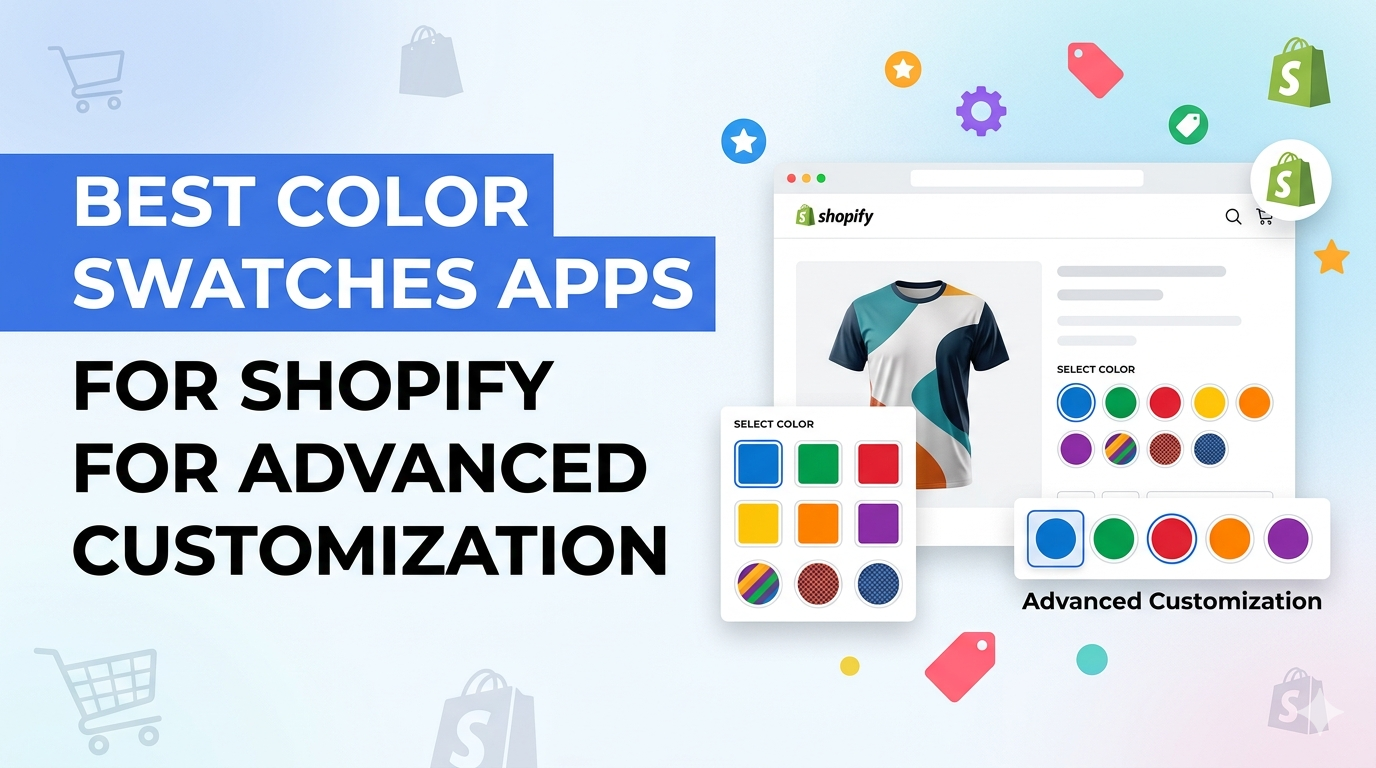
This is exactly why color swatches became such a common feature across modern Shopify stores. Instead of forcing customers to read a list of options, you show them visually — color circles, image swatches, pattern previews. Much faster. Much clearer.
And honestly, once you switch to swatches, it’s hard to go back.
Let’s break down how they work and which Shopify apps do it best.
What Are Color Swatches in Shopify?
Color swatches are visual selectors that let shoppers choose product variants by clicking something they can see.
Not just text.
So instead of a dropdown that says:
Color → Red
Customers see a red circle (or a small image of the product in red) and simply click it.
That small change makes a big difference. People instantly understand what they’re selecting.
You’ll usually see swatches used for things like:
- Product colors
- Material types
- Pattern variations
- Product styles
It removes guesswork and speeds up decision-making, which is exactly what you want on a product page.
Default Shopify Variant Options Explained
Out of the box, Shopify handles product variants pretty well.
You can create options like:
- Size
- Color
- Material
- Style
The problem isn’t the variants themselves. The issue is how they’re displayed.
By default, Shopify shows them as dropdown menus.
For very simple stores, that might be fine. But once a store starts offering multiple colors, styles, or visual variations, dropdowns start to feel clunky.
A few common issues I see with stores using default variants:
- Customers can’t immediately visualize color choices.
- On mobile, dropdowns add extra taps.
- Variant options get buried inside menus, so shoppers sometimes miss them entirely.
- None of these are huge problems on their own. But together? They add friction.
And friction kills conversions.
That’s why most serious Shopify stores eventually switch to swatches.
What Color Swatch Apps Actually Do
A color swatch app replaces those basic dropdown selectors with visual options.
Instead of text lists, customers see clickable elements like:
- Color circles
- Small product images
- Pattern previews
- Button-style selections
And the product page instantly feels more interactive.
But many modern swatch apps go way beyond just showing colors. Some of them also add:
- Variant image galleries
- Conditional product options
- Advanced customization tools
- Product personalization features
For stores selling customizable products, those features can become incredibly valuable.
I’ve seen stores increase their average order value simply by making customization more visible and easier to use.
Types of Swatches Available
Not all swatches are the same. Depending on the product type, different styles work better.
1. Color Swatches
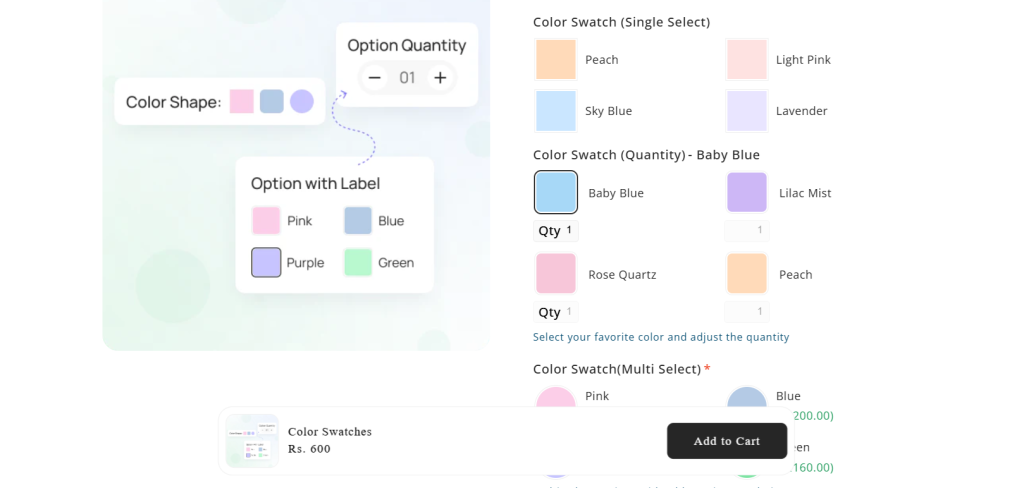
This is the most common type.
Simple color circles or squares represent each variant — red, blue, black, white, and so on.
Fashion stores use these constantly because customers immediately understand what they’re selecting.
2. Image Swatches
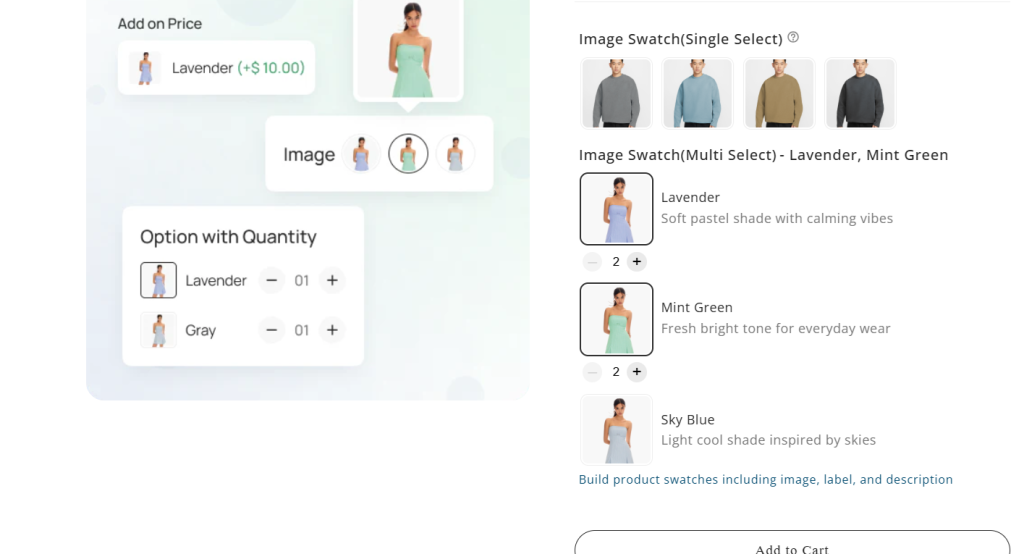
Instead of colors, these swatches display small product images.
They work really well for products where the difference isn’t just color, but actual design or artwork.
For example:
- Printed apparel
- Phone cases
- Custom artwork
- Graphic products
Seeing the visual preview removes a lot of guesswork.
3. Pattern Swatches
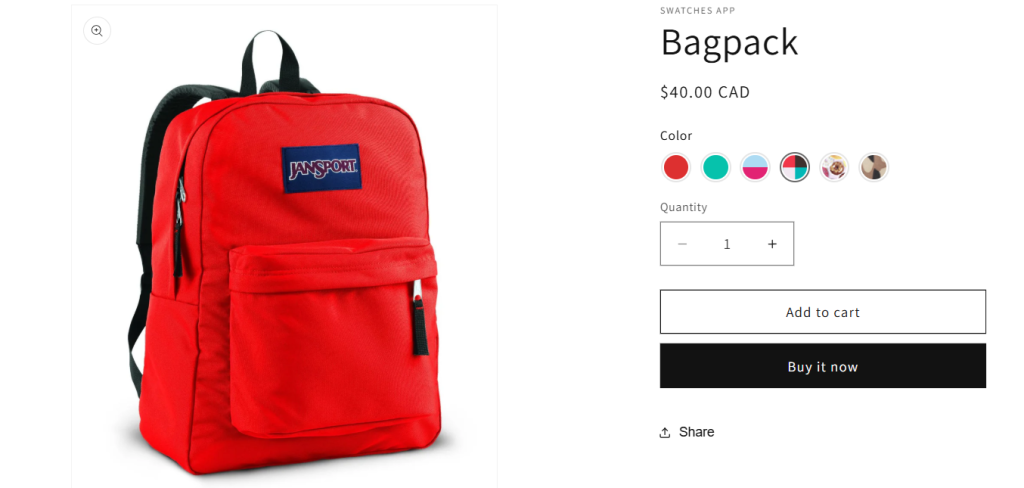
Some stores sell products where the difference is texture or pattern.
Think things like:
- Wood finishes
- Fabric types
- Marble textures
Pattern swatches help customers understand the material before buying.
4. Button Swatches
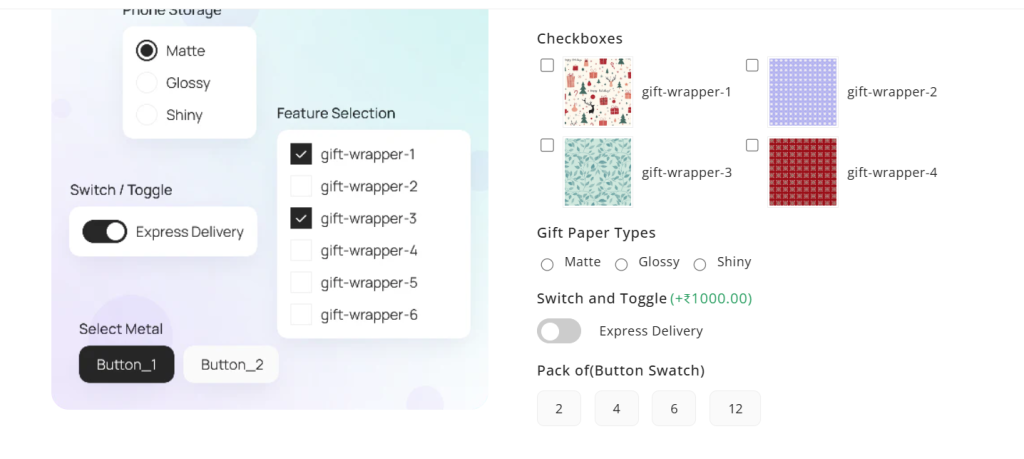
These are simple clickable labels that replace dropdown menus.
You’ll usually see them used for options like:
- Size
- Package type
- Style variations
They’re cleaner and easier to interact with compared to dropdown lists.
5 Best Color Swatches Apps for Shopify for Advanced Customization
There are a lot of swatch apps in the Shopify ecosystem. Some are simple. Others go much deeper into customization.
These five are consistently used by stores that want stronger product option experiences.
Ultimate Custom Product Options
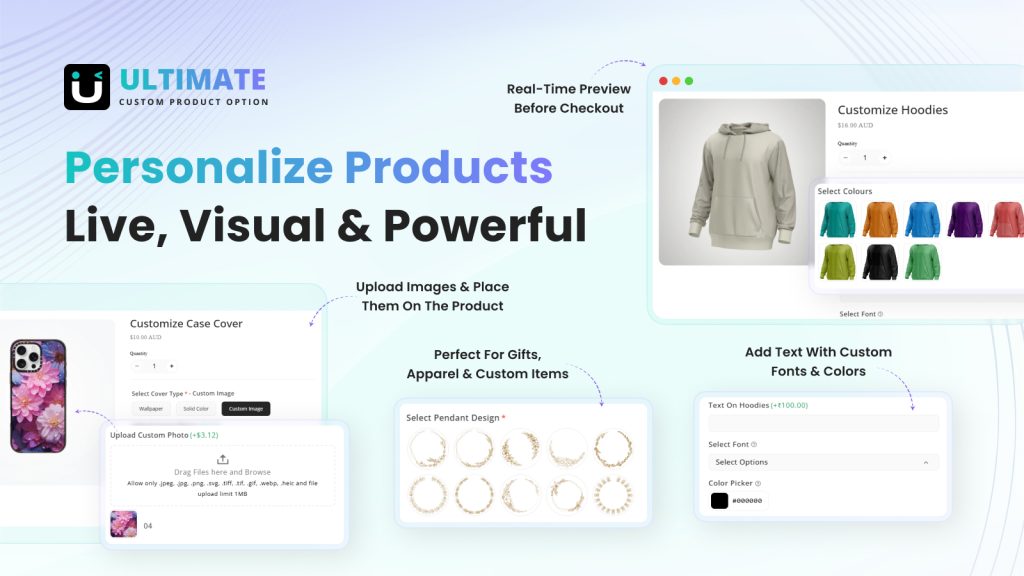
When it comes to advanced product customization, Ultimate Custom Product Options is one of the most powerful solutions available for Shopify merchants. While many apps focus only on color swatches, this app goes much further by allowing you to create fully customizable product option experiences that go beyond Shopify’s built-in variant limitations.
With this app, merchants can add unlimited product options such as text inputs, color swatches, image swatches, dropdowns, and file uploads directly on the product page. This is especially useful for stores selling personalized products, custom apparel, gift items, or configurable products where customers need more control over their selections. Instead of being restricted by Shopify’s variant limits, you can create dynamic option sets that scale with your product catalog.
You can add things like:
- Text inputs
- Color swatches
- Image swatches
- Dropdown selectors
- File uploads
Which means customers can truly personalize products without you creating hundreds of variants.
This is especially useful for stores selling:
- Personalized gifts
- Custom apparel
- Configurable products
- Made-to-order items
Another interesting benefit is how it impacts revenue.
Merchants can attach additional pricing to specific options — things like engraving, premium materials, gift wrapping, or customization upgrades. Those small add-ons quietly increase average order value.
Key Features
- Unlimited product option types beyond Shopify’s default limits.
- Interactive color and image swatches for visual product selection.
- File uploads for customers who need to submit designs or logos.
- Conditional logic that shows or hides options depending on selections.
- Add-on pricing for upgrades or customization.
- Bulk option assignment across multiple products.
- CSV import and export tools for managing option sets.
Pricing
- Free Plan – Free forever
- Pro Plan – $10/month or $96/year
NS Color Swatch Variant Images
Some Shopify apps try to do everything.
This one focuses on something specific: making product variants visually clear and easier to explore.
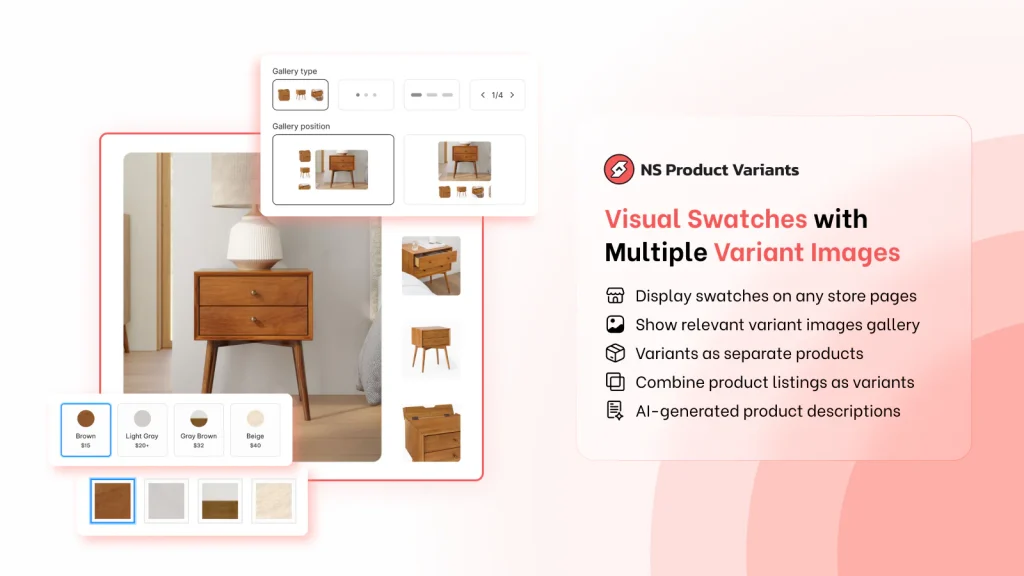
Instead of relying on simple dropdown selectors, the app displays clickable swatches alongside multiple images for each variant. Customers instantly see the variation they’re selecting.
One feature that merchants really like is how it improves product discoverability.
You can show variants as individual products on collection pages or combine related products into a single listing. Both approaches make browsing a catalog easier, especially for fashion or lifestyle brands.
Another interesting addition is its AI-powered product description generator. Stores can create SEO-friendly product descriptions in bulk while keeping a consistent brand voice.
It’s a small bonus feature, but useful for large catalogs.
Key Features
- Clickable color, image, and button swatches.
- Multiple images assigned to each variant.
- Combined product listings for better catalog organization.
- Variant visibility on collection pages.
- Dynamic image galleries with zoom and slider functionality.
- AI-powered product description generator.
Pricing:
- Free Plan – Free
- Growth Plan – $7.99/month (+ optional add-ons)
- Professional Plan – $14.99/month or $149.90/year
SC Product Options
This app has been around for quite a while, and there’s a reason many Shopify stores still rely on it.
It solves one of the most common problems Shopify merchants run into: variant limits.
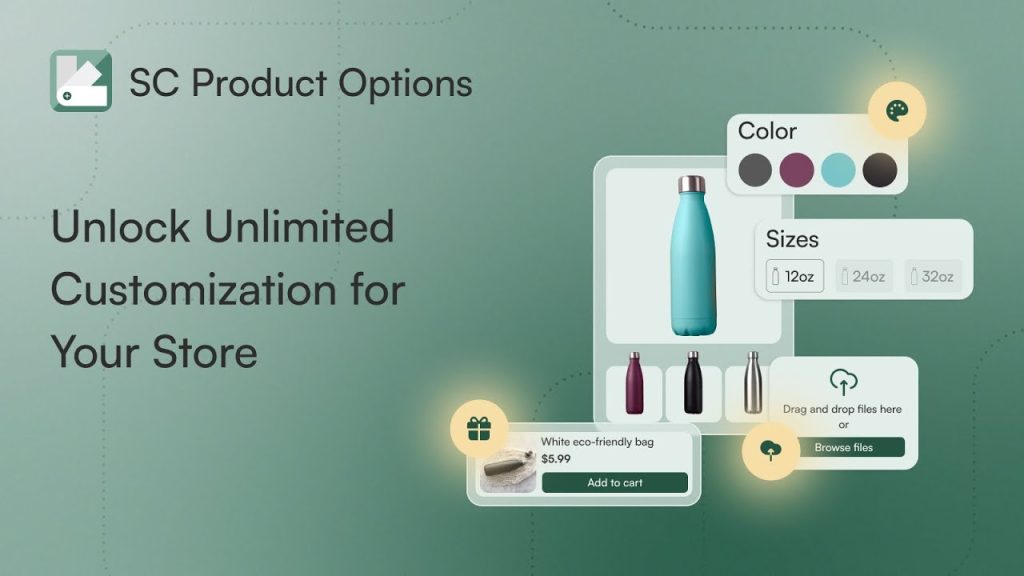
Once a store starts offering personalized products, the built-in variant system gets restrictive pretty quickly. SC Product Options removes that limitation by letting merchants create unlimited customization fields.
You can add things like:
- Text fields
- Color swatches
- Image selections
- File uploads
- Custom notes
For stores selling print-on-demand products or personalized gifts, this flexibility becomes essential.
Another benefit I’ve seen in real stores is fewer order mistakes. When customers can clearly see and configure their product before checkout, they’re less likely to misunderstand what they’re buying.
Key Features
- Unlimited product option fields.
- Advanced conditional logic for dynamic options.
- Color swatches and variant image selectors.
- Text fields and file uploads for personalization.
- Upsell pricing for premium customization.
- Product personalization tools that reduce order confusion.
Pricing
- Developer Plan – Free for development stores
- Basic Plan – $14.99/month
- Premium Plan – $39.99/month
G: Combined Listings & Variant
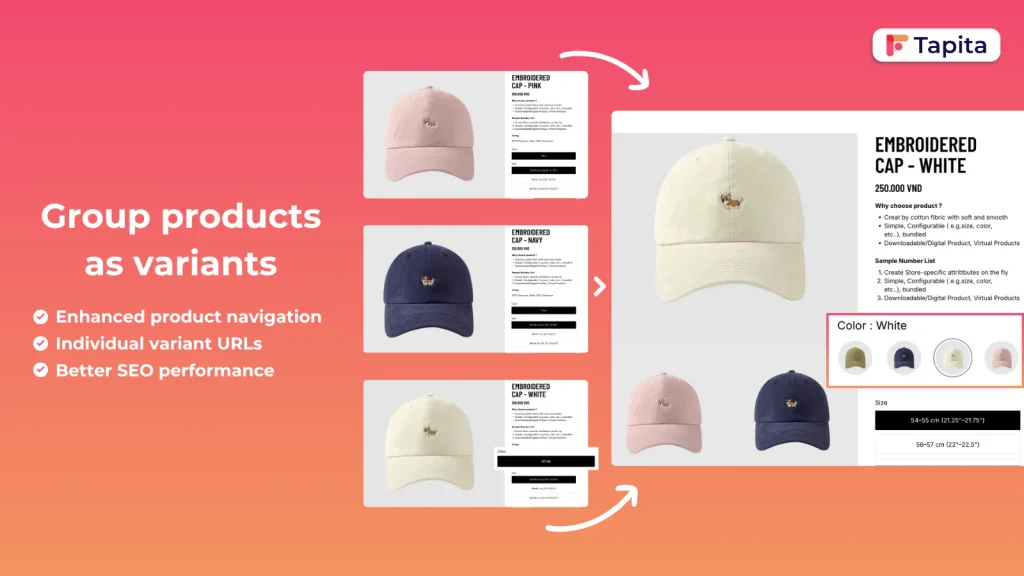
Shopify’s 100-variant limit can be a serious headache for larger catalogs.
This app solves that problem in a clever way.
Instead of forcing you to create one massive product with dozens of variants, it lets you combine separate products into a single listing while still managing them individually behind the scenes.
So customers experience one clean product page with swatches or image selectors… but the inventory, SEO, and product data remain separate.
That’s extremely useful for stores selling:
- Products with many color options
- Multiple material variations
- Large catalogs across marketplaces
It also works well for merchants selling on platforms like Etsy or eBay where separate product listings are sometimes required.
Key Features
- Combines multiple products into one unified listing.
- Bypasses Shopify’s 100-variant limit.
- Automatic product grouping using titles or tags.
- Color swatches and image button selectors.
- Separate variant pages with unique SEO content.
- Bulk product management with CSV tools.
Pricing
- Free Plan – Free
- Basic Plan – $9.99/month
- Standard Plan – $29/month
- Advanced Plan – $49/month
Rubik Variant Images & Swatch
Some apps focus on heavy customization.
Rubik takes a different approach — simplicity and performance.
The core feature is straightforward but extremely useful.
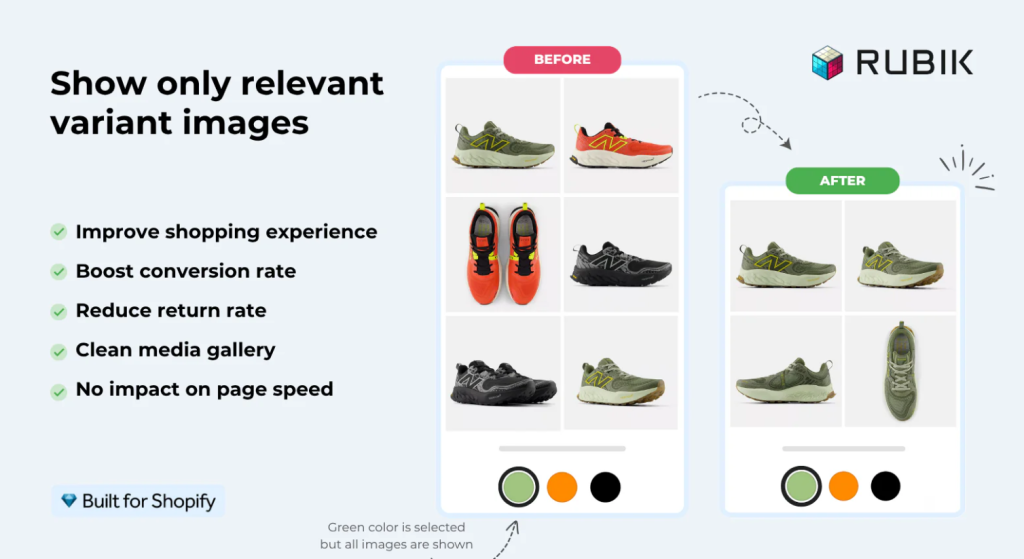
When a customer selects a variant, the product gallery updates instantly to show only the images for that variant.
It sounds simple, but it solves a common problem. Many stores show the same image gallery regardless of the variant selected, which can confuse customers.
Rubik ensures that when someone selects a color or variation, they see the exact images related to that option.
That clarity helps shoppers make decisions faster and reduces the chances of ordering the wrong variation.
Key Features
- Multiple images assigned to each variant.
- Automatic variant image assignment using AI.
- Color swatches and image selectors.
- Dynamic gallery updates based on variant selection.
- Compatibility with most Shopify themes and page builders.
- Clear variant visuals that help reduce product returns.
Pricing
- Free Plan – Free
- Starter Plan – $25/month
- Advanced Plan – $50/month
- Premium Plan – $75/month
How to Choose the Right Shopify Color Swatch App
Not every store needs the same solution.
A small Shopify shop selling a handful of products probably just needs a lightweight swatch display.
A custom product store, on the other hand, may need advanced product options and personalization tools.
Here’s a simple way to think about it:
- Small stores usually do fine with simple swatch apps.
- Fashion brands benefit from strong image swatch displays.
- Custom product stores need advanced option apps.
- Large catalogs often require variant grouping tools.
Before choosing an app, it’s worth considering a few things:
- How complex your products are.
- How many variants you manage.
- Whether you offer customization.
- And how the app might affect page speed.
Those details matter more than most merchants expect.
Final Thoughts
Adding color swatches might seem like a small design tweak, but it can noticeably improve the shopping experience on Shopify.
Instead of forcing customers to navigate dropdown menus, swatches give them something visual and intuitive to interact with.
In practice, that usually leads to:
- Clearer product options.
- Better product page usability.
- Higher engagement.
- And often higher conversions.
For stores that rely on product customization or multiple visual variants, swatches quickly become essential.
Honestly, once a store switches to visual swatches, customers rarely want to go back to dropdown menus.
FAQs
Does Shopify support color swatches by default?
Not exactly. Shopify supports product variants, but they appear as dropdown menus by default. Most merchants install a color swatch app or customize their theme to display visual swatches.
What is the best color swatch app for Shopify?
Ultimate custom product options app is most recommended because app has more customized features.
It’s a all-in-one product options app with 25+ options.
Do color swatch apps slow down Shopify stores?
Most modern Shopify apps are optimized for performance. Still, it’s a good idea to choose lightweight apps that integrate well with your theme.
Can color swatches work with custom product options?
Yes. Many advanced Shopify apps combine swatches with other customization features like text inputs, file uploads, and conditional product options, allowing customers to fully personalize products before checkout.