

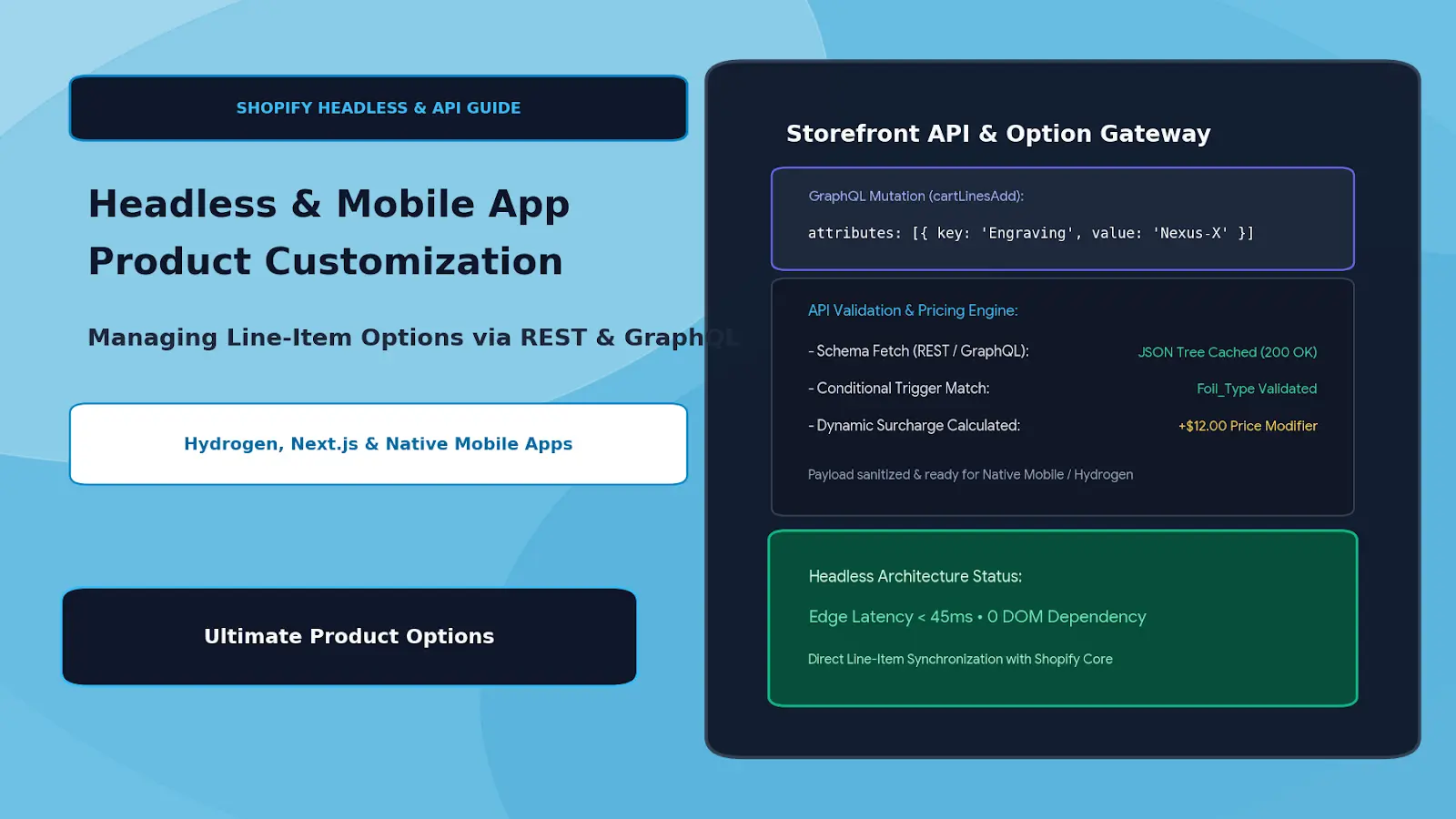
Headless & Mobile App Customization: Managing Line-Item Options via REST & GraphQL APIs
Moving to a headless commerce architecture—whether using Shopify Hydrogen, Next.js, Remix, or native iOS/Android mobile applications—gives development teams total control over rendering speed, transitions, and bespoke user experiences.
However, decoupling the frontend introduces a common engineering roadblock: Shopify App Blocks and Theme App Extensions do not automatically execute outside of native Liquid themes.
When an engineering team removes the traditional Liquid frontend, standard visual customizer apps that rely on DOM injection break down. If your business model relies on made-to-order engravings, dynamic material swatches, or cut-to-size formulas, developers often face an expensive choice: spend months hard-coding a bespoke customizer backend, or sacrifice product customization entirely.
The scalable solution is decoupling your customization layer via an API Gateway using Ultimate Product Options[cite: 1]. By programmatically querying option set schemas, executing pricing logic via webhooks, and passing normalized line-item properties through Shopify's Storefront GraphQL API, teams achieve full headless customization without building an engine from scratch[cite: 1].
Table of Contents
- Why Traditional App Widgets Fail in Headless Environments
- The Headless Data Pipeline: API Gateway Architecture
- Headless API Architecture: Liquid vs. Decoupled GraphQL
- Technical Implementation Guide
- Best Practices for Headless Customization
- Frequently Asked Questions (FAQs)
Why Traditional App Widgets Fail in Headless Environments
Monolithic Shopify themes rely on automated script tags and Liquid DOM hooks (content_for_header, product-form.liquid). When transitioning to a decoupled headless or mobile framework, several architectural challenges arise:
- No Automatic DOM Injection: Next.js and mobile apps render custom client-side or server-side views; third-party script tags cannot locate standard Liquid HTML form elements.
- State & Mutation Desync: Standard apps listen for native DOM change events to recalculate prices. Headless frontends manage state within React contexts, Redux stores, or Swift/Kotlin models.
- Pricing & Cart Integrity: Dynamic upcharges (such as a
+$15.00custom foil charge) cannot simply be appended as text; they must be structured so that the Shopify Storefront Cart API validates unit amounts correctly[cite: 1]. - File Upload Routing: Native mobile apps require direct, authenticated binary file upload endpoints to route customer artwork to secure storage without relying on browser input tags[cite: 1].
The Headless Data Pipeline: API Gateway Architecture
┌─────────────────────────────────────────────────────────────┐
│       Frontend Client (Hydrogen / Next.js / iOS / Android)  │
│         User selects "Custom Titanium Finish" + Engraving   │
└──────────────────────────────┬──────────────────────────────┘
                               │
            1. Fetch Schema    │    2. Validate & Calculate
                               ▼
┌─────────────────────────────────────────────────────────────┐
│                 Options API Middleware Engine               │
│          (Powered by Ultimate Product Options Gateway)      │
│  • Returns JSON Option Tree & Dependency Rules              │
│  • Validates Min/Max Limits (e.g., regex, char limits)      │
│  • Computes Dynamic Price Modifiers ($/sq ft or add-on fee) │
└──────────────────────────────┬──────────────────────────────┘
                               │
            3. cartLinesAdd Mutation (Attributes Payload)
                               ▼
┌─────────────────────────────────────────────────────────────┐
│                 Shopify Storefront GraphQL API              │
│  • Line-Item Properties attached to CartLineInput           │
│  • Associated Price Adjustment SKU / Surcharge added        │
└──────────────────────────────┬──────────────────────────────┘
                               │
                               ▼
┌─────────────────────────────────────────────────────────────┐
│        Clean Order Synchronization to Shopify Core          │
└─────────────────────────────────────────────────────────────┘
By querying option configurations as structured JSON schemas, the client-side framework handles the visual presentation while the API middleware handles validation, pricing rules, and property serialization[cite: 1].
Headless API Architecture: Liquid vs. Decoupled GraphQL
| Architectural Layer | Monolithic Liquid Setup | Decoupled REST / GraphQL Pipeline |
|---|---|---|
| UI Presentation | Theme App Extensions / Liquid DOM | Native React (Hydrogen), Flutter, Swift, Kotlin |
| Schema Delivery | Rendered as hidden HTML inputs | JSON payload fetched via REST/GraphQL endpoint |
| Logic & Dependencies | Client-side JavaScript DOM listeners | Dynamic client-side rule evaluation |
| Cart Ingestion | Standard HTML form POST /cart/add.js |
Storefront GraphQL cartLinesAdd mutation |
| Asset Storage | Standard browser <input type="file"> |
Direct multipart cloud CDN upload with returned URL[cite: 1] |
Technical Implementation Guide
Step 1: Fetching the Option Set Schema
Instead of hard-coding options in React or Swift, query your template schema programmatically using the product ID or handle:
// Fetch Option Hierarchy for a Headless Product Page
async function fetchProductOptions(productId: string) {
  const res = await fetch(`https://api.options-gateway.com/v1/options?productId=${productId}`, {
    headers: {
      'X-Shopify-Domain': 'your-store.myshopify.com',
      'Authorization': `Bearer ${process.env.STOREFRONT_ACCESS_TOKEN}`
    }
  });

  const { optionGroups } = await res.json();
  return optionGroups;
}
This returns an array containing input types (swatch, text, file_upload), character constraints, conditional logic rules, and pricing formulas configured in the dashboard[cite: 1].
Step 2: Evaluating Client-Side Validation
Before dispatching a cart mutation, validate customer input against the schema constraints:
// Validate Character Limits & Required Fields
function validateCustomInput(value: string, rules: OptionRule) {
  if (rules.required && !value.trim()) {
    throw new Error(`${rules.label} is required.`);
  }
  if (rules.maxLength && value.length > rules.maxLength) {
    throw new Error(`Exceeded maximum limit of ${rules.maxLength} characters.`);
  }
  return true;
}
Step 3: Mutating the Shopify Cart with Custom Attributes
When submitting the order to Shopify's Storefront GraphQL API, pass the custom attributes directly inside the cartLinesAdd mutation:
mutation AddCustomizedItemToCart($cartId: ID!, $lines: [CartLineInput!]!) {
  cartLinesAdd(cartId: $cartId, lines: $lines) {
    cart {
      id
      lines(first: 10) {
        edges {
          node {
            id
            quantity
            merchandise {
              ... on ProductVariant {
                id
                title
              }
            }
            attributes {
              key
              value
            }
          }
        }
      }
    }
    userErrors {
      field
      message
    }
  }
}
Mutation Variables Payload:
{
  "cartId": "gid://shopify/Cart/7a8b9c0d1e2f",
  "lines": [
    {
      "merchandiseId": "gid://shopify/ProductVariant/44123985712",
      "quantity": 1,
      "attributes": [
        {
          "key": "Custom_Engraving",
          "value": "Nexus-Alpha"
        },
        {
          "key": "Finish_Code",
          "value": "TITANIUM-BRUSHED"
        },
        {
          "key": "_artwork_cdn_url",
          "value": "https://cdn.store.com/uploads/nexus_logo.svg"
        }
      ]
    }
  ]
}
Best Practices for Headless Customization
- Prefetch & Cache Option Trees: Cache option set JSON at the edge using Cloudflare Workers or Next.js ISR (Incremental Static Regeneration) to achieve sub-50ms render times.
- Preserve the Underscore Prefix: Prefix backend routing properties with an underscore (e.g.,
_artwork_cdn_url) so Shopify automatically conceals raw URLs on customer-facing receipts while keeping them accessible via API for 3PL systems[cite: 1]. - Handle Multipart File Streams Natively: For mobile applications (iOS/Android), stream uploads directly to an S3-compatible cloud bucket using presigned URLs before passing the final URL string into the cart mutation[cite: 1].
- Fallback Gracefully for Offline Mobile Carts: Store active customization states locally in mobile device storage (
AsyncStorageor SQLite) so shoppers do not lose personalization inputs if cellular connectivity drops.
Frequently Asked Questions (FAQs)
Does Storefront GraphQL API support custom line-item properties?
Yes. Custom options are mapped into the attributes array within the CartLineInput object, which permanently maps them to the order line items upon checkout completion.
Can dynamic pricing modifiers be applied in headless checkouts?
Yes. Surcharges can be handled by creating companion adjustment line items or passing calculated unit overrides via Shopify Functions, ensuring the cart total stays accurate without manual reconciliation.
How are file uploads handled in native iOS or Android apps?
Mobile clients upload files directly to cloud endpoints via multipart POST requests, obtaining a persistent CDN asset URL that is subsequently attached to the GraphQL cart line attributes[cite: 1].
Conclusion
Migrating to a headless stack or native mobile app should not force your store to sacrifice custom product configurators. By pairing modern frontend clients with the API capabilities of Ultimate Product Options, engineering teams can deliver fast, highly customized shopping experiences while preserving automated order fulfillment and accurate line-item routing[cite: 1].