

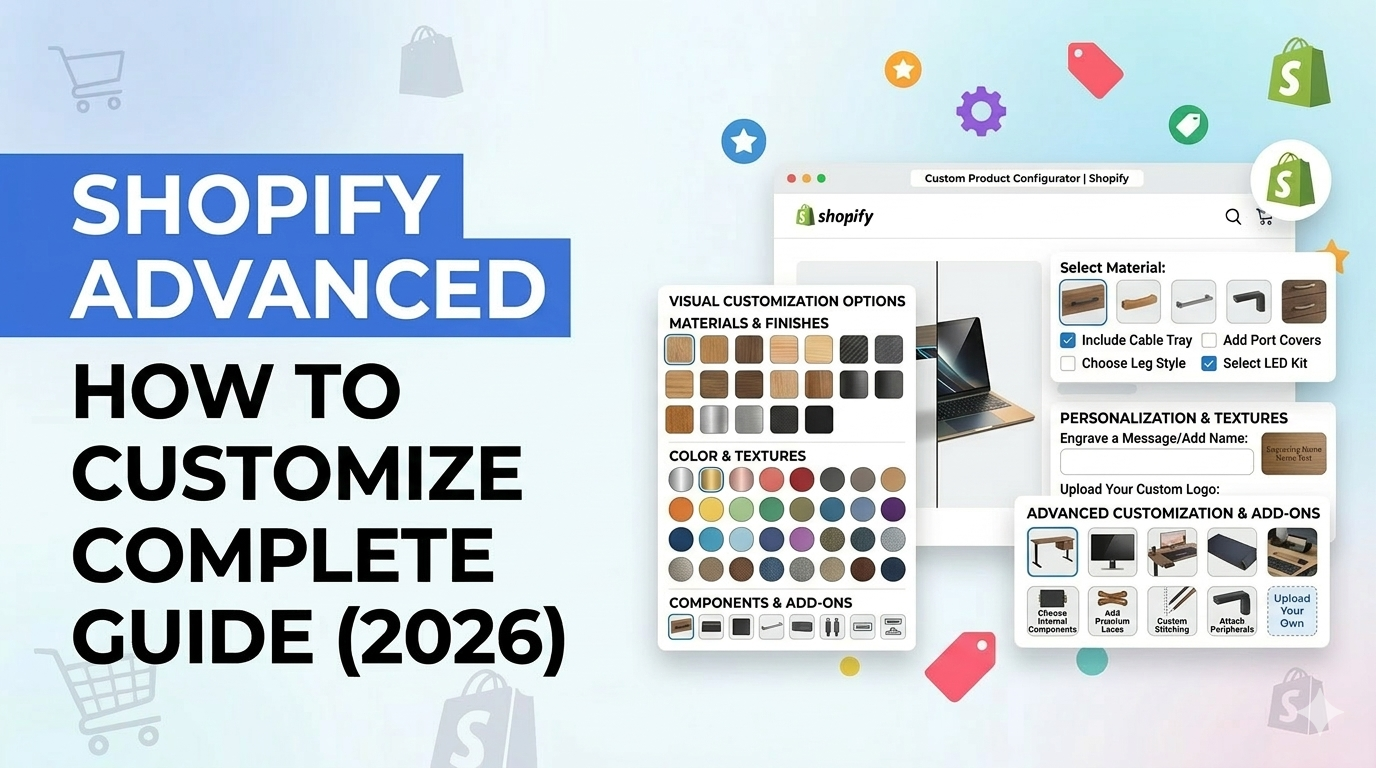
If you sell online today, offering personalization is no longer optional — it’s expected.
Customers want to add their name to a product. Choose colors. Upload images. Select add-ons. Create something unique.
That’s why learning how to Customize Products Shopify is critical for increasing conversions, improving customer experience, and boosting average order value.
In fact, according to Shopify and McKinsey research, personalized product experiences can increase revenue by up to 40%.
But here’s the challenge.
Shopify’s default product system has limitations. Variants work for simple options, but they break down when customization gets complex.
This complete 2026 guide will show you:
1. What product customization means
2. All customization types
3. Step-by-step methods to implement customization
4. Best practices used by successful Shopify stores
Let’s start with the basics.
What Is Product Customization in Shopify?
Product customization allows customers to personalize a product before purchasing.
Instead of buying a fixed item, customers can modify it based on their preferences.
This may include:
- Selecting colors or styles
- Uploading images or logos
- Choosing add-ons or upgrades
- Selecting sizes or configurations
- Adding custom text
For example:
- A customer buying a mug can add their name.
- A customer buying a t-shirt can upload their logo.
- A customer buying furniture can select material and finish.
This improves customer satisfaction and increases perceived product value.
Shopify officially supports customization through variants, line item properties, metafields, and apps
Types of Product Customizations in Shopify
There are several ways to customize Shopify products depending on your business needs. Modern Shopify stores go beyond basic variants and offer unlimited, dynamic product options to deliver a fully personalized buying experience.
Here are the most important customization types:
1. Text Customization
This allows customers to enter custom text directly on the product.
This is one of the most popular personalization methods because it works across many industries.
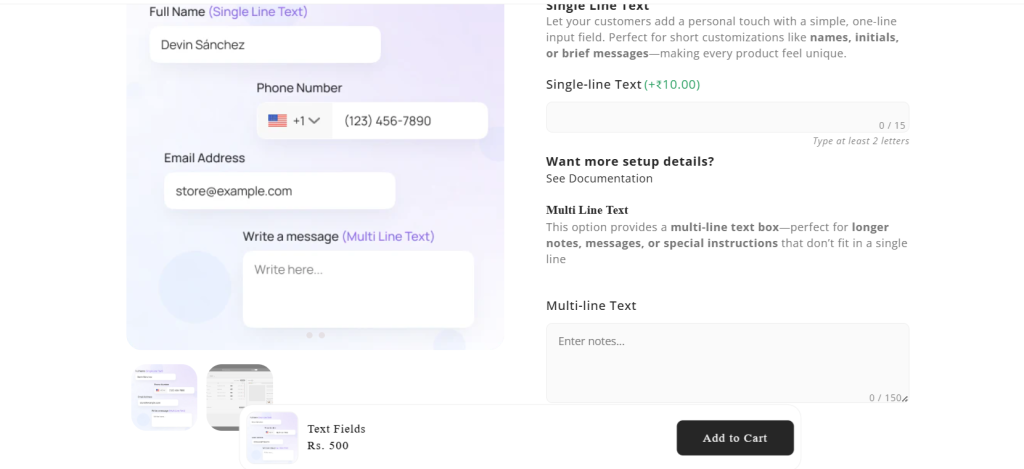
Examples:
- Name on mug
- Engraving text on jewelry
- Custom message on gifts
- Personalized t-shirts
- Custom notes for special occasions
Field types available:
- Single-line text field
- Multi-line textarea
- Number input field
- Custom message box
This type of customization is essential for gift stores, print-on-demand businesses, and personalized product brands.
2. Color and Image Swatches (Visual Selection)
Visual swatches allow customers to select product options using colors or images instead of dropdowns.
This significantly improves user experience and conversion rates.
- Image Swatches:
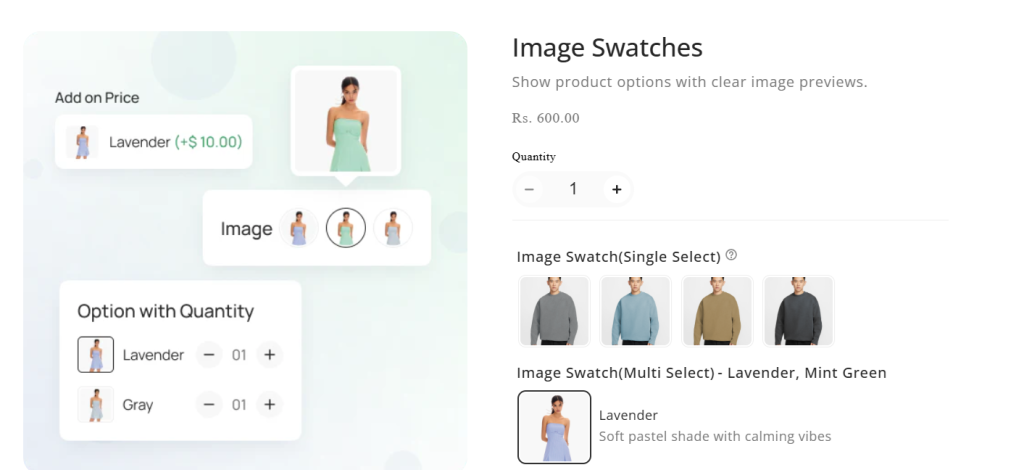
2. Color swatches
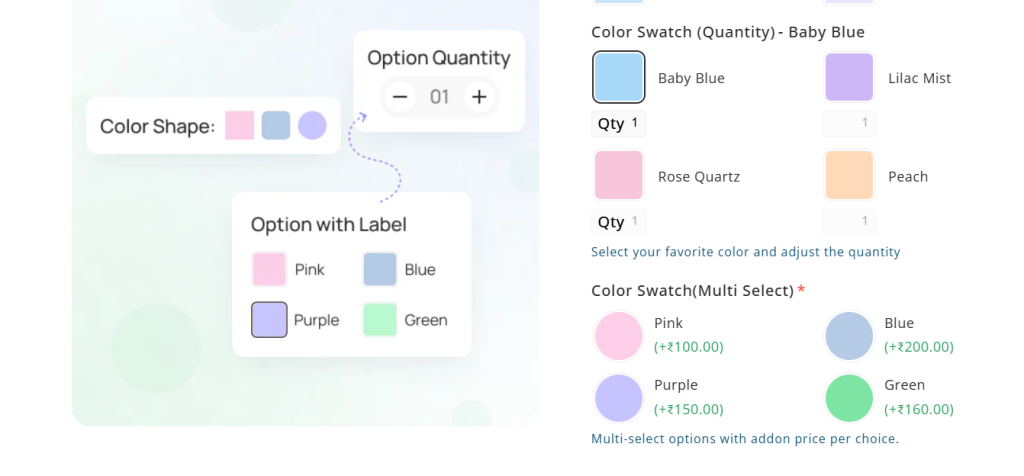
Examples:
- Color swatches for apparel
- Fabric selection for furniture
- Finish selection (matte, glossy, metallic)
- Style or design selection using images
Supported option formats:
- Color swatches
- Image swatches
- Buttons
- Visual selectors
Visual options help customers make faster decisions and reduce confusion.
3. Dropdowns, Buttons, and Multiple Choice Options
These allow customers to select from predefined options.
This is useful when offering structured product configurations.
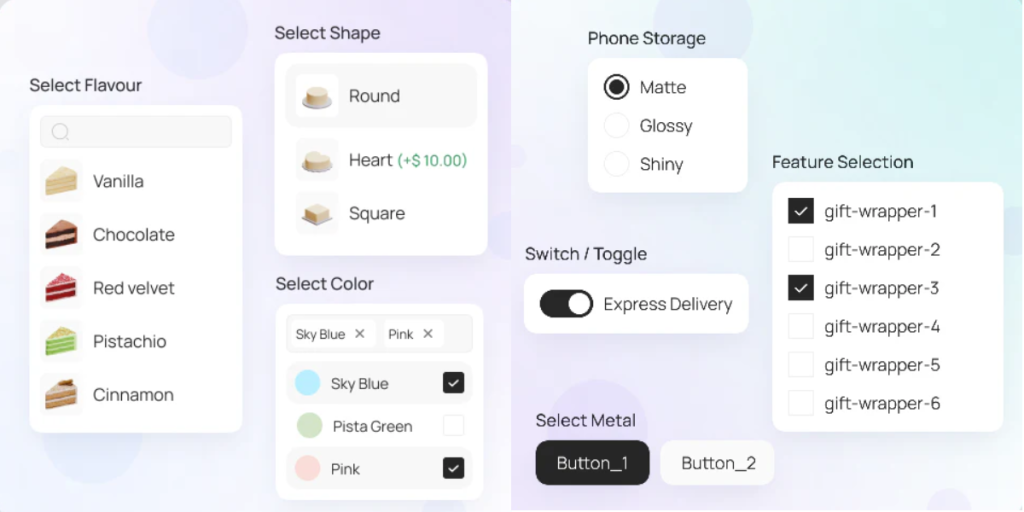
Examples:
- Size selection
- Material selection
- Product type selection
- Packaging options
Field types include:
- Dropdown menus
- Radio buttons
- Button selectors
- Checkboxes (single or multiple selection)
These options help create structured and easy-to-manage product configurations.
4. Image and File Upload Customization
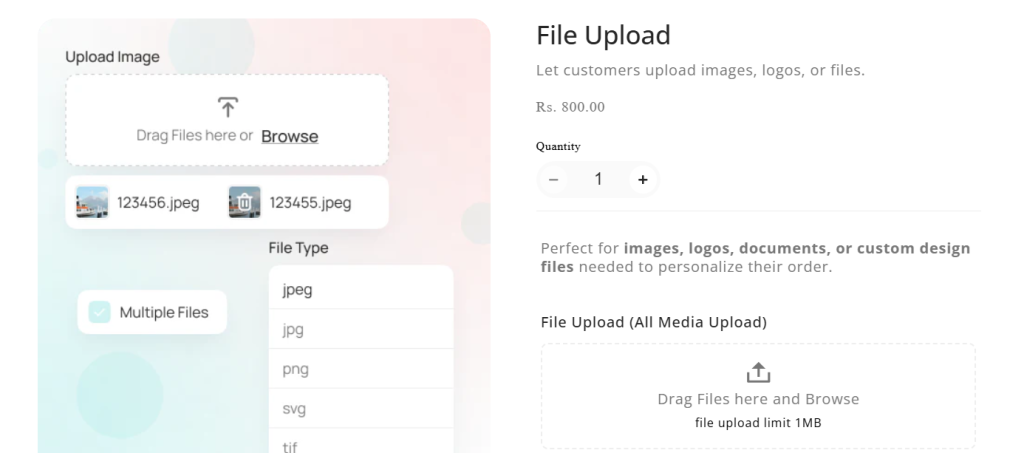
Customers can upload files, images, or documents required to personalize the product.
This is critical for print-on-demand, custom printing, and B2B stores.
Examples:
- Upload logo for printing
- Upload photo for custom frame
- Upload artwork for merchandise
- Upload design files
Supported file types:
- Images (PNG, JPG)
- PDFs
- Custom artwork files
This enables fully personalized products and custom orders.
5. Product Add-Ons (Paid or Free Extras)
Add-ons allow customers to enhance their purchase by selecting additional features.
This is one of the most effective ways to increase Average Order Value (AOV).
Examples:
- Gift wrapping (+$5)
- Premium packaging (+$10)
- Rush processing (+$15)
- Extended warranty
- Accessories bundle
You can also assign additional charges depending on selected options.
This directly increases revenue per order.
6. Conditional Customization (Dynamic Options)
Conditional logic allows options to appear or hide based on customer selections.
This creates a cleaner and smarter user experience.
Example:
Customer selects: Engraving → Show engraving text field
Customer selects: No engraving → Hide engraving field
Use cases:
- Show size chart when apparel selected
- Show upload field when custom print selected
- Show additional options only when relevant
This prevents overwhelming customers with unnecessary options.
7. Size Charts, Information Blocks, and Accordions
These help customers make informed decisions before purchasing.
Examples:
- Size charts for clothing
- Product instructions
- Customization guidelines
- Important product information
These can be displayed using:
- Expandable accordions
- Information blocks
- Interactive sections
This improves user confidence and reduces returns.
8. Unlimited Product Options (Beyond Shopify Variant Limits)
Shopify has a limit of:
- 3 options
- 100 variants per product
Advanced customization solutions allow you to bypass these limits by creating unlimited product options.
This is especially useful for:
- Apparel stores
- Gift stores
- Custom printing businesses
- Flower stores
- Food customization stores
You can create complex customization without performance issues.
9. Assign Custom Options to Multiple Products
Instead of manually adding customization to each product, you can assign option sets to multiple products at once.
Benefits include:
- Faster management
- Consistent customization experience
- Easier scaling
This is especially useful for large catalogs.
10. Import and Export Custom Options (CSV Support)
You can easily manage customization data using CSV import and export.
This allows you to:
- Back up customization options
- Transfer options between stores
- Bulk edit product options
- Save time managing large stores
This is essential for scaling Shopify businesses efficiently.
Why Product Customization Matters
Product customization helps you:
- Increase conversion rates
- Improve customer experience
- Boost Average Order Value (AOV)
- Reduce purchase hesitation
- Create unique, personalized products
Stores offering advanced customization consistently outperform stores with fixed product options.
Examples of Customizable Products
Here are common industries using Shopify customization:
| Industry | Customization Example |
| Apparel | Custom t-shirts, hoodies |
| Gifts | Personalized mugs |
| Jewelry | Name engraving |
| Furniture | Material selection |
| Print-on-demand | Custom photo prints |
| Electronics | Custom engraving |
Stores offering customization see higher conversion rates because customers feel ownership of the product.
Best Ways to Customize Products Shopify (Step-by-Step)
Customizing products in Shopify allows you to offer personalized items like custom t-shirts, engraved gifts, printed mugs, or configurable products. Below are the most practical and working methods used by real Shopify stores.
Method 1: Use Shopify Variants (Best for Simple Customization)
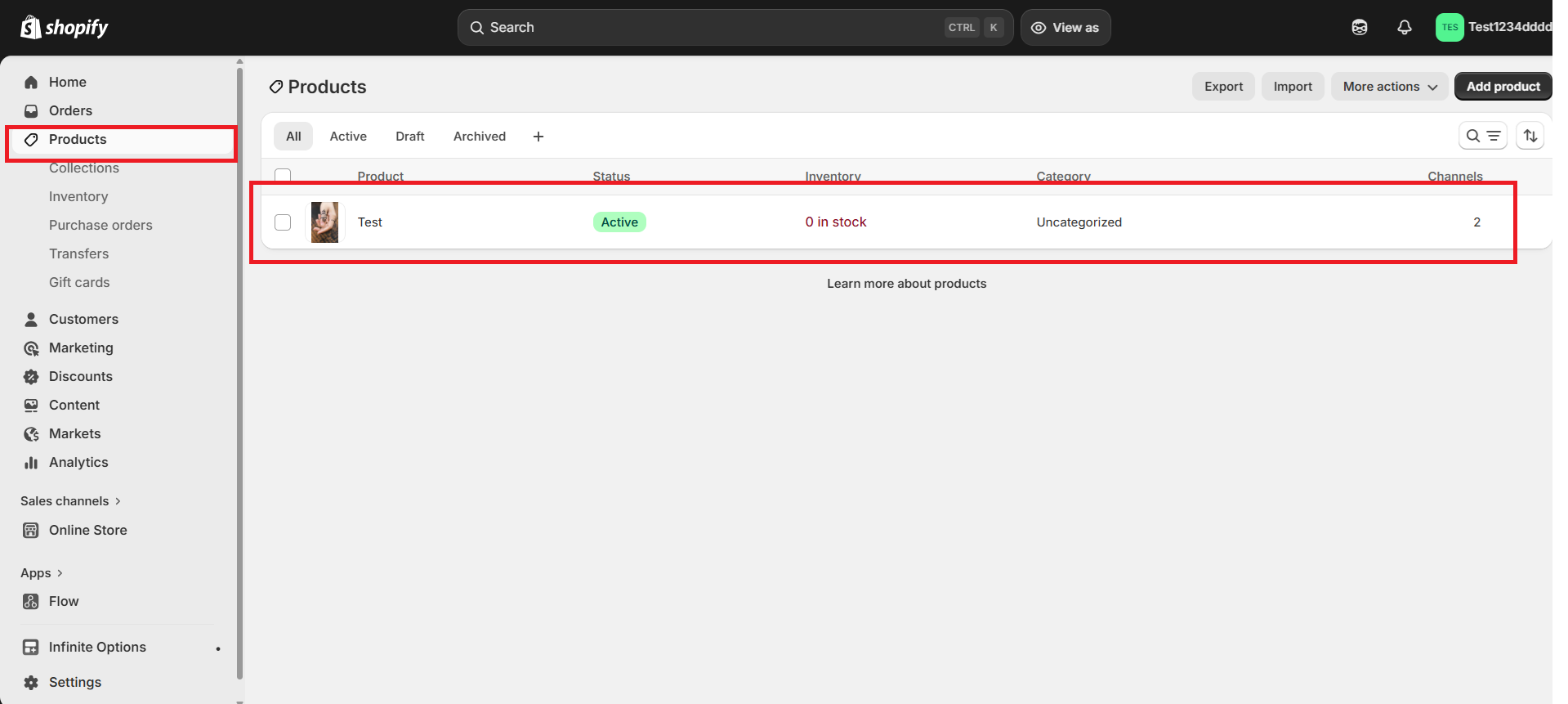
Step 1: Go to Shopify Admin > Click Products > Select an existing product or click Add product
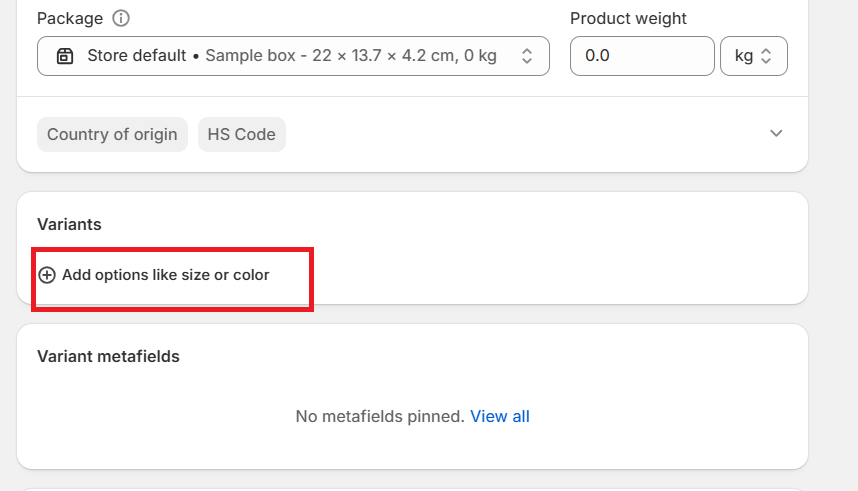
Step 2: Scroll down to variants section & click on add variants
Step 3: Add Option Names and Values
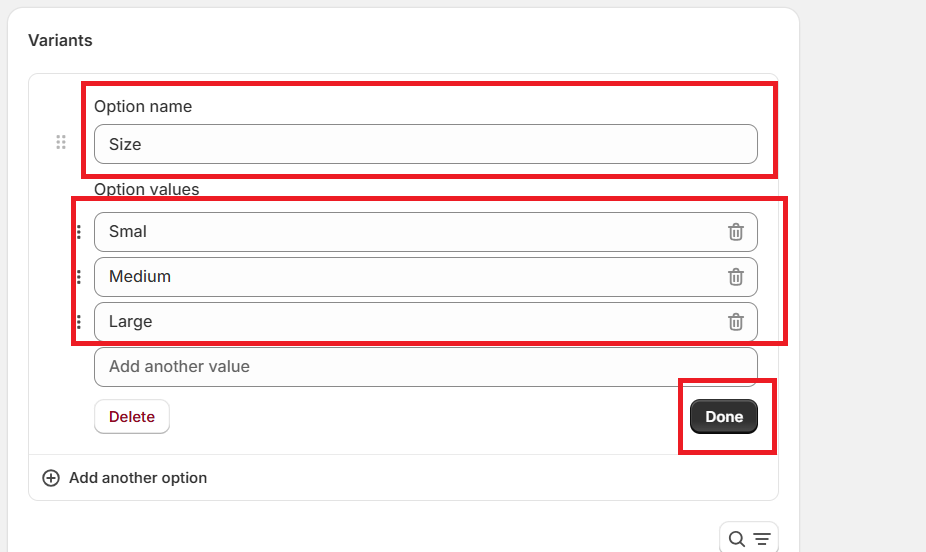
Example:
Option name: Size → Small, Medium, Large
Option name: Color → Red, Blue, Black
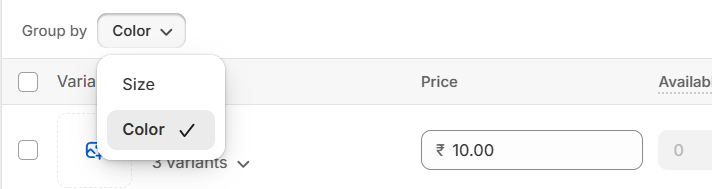
Step 4: Select the group by option If you’ve created multiple variants like Size & Color.
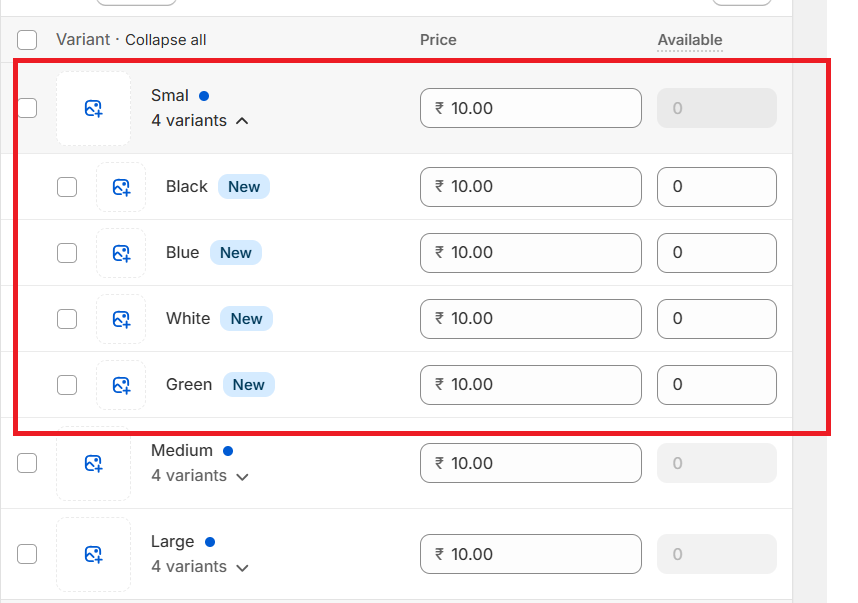
Step 5: Add the pricing & variant images
Step 6: Click Save.
Customers can now select options from dropdowns on the product page.
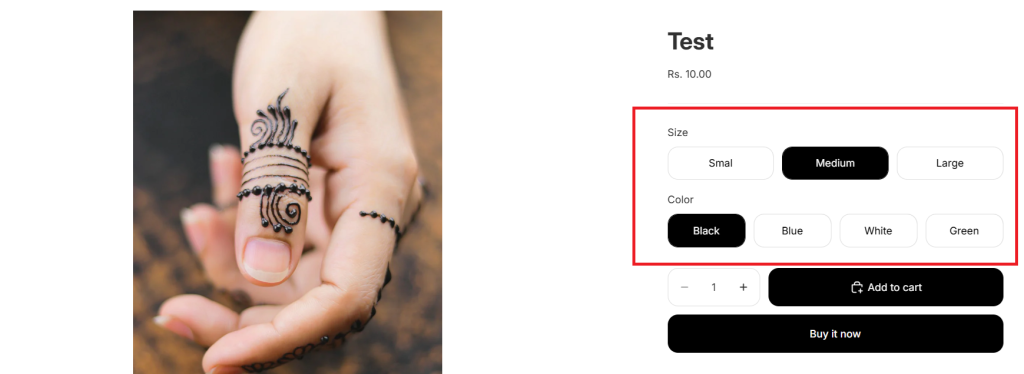
Best for:
- Size selection
- Color selection
- Material selection
Method 2: Shopify Product Options Apps
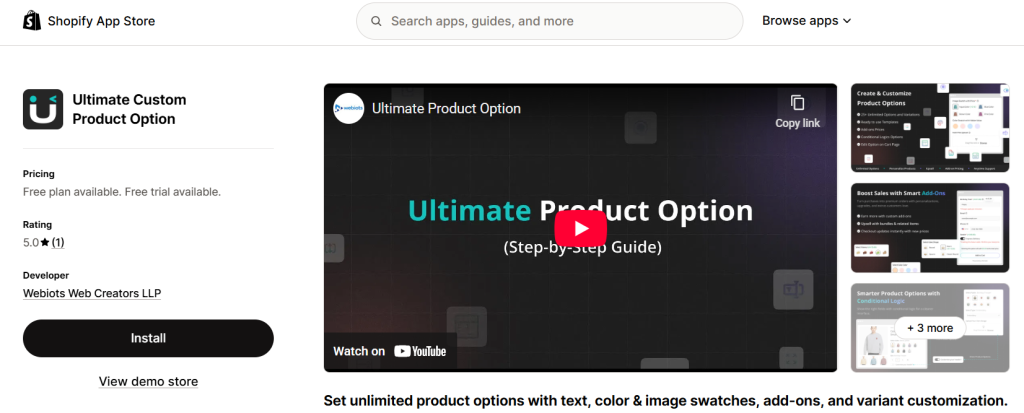
For stores that need advanced customization, using a dedicated product options app is the most practical and scalable solution. Shopify’s default variant system has limitations, but apps like Ultimate Product Options allow you to create unlimited custom fields and personalization options without restrictions.
With Ultimate Product Options, you can add text fields for names or engraving, color and image swatches for visual selection, file uploads for custom designs, and dropdowns or checkboxes for additional choices. This is especially useful for stores selling personalized products such as custom apparel, gifts, printed items, food products, or flowers. You can also add paid add-ons like gift wrapping or premium materials, which helps increase your average order value.
The app also supports dynamic logic, allowing you to show or hide options based on customer selections. For example, you can display an engraving text field only when the customer selects “Add engraving.” You can easily assign option sets to multiple products at once and even import or export options using CSV, making it efficient for managing large catalogs.
Key Features of Ultimate Product Options
- Unlimited product options and custom fields
- Text fields, dropdowns, checkboxes, and buttons
- Color swatches and image swatches
- File upload for images, logos, or documents
- Add extra charges for selected options
- Conditional logic to show or hide options dynamically
- Assign option sets to multiple products
- Import and export options using CSV
- Works beyond Shopify’s 100 variant limit
- Ideal for personalized and configurable products
This method is the most reliable and future-proof way to offer fully customizable products on Shopify while providing a smooth and professional buying experience.
Conclusion
Product customization is no longer just a nice feature It’s a powerful way to increase conversions, improve customer experience, and boost your average order value. When you properly customize products Shopify, you give customers the freedom to create products that match their exact needs, which builds trust and encourages more purchases.
Shopify’s native variants work well for basic options like size, color, and material. However, for modern eCommerce stores that offer personalized products, you’ll need more advanced customization features such as text fields, image uploads, color swatches, add-ons, and conditional logic.
The best approach is to choose the right customization method based on your business needs. Start with simple variants if your products are basic. But if you sell personalized products like custom apparel, gifts, or print-on-demand items, using advanced product customization options will give you better flexibility and scalability.
In 2026, stores that offer personalized shopping experiences stand out from competitors. By implementing the right product customization strategy, you can improve user experience, increase sales, and grow your Shopify store faster.
Frequently Asked Questions
1. Can Shopify customize products?
Yes. Shopify supports product customization using:
– Variants
– Custom fields
– Apps
– Metafields
2. What is the best way to customize products Shopify?
Using product customization apps is the best method because:
– No variant limits
– No coding required
– Advanced features available
3. Can customers upload images in Shopify?
Yes. This requires customization apps or file upload fields.
4. Does customization increase sales?
Yes. Personalized products improve conversion rates and average order value.
5. Can Shopify handle complex customization?
Yes, using apps and metafields.
Variants alone are limited.