


Last updated: November 7, 2026. Disclosure: Webiots develops LUX AI Product Images, the app used in the setup steps. Google and Shopify guidance is linked to their own documentation.
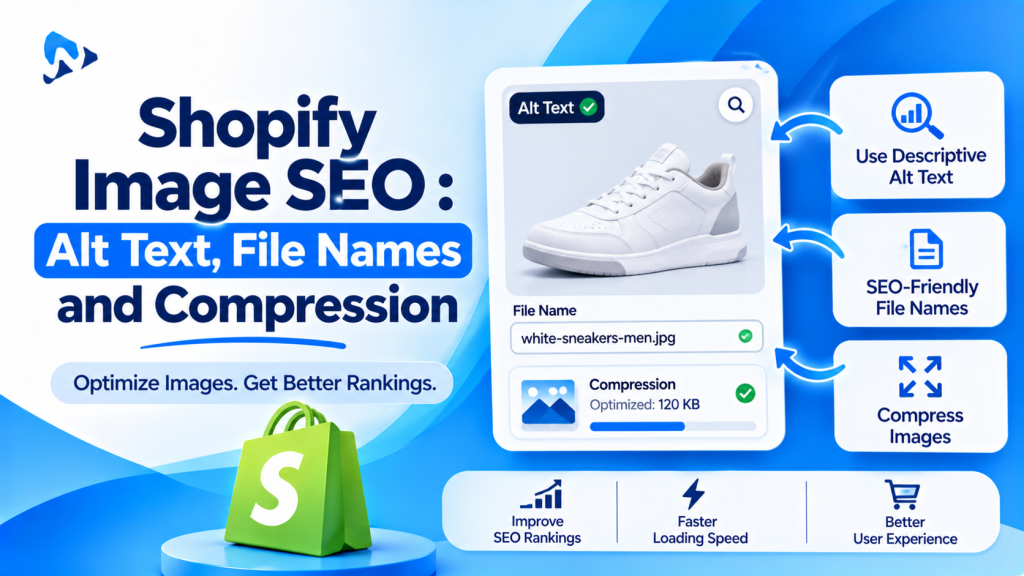
Quick answer: Shopify image SEO means helping Google understand and show your product images. Give each image short, descriptive alt text that says what the product is, use descriptive file names instead of names like IMG_4521.jpg, and keep files small so pages load fast. Google calls alt text the most important attribute for image information, and says descriptive file names give it light clues about the subject.
Key takeaways:
- Write alt text for people first, not keywords.
- Rename files before upload, with hyphens.
- Compress images so product pages stay fast.
In this guide
- Why image SEO matters
- How to write alt text
- Add alt text in Shopify
- File names
- Image size and speed
- Fix image SEO in bulk with LUX
- The bottom line
- FAQ
Why Does Image SEO Matter for Shopify Stores?
It helps your products appear in Google Images and helps search engines and AI tools understand what you sell. Search engines can’t see a photo the way a person does. They rely on the text around it: the alt text, the file name, and the page it sits on (Google Search Central).
Alt text also helps shoppers who use screen readers, and it shows in place of the image if the image fails to load.
How Do You Write Good Alt Text for Product Images?
Describe what’s in the image in a short, plain sentence, including the product type and its key detail. Google advises useful, information-rich alt text that uses keywords appropriately, and warns that stuffing keywords can look like spam.
| Image | Weak alt text | Better alt text |
|---|---|---|
| Necklace on white | necklace | Gold name necklace with “Emma” in script lettering |
| Mug in a kitchen | mug mug custom mug gift mug cheap | White ceramic mug with a family photo on a kitchen counter |
| Sofa, side view | IMG_4521 | Green velvet three-seater sofa, side view |
| Color swatch | (empty) | Navy blue fabric swatch |
- Keep it short: one clear sentence is usually enough.
- Be specific: color, material and what makes this image different from the others.
- Don’t start with “image of”: screen readers already say it’s an image.
- Make each image’s alt text different, such as front view, side view and close-up.
How Do You Add Alt Text to Images in Shopify?
Open the product, click the image, and add the alt text in the image details.
- In Shopify admin, go to Products and open a product.
- In the Media section, click an image to open it.
- Click Add alt text (or edit the existing alt text) and type your description.
- Click Save, and repeat for each image.
This is fine for a few products. For a whole catalog, a bulk tool saves hours.
Do Image File Names Matter for SEO?
A little. Google says file names give “very light clues” about an image, and its own example is that “my-new-black-kitten.jpg” is better than “IMG00023.JPG”.
| Weak | Better |
|---|---|
| IMG_4521.jpg | gold-name-necklace-script.jpg |
| photo (3).png | white-photo-mug-family.png |
| final-final-v2.jpg | green-velvet-sofa-side.jpg |
Use lowercase words separated by hyphens, and keep names short. Rename files before you upload them, so every new image starts with a clear name.
How Do Image Size and Speed Affect SEO?
Large images slow product pages down, and slow pages are worse for shoppers and for search. Shopify accepts images up to 20 MB and 25 megapixels (Shopify Help Center), but most product photos don’t need to be anywhere near that.
- Resize images to the size your theme displays, such as 2,048 × 2,048 pixels for product photos. See our Shopify product image size guide.
- Compress every image before or after upload.
- Check product pages in Google PageSpeed Insights on mobile.
Selling on Google Shopping? Your main product image must show only the product, with no promotional text, watermarks or added logos (Google Merchant Center Help). Keep watermarks off the images you send to Google.
How Do You Fix Image SEO in Bulk With LUX?
Generate alt text and file names for many images at once, then review and save. Webiots develops LUX AI Product Images; plan details are from its App Store listing.
- Install LUX AI Product Images. The free plan includes AI alt text, SEO file name optimization, compression and resizing, with 200 credits.
- Start with images that have no alt text, beginning with your best-selling products.
- Generate alt text for them in bulk.
- Review each one: fix anything that’s wrong, too long or too generic.
- Generate SEO-friendly file names to replace names like IMG_4521.
- Resize and compress large images.
- Check a product page to confirm the images look right and load quickly.
Fix missing alt text across your catalog
AI alt text, SEO file names, compression and resizing on the free plan, with 200 credits. Review before you save.
The Bottom Line
Image SEO on Shopify comes down to three habits: clear alt text on every product image, descriptive file names, and images small enough to load fast. Write alt text for people first, rename files before you upload them, and compress every image. If your catalog has hundreds of images with missing alt text, fix them in bulk, but review each description before saving.
Want to fix image SEO in bulk? Install LUX AI Product Images free.
Frequently Asked Questions
What is alt text in Shopify?
A short description of an image, saved with the image. It helps search engines understand the image, helps shoppers who use screen readers, and shows if the image doesn’t load.
How long should alt text be?
Usually one short sentence. Describe the product and its key detail, without stuffing in keywords.
Should every product image have alt text?
Yes, for images that show your product. Give each one different alt text, such as front view, side view or close-up.
Do image file names help SEO on Shopify?
A little. Google says descriptive file names give light clues about an image, so “gold-name-necklace.jpg” is better than “IMG_4521.jpg”.
Can AI write alt text for Shopify images?
Yes. Tools like LUX generate alt text in bulk. Always review it, because the AI can miss details or describe the image wrongly.
Related Reading
- Shopify Product Image Size Guide (2026)
- How to Create Holiday Product Photos for Shopify With AI
- Best AI Product Photography Apps for Shopify
- Shopify BFCM 2026: The Complete Guide + 25-Step Checklist
Update Log
November 7, 2026: First published.