

Last updated: November 02, 2026. Disclosure: Webiots develops Ultimate Product Options, the app used in the setup steps.
Quick answer: You can let shoppers choose multiple products or add-on accessories from a single product page by using custom option fields with independent checkboxes and multi-select buttons. This bypasses Shopify’s single-variant restriction, updates the live subtotal on the page, and pushes all selected items into the cart in a single add-to-cart click.
Key takeaways:
- Native Shopify variants force customers to choose only one combination per purchase action.
- Checkbox lists and multi-select option pickers let buyers bundle related add-ons together on one page.
- Dynamic price modifiers calculate running subtotals live and pass clean line item properties to checkout.
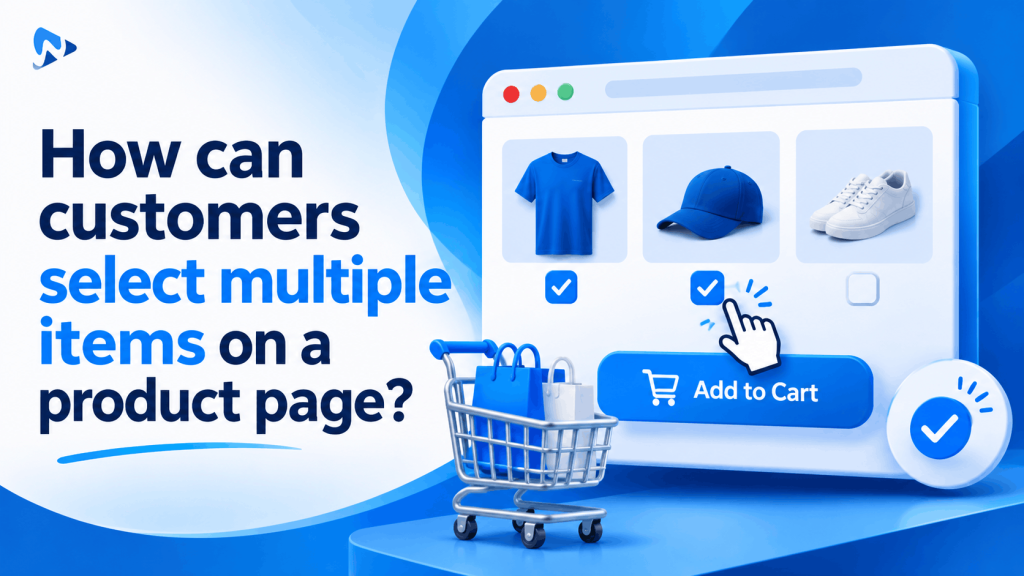
A frequent challenge for growing merchants is discovering that their store does not naturally let customers select multiple items on a product page. Whether selling custom gift hampers, modular camera kits, fashion coordinates, or beauty sets, forcing shoppers to visit separate URLs for each accessory creates friction and lowers average order value.
In this guide:
- Why does standard Shopify prevent multi-item selections on a single product page?
- How do multi-select option fields group items into a single checkout action?
- How do multi-item purchase methods compare on Shopify?
- How should you manage inventory when customers select multiple items on one page?
- How can customers select multiple items on a product page using Ultimate Product Options?
- The Bottom Line
- Frequently Asked Questions
- Related Reading
- Update Log
- Sources
Why does standard Shopify prevent multi-item selections on a single product page?
Standard Shopify product forms only submit one active variant ID to the cart per click. According to Shopify Developer product documentation, the native product form expects a single selected variant tied to one quantity value. If a merchant lists a leather bag with optional matching straps and wallets as native variants, the buyer must choose one item, click add to cart, navigate back, and repeat the process.
As merchants highlight on the Shopify Community forum, this limitation frustrates stores trying to build mix-and-match packages. Shopify supports up to 3 option names and up to 2,048 variants per product. While this variant allowance is large, native variants cannot be checked off simultaneously as optional co-purchases on a single form.
Tip: Keep native variants for mutually exclusive choices like size. For optional companion items, multi-pack picks, and upgrades, use virtual multi-select options.
How do multi-select option fields group items into a single checkout action?
Multi-select option fields attach multiple add-ons to a parent product using line item properties and dynamic price modifiers. According to Shopify Developer line item documentation, custom properties capture text strings, checkboxes, and swatch choices directly inside the cart line data. The customer checks off multiple boxes, and the app calculates the total price dynamically before triggering the cart submission.
For example, if a customer buys a yoga mat, they can check boxes for a matching carrying strap and cleaning spray on the same page. The app recalculates the on-page subtotal in real time, passes the choices as line item properties, and routes the entire customized set to checkout cleanly.
How do multi-item purchase methods compare on Shopify?
Merchants can offer multi-item purchases using custom code, native bundles, or dedicated product options apps. Each approach provides different levels of flexibility for shoppers and catalog administrators.
| Method | Purchase Experience | Pricing Flexibility | Maintenance Effort |
|---|---|---|---|
| Native Theme Forms | Single variant per add-to-cart | Fixed variant prices only | High SKU duplication |
| Custom Liquid & AJAX Scripts | Multi-product submission | Custom code required for math | Breaks during theme updates |
| Ultimate Product Options App | Selective checkboxes & swatches | Live dynamic price recalculation | Zero code via theme app embeds |
How should you manage inventory when customers select multiple items on one page?
Track physical base products on native Shopify variants while capturing custom choices and service add-ons through line item properties. If companion items are distinct inventory products (such as a physical water bottle added to a backpack), merchants can manage the core item via native stock tracking.
For custom personalizations, special packaging, monogramming, or bespoke component choices, passing choices as line item properties prevents inventory confusion. Your primary product inventory decrements accurately, and the customer selections appear cleanly on order receipts and warehouse packing slips.
How can customers select multiple items on a product page using Ultimate Product Options?
You can let customers select multiple items on a product page by building an option set with multi-select checkboxes and price modifiers. The Online Store 2.0 theme app embed renders these fields cleanly without editing theme template files.
- Install Ultimate Product Options from the Shopify App Store.
- Open your Shopify Admin, navigate to Online Store > Themes > Customize, open App embeds, switch Ultimate Product Options to On, and click save.
- Open Apps > Ultimate Product Options and select Create Option Set.
- Assign your option set to your target products or automated collections.
- Click Add Option and choose Checkbox or Multi-Select Buttons to present your optional add-on products.
- Assign specific price modifiers to each selectable item so each checked box adds its corresponding price to the subtotal. (Illustrative example: A base yoga mat costs $35.00. Checking an optional carrying strap for $12.00 and an optional cleaning kit for $6.00 calculates a $53.00 total order price.)
- Set up conditional logic rules (available on the Basic plan at $7.99/month and above) to reveal secondary fields only when relevant items are checked.
- Ensure the Dynamic PDP Price Update toggle is active so the live product page price updates immediately as checkboxes are selected.
- Save and publish your option set.
- Visit your storefront product page, select multiple add-on items, click add to cart, and verify that the cart drawer and checkout display the correct total and line item properties.
Enable Multi-Item Selection on Your Shopify Store
Let buyers customize products, check off add-on accessories, and see live price updates without code. Free plan available.
The Bottom Line
Allowing shoppers to pick multiple items from a single product page removes checkout friction and drives higher average order values. By replacing rigid single-choice variants with flexible checkbox lists and price modifiers in Ultimate Product Options, you provide a seamless shopping experience while keeping your Shopify catalog and inventory management tidy.
Want to try it on your own products? Install Ultimate Product Options free or learn more about the app.
Frequently Asked Questions
Can shoppers select multiple optional items with different prices on one page?
Yes, shoppers can select multiple optional items by checking independent checkbox fields with unique price surcharges assigned to them. The app calculates the combined subtotal on the page and passes all selections through to checkout.
Do I need to create separate variants for every multi-item choice?
No, you do not need to create separate variants for companion add-ons. Choices attach to the cart item as line item properties, protecting your store from reaching Shopify variant limits.
What is Shopify’s native variant limit per product?
Shopify natively allows up to 3 option names and up to 2,048 variants per product. Using product options apps allows you to offer unlimited customizable add-ons without generating additional variants.
Will the product price update live as customers check off add-ons?
Yes, dynamic price recalculation updates the price display on your product detail page in real time as options are toggled. The updated price persists into the cart drawer and checkout automatically.
Can conditional logic show extra fields when a specific add-on is selected?
Yes, conditional logic rules let you reveal secondary fields, such as custom engraving text when an accessory is checked. This feature is available on the Basic plan ($7.99/month) and above.
Related Reading
- How to Add Product Options Without Creating Additional Variants
- How to Offer a Range of Product Options Under 1 Main Product
- Shopify Product Options vs. Product Bundles: Custom Selectors
Update Log
November 02, 2026: Published comprehensive guide on enabling multi-item selections on a single Shopify product page.