

Last updated: November 23, 2026. Prices are from the Shopify App Store and vendor pages as published in November 2026 and change often; check before you buy. Disclosure: Webiots builds LUX AI Product Images, listed first. No tool paid to be included, and we didn’t run a controlled quality test.
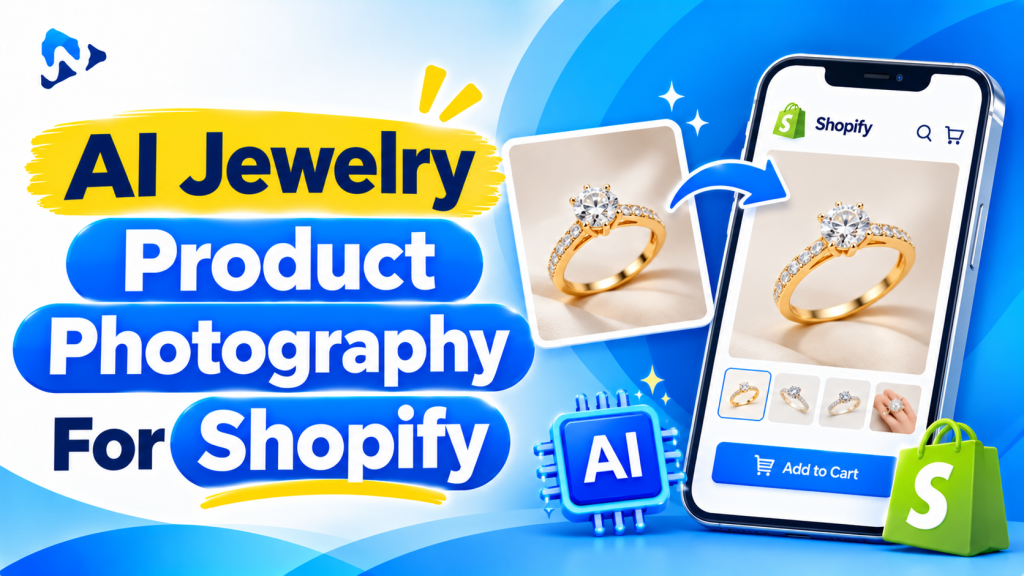
Quick answer: AI jewelry product photography turns one clear photo of a ring, necklace or earring into clean white-background shots, lifestyle scenes, on-model images and even short videos. Pick the tool by the shot you need: a Shopify app such as LUX AI Product Images for catalog images, lifestyle scenes and product videos inside Shopify; Photoroom or Claid for cleaning existing photos in bulk; Photta, Flair or WearView for jewelry worn on a model. Always compare every AI image with the real piece, because some tools can redraw stones, prongs or chains.
Key takeaways:
- Start from a sharp, well-lit photo; AI can’t fix a blurry one.
- Use AI mainly for background, light and scene; keep the piece itself real.
- Show scale: a worn shot or a hand shot prevents size returns.
- Keep one background and framing across the whole collection.
In this guide
- 10 AI jewelry photo tools compared
- Best tool for each need
- Which tool to choose: by goal, budget and jewelry type
- The shots every jewelry listing needs
- Why jewelry is hard for AI
- Step-by-step workflow on Shopify
- Which tool for which piece
- AI vs a photographer: cost
- Common mistakes
- FAQ
10 AI Jewelry Product Photography Tools Compared
| Tool | Best for | On-model | Starts from | Free start |
|---|---|---|---|---|
| LUX AI Product Images | Catalog, lifestyle scenes, video and SEO alt text inside Shopify | No | $9.99/month (1,500 credits) | Yes, 200 credits |
| Photoroom | Cleaning and restaging existing photos in batches | Yes (virtual models) | $12.99/month | Free trial |
| Photta | Choosing the model and exact placement | Yes | $19/month (60 photos) | Watermarked trial |
| Flair | Art-directed scenes on a design canvas | Yes | $10/month | Yes, 5 images |
| WearView | On-model and try-on style photos | Yes | $29/month (50 credits) | No |
| Claid | Scenes that keep the product untouched (Precise mode) | No | $9/month | Check site |
| Pixelcut | Packshots and on-skin close-ups from one upload, on mobile | Close-ups | $10/month | Yes |
| Pebblely | Marble, velvet and themed backgrounds on a budget | No | $9/month | No |
| Caspa AI | Worn and surface shots, piece kept as uploaded (per vendor) | Yes | $39/month billed yearly | No |
| NeuroViz | Retouching photos you already have | No | $29/month plus pay as you go | Check site |
LUX prices are from its Shopify App Store listing (rated 5.0 from 2 reviews, launched September 2026). Other prices are from vendor pages as reported by comparison guides in November 2026, listed in Sources.
Which AI Jewelry Photo Tool Is Best for Each Need?
- Best inside Shopify, and for photos plus videos: LUX AI Product Images. Creates product and lifestyle images, removes backgrounds, turns images into product videos and writes SEO alt text and file names, without leaving the Shopify admin. It doesn’t do on-model photos.
- Best for exact jewelry on a white background: Photoroom, with batch edits across metal and stone variants.
- Best for rings, necklaces and earrings on a model: Photta for exact placement, or WearView for worn and try-on style photos.
- Best for keeping the piece unchanged: Claid in Precise mode, or Caspa AI, which both say they keep the product as uploaded.
- Best for luxury ad creative: Flair.
- Best budget backgrounds: Pebblely.
- Best on a phone: Pixelcut.
- Best for retouching a catalog you already shot: NeuroViz.
Which AI Jewelry Tool Should You Choose?
By what you want to create
| Your goal | Pick |
|---|---|
| Exact jewelry on a white background | Photoroom, Claid or LUX |
| Ring on a model’s hand, necklace on a model | Photta or WearView |
| Luxury lifestyle scenes | LUX, Flair or Pebblely |
| Product photos and promotional videos from one image | LUX |
| Shopify catalog consistency, with alt text and file names | LUX |
| Many styles from one upload | Pixelcut |
By monthly budget
| Budget | Options |
|---|---|
| No cost | LUX free plan with 200 credits, Flair with 5 images, Pixelcut free tier |
| Under $30 a month | LUX Starter $9.99 or Growth $19.99, Pebblely $9, Claid $9, Pixelcut $10, Flair $10, Photoroom $12.99, Photta $19 |
| $30 to $100 a month | WearView from $29, NeuroViz from $29, Caspa AI from $39, LUX Pro $49.99 |
By the jewelry you sell
- Gold and diamond jewelry: accuracy matters most. Keep real close-ups, and use AI for backgrounds, light and scenes only.
- Silver jewelry: watch for grey or blue color casts; set one cool white background for the whole collection.
- Fashion jewelry: on-model and lifestyle images sell the look, and volume matters, so a low cost per image wins.
Which Shots Does Every Jewelry Listing Need?
| Shot | Why | Real photo or AI? |
|---|---|---|
| 1. Clean packshot on white or light grey | Collection grid and Google Shopping | Real photo, AI background clean-up |
| 2. Detail close-up | Shows stones, clasp, hallmark | Real macro photo |
| 3. Worn or on-hand shot | Shows real size and how it sits | AI on-model, checked against the real piece |
| 4. Lifestyle scene | Mood, gifting, ads | AI scene |
| 5. Scale shot | Next to a coin or ruler, prevents size returns | Real photo |
| 6. Short video or 360 spin | Sparkle and movement | AI video from a photo, or real video |
See how to make a product video from one photo with AI.
Why Is Jewelry Harder for AI Than Other Products?
AI must keep the exact stone count, stone placement, metal color, chain design and engravings, and small details are where it slips.
- Tiny details: prongs, chain links and stone cuts are small, and some tools redraw them. Vendors disagree here: some say they redraw the piece, others that they keep it as uploaded.
- Reflective metal: polished gold and silver reflect the room, so the same ring can look warm in one photo and grey in another.
- Sparkle: a flat, evenly lit photo can make diamonds look dull; too much glare hides the cut.
- Scale: a stud and a statement pendant can look the same size on screen.
- Color accuracy: yellow, white and rose gold must stay true, or customers return the piece.
The safe rule: keep your original photo as the reference, use AI mainly to change the background, lighting and setting, and check every image before it goes live.
How Do You Create AI Jewelry Photos for Shopify? Step by Step
- Shoot one sharp reference photo per piece in soft, even light, using a phone on a tripod. Clean the piece first; dust shows on stones.
- Remove the background and set one exact background color for the whole collection, such as pure white.
- Generate lifestyle scenes that match the piece, such as velvet, marble or a gift box.
- Create on-model shots with an on-model tool if size and fit matter.
- Check every image against the real piece: stone count, prong shape, chain style, engraving and metal color.
- Keep the framing the same across the collection. See how to keep product photos consistent.
- Export at the right size, such as 2048 x 2048 px square. See the Shopify product image size guide.
- Add alt text and file names, such as 14k-gold-solitaire-ring-on-hand.jpg. See Shopify image SEO and alt text.
Which Tool Suits Each Type of Jewelry?
| Piece | Key shot | Tool type |
|---|---|---|
| Rings | On hand, plus stone close-up | On-model tool plus a real macro |
| Necklaces and pendants | On the neck, to show chain length | On-model tool with placement control |
| Earrings | On the ear, to show drop length | On-model close-up |
| Bracelets | On the wrist, plus clasp | On-model tool |
| Personalized pieces | Engraving or name preview | Lifestyle scenes plus a live text preview. See selling personalized jewelry on Shopify |
| Large catalogs | Uniform packshots | Batch background tool inside Shopify |
How Much Does AI Jewelry Photography Cost vs a Photographer?
Illustrative example with assumed prices. A store needs 4 images each for 50 pieces: 200 images.
| Option | Cost |
|---|---|
| Studio photographer at an assumed $25 per edited image | 200 × $25 = $5,000 |
| AI subscription for 2 months at $20 a month, plus your time | 2 × $20 = $40 |
Many brands mix both: a photographer for hero and detail shots, and AI for lifestyle scenes, variants and ads.
Common AI Jewelry Photo Mistakes
- Publishing without checking the piece: an extra stone, a changed engraving or a different clasp leads to returns and complaints.
- Starting from a blurry photo. AI improves light and background, not focus.
- Different whites across the collection, which looks messy in the grid.
- No scale shot, so a dainty ring looks chunky.
- Only AI images. Keep at least one real close-up so customers trust what they see.
- Skipping alt text, which loses image search traffic.
Frequently Asked Questions
What is the best AI tool for jewelry product photos on Shopify?
It depends on the shot. LUX AI Product Images works inside Shopify for catalog and lifestyle images, product videos and alt text; Photoroom cleans existing photos on white in bulk; Photta, Flair and WearView create on-model shots.
What is the best free AI tool for jewelry photos?
LUX has a free plan with 200 credits inside Shopify, Flair gives 5 free images, and Pixelcut has a free tier. Use free plans to test quality on your own pieces before paying.
Can AI create jewelry on a model?
Yes. Tools such as Photta, Flair, WearView and Caspa AI place jewelry on AI models. Check each image, because some tools can change small details.
Can AI make jewelry product videos?
Yes. LUX turns product images into short AI videos on its paid plans, which suits sparkle and movement on product pages and in ads.
Is AI jewelry photography accurate enough to sell with?
For backgrounds and scenes, usually yes. For worn shots, compare every image with the real piece before publishing, and keep a real close-up in the listing.
What background is best for jewelry product photos?
White or light grey for the main image, and one exact color for the whole collection. Use marble, velvet or lifestyle scenes for secondary images and ads.
What size should jewelry photos be on Shopify?
A square 2048 x 2048 px image is a common choice; keep the same aspect ratio across products so the collection grid lines up.
How much does AI jewelry photography cost?
Most tools start between $9 and $39 a month, and several have a free start, such as LUX with 200 free credits and Flair with 5 free images.
Related Reading
- Best Shopify Apps for Jewelry Stores
- How to Keep Product Photos Consistent on Shopify
- Holiday Product Photos for Shopify With AI
- Shopify Product Videos From One Photo
Update Log
November 23, 2026: First published with 10 tools compared, best picks by need, choice tables by goal, budget and jewelry type, required shots, a Shopify workflow, a cost example and FAQs.