

Last updated: October 26, 2026. Disclosure: Webiots develops Ultimate Product Options, the app used in the setup steps.
Quick answer: You can manage Shopify product options for draft orders and POS by passing custom line item properties and custom item surcharges directly into the order record. While native online forms rely on storefront JavaScript, admin draft orders and POS carts capture custom inputs using item custom properties and line item pricing adjustments. This preserves bespoke personalizations without generating separate inventory SKUs.
Key takeaways:
- Draft orders and Shopify POS use line item custom properties to record buyer preferences.
- Add-on prices can be added directly as custom line adjustments or auxiliary customization line items.
- Native product variants remain dedicated to stocked physical inventory units.
Managing Shopify product options for draft orders and POS is essential for omnichannel merchants who sell bespoke goods in-store, by phone, or through wholesale invoices. Handling manual sales smoothly requires capturing customization data without breaking your inventory catalog.
In this guide:
- Why do draft orders and POS handle product options differently than online stores?
- How do custom line item properties function in draft orders and POS carts?
- How do online storefronts, draft orders, and POS compare for custom options?
- How do you handle custom add-on pricing on manual orders?
- How do you manage Shopify product options for draft orders and POS?
- The Bottom Line
- Frequently Asked Questions
- Related Reading
- Update Log
- Sources
Why do draft orders and POS handle product options differently than online stores?
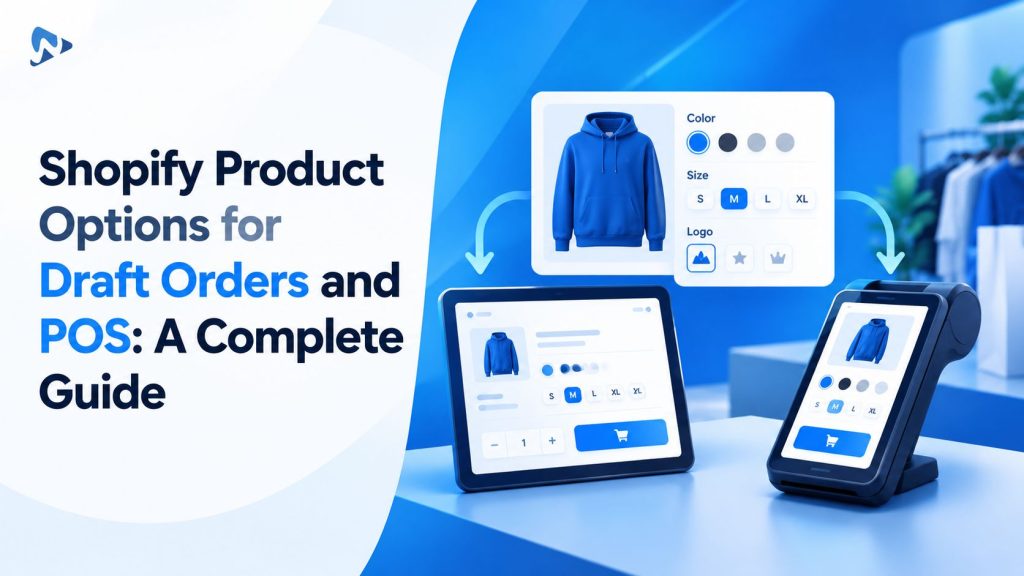
Draft orders and POS bypass online theme Liquid templates, meaning storefront app scripts do not render in the admin or register. On your Online Store 2.0 theme, apps load interactive swatches, file upload widgets, and character count fields directly inside the browser DOM. When creating an order manually in the Shopify admin or ringing up a customer on the Shopify POS app, your staff interact with Shopify’s internal point-of-sale interface rather than your public product page.
Shopify natively supports up to 3 option categories and up to 2,048 variants per product. Creating separate physical variants for every possible custom text inscription, monograms, or fabric finish quickly creates catalog bloat. Understanding how manual order channels process custom inputs prevents your team from making duplicate SKUs for made-to-order services.
Tip: Keep physical variants reserved for blank goods stocked on shelves. Use custom line item properties to log bespoke requests across both online checkout and physical sales channels.
How do custom line item properties function in draft orders and POS carts?
Custom line item properties attach key-value pairs directly to individual cart lines without generating new SKU records. According to Shopify Developer documentation, line item properties store custom text, selections, and dates alongside the base item. In draft orders, you can click into any line item and add custom properties manually, ensuring production staff receive clear instructions on the packing slip.
On Shopify POS, staff can add custom line item properties using line item notes or POS UI extensions supported by the app. If you need to keep internal notes hidden from customer receipts, prefix the property name with an underscore, such as _workshop_bin. Shopify suppresses underscore-prefixed properties from customer-facing printouts while preserving them in your admin and fulfillment software.
How do online storefronts, draft orders, and POS compare for custom options?
Each sales channel uses a distinct user interface to collect custom inputs, but all three write to the same order property architecture. Understanding these distinctions helps maintain consistent fulfillment across channels.
| Feature | Online Storefront (Theme) | Shopify Admin Draft Orders | Shopify POS (In-Person) |
|---|---|---|---|
| Input Interface | Interactive swatches & fields | Manual property fields in admin | POS line notes & app tile |
| Add-On Surcharges | Calculated automatically by app | Custom item or price override | Custom sale or line price adjustment |
| Data Storage | Line item properties | Line item custom attributes | Line item properties |
| Catalog Impact | Zero variant SKU duplication | Zero variant SKU duplication | Zero variant SKU duplication |
How do you handle custom add-on pricing on manual orders?
Apply add-on surcharges by adjusting the line item unit price directly or inserting a non-inventory custom sale line. According to Shopify Help Center documentation on draft orders, merchants can edit the unit price of any product added to a draft order without altering the master catalog listing price.
Consider an illustrative example: a bespoke leather satchel has a base price of $85.00. The customer requests custom hot-stamped initials for an additional $15.00. In a draft order or POS cart, your associate can edit the satchel item price to $100.00 ($85.00 base + $15.00 customization = $100.00 total) and record “Monogram: KLP” in the custom line item properties. Alternatively, your associate can add a standalone “Custom Stamping Service” line for $15.00 to keep the service fee distinct on the receipt.
How do you manage Shopify product options for draft orders and POS?
You manage Shopify product options for draft orders and POS by configuring standardized option sets in your app and mapping those attributes across sales channels. Standardizing your option naming ensures that whether an order originates online, via phone invoice, or at a retail counter, fulfillment teams receive identical production details.
- Install Ultimate Product Options from the Shopify App Store.
- In your Shopify Admin, go to Online Store > Themes > Customize, open App embeds, switch Ultimate Product Options to On, and click save.
- Open Apps > Ultimate Product Options and click Create Option Set.
- Assign your option set to your target products or collections.
- Add your custom fields, such as text inputs for inscriptions, dropdowns for finishes, or swatches for materials.
- Set up conditional logic rules (available on the Basic plan at $7.99/month and above) to keep custom options clean and relevant.
- Document your standardized property keys (such as “Custom Engraving” or “Thread Color”) in an internal standard operating procedure for draft order and POS staff.
- When generating a draft order in Orders > Drafts, select your base product variant, click Edit custom attributes on the item line, and enter the matching property name and customer selection.
- When checking out via Shopify POS, tap the item line in the register cart, select Add Line Property / Note, and record the customization details.
- Complete a test order across both channels to confirm that custom properties display properly in your Shopify order admin and print clearly on packing slips.
Unify Custom Options Across Every Sales Channel
Create swatches, custom fields, and add-on pricing rules without multiplying inventory variants. Free plan available.
The Bottom Line
Delivering custom options across draft orders and Shopify POS requires understanding how non-storefront channels record line item metadata. By standardizing line item properties and leveraging price adjustments rather than generating artificial SKUs, you maintain clean inventory counts and empower your team to sell personalized items online, over the phone, and in retail stores.
Want to try it on your own products? Install Ultimate Product Options free or learn more about the app.
Frequently Asked Questions
Do Online Store 2.0 theme app embeds appear inside the Shopify POS app?
No, theme app embeds only render on public storefront pages viewed in a web browser. On Shopify POS, associates record custom option details using line item notes, custom properties, or dedicated POS UI extensions.
Can I add line item properties to manual draft orders in Shopify?
Yes, you can add custom line item properties to any draft order line item in your Shopify admin. Click on the item line inside the draft order screen and select the option to edit custom attributes.
What is Shopify’s native variant limit per product?
Shopify supports up to 3 option names and up to 2,048 variants per product. Using virtual options via line item properties allows you to offer unlimited personalizations without expanding your variant catalog.
Will underscore-prefixed properties show up on customer POS receipts?
No, properties that begin with an underscore are treated as private and suppressed from customer receipts. They remain accessible within your Shopify admin order screen and API feeds for production staff.
Can conditional logic rules be configured for product options?
Yes, conditional logic allows you to display dependent option fields only when specific parent choices are made. This feature is included in the Basic plan ($7.99/month) and above.
Related Reading
- How to Add Product Options Without Creating Additional Variants
- How to Dynamically Change Product Prices with Custom Add-Ons
- One Shopify Product with Variants or Multiple Products? How to Choose
Update Log
October 26, 2026: Published comprehensive guide on managing Shopify product options across draft orders and POS channels.